AI Texture Generation: Create Game-Ready PBR Materials in Seconds
Generate seamless AI textures for Unity and Unreal. Create PBR texture maps like albedo, normal, roughness, and metallic in seconds.
Why it matters
Every 3D world relies on textures. Without them, environments feel flat. Building physically based rendering textures by hand is slow, from sculpting to baking to exporting. AI texture generation in Scenario removes that bottleneck so you can move from concept to production without losing momentum.
How it works
Describe the material
Write a clear prompt that describes the surface, colors, material, and any key details. If you're unsure how to phrase it, use Prompt Spark to expand short ideas, translate them, or simply convert a reference image into a detailed prompt.
Choose a texture model
Pick a model that fits your art direction, including Realistic Textures 2.0, Hand-Painted Textures, Lineart Textures, or a Custom Model trained on 10 to 50 images. You can control Texture Count from 1 to 8, set Sampling Steps (Flux models default to 28), and adjust Guidance values (about 3.5 for Flux and around 6 for SDXL).
Preview
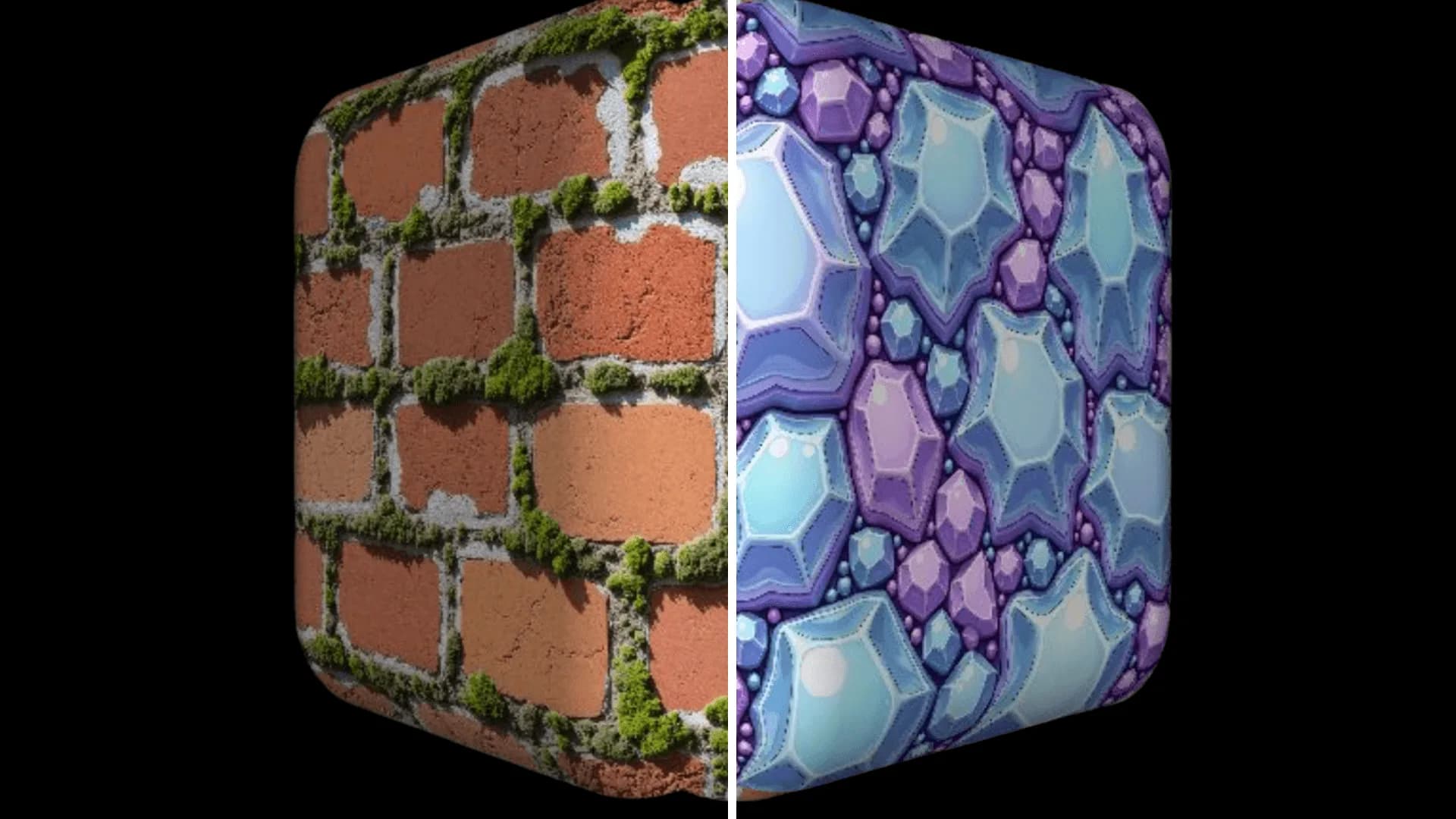
After you generate the albedo, open the 3D viewer to test tiling and light response on a sphere, plane, cube, or cylinder. Adjust display settings such as tiling, metallic, roughness, environment intensity, and ambient occlusion intensity to see how the texture behaves.
Generate PBR texture maps
Click Generate Maps to produce a matched set that includes height, normal, metallic, edge, and ambient occlusion. The maps are aligned so they work together in real-time engines.
When to use
- Build environments quickly without sculpting every surface
- Refresh older assets with modern, game-ready maps
- Explore stylized or experimental looks without hand-painting
- Create fast variations during prototyping and lock the best result
Why it works
Scenario's models understand how light interacts with materials like stone, leather, wood, and metal. That understanding is converted into coherent PBR texture maps that behave naturally in real-time lighting. You still direct the finish and style, but the heavy lifting is handled in seconds.
Try it yourself
Describe a surface such as "ancient limestone wall with sandy gray tones and moss in the joints," generate the albedo, preview it in 3D, then create the full PBR set and drop it into your engine.
Try Scenario's AI texture generator today