
Why choose Scenario over Google Flow?
Discover why Scenario outperforms Google Flow for generative video production. With multi-model flexibility, built-in LoRA training, advanced editing tools, and collaborative workspaces, Scenario offers robust asset management and a future-proof platform for professional teams. Don't settle for a single-model tool—unlock your creative potential today!

In the fast‑moving world of generative video, your team’s choice of tools can shape both the quality of your output and the efficiency of your workflow. Recently, a marketing team weighing their options told us they were leaning toward Flow, Google’s filmmaking interface for the Veo 3 model, because its built‑in Scene Builder looks easy to use. That feedback led to a great conversation about the trade‑offs between single‑model tools and multi‑model platforms like Scenario. We’re sharing the highlights here to help you make an informed decision.
A Team Torn Between Tools
Flow’s Scene Builder offers a timeline‑based editor where you can trim shots or extend a scene in one click. Google describes the key features as follows: camera controls, a Scene Builder for editing and extending shots, and asset management. A detailed hands‑on review confirms that the Scene Builder lets you choose between Jump to and Extend transitions when assembling shots [datacamp.com]. These features are appealing if your primary goal is to create a short clip and you’re comfortable working within one model.
However, creative teams often need more than a simple in-browser editor. They require deep control over assets, collaborative workflows, and the ability to work with different models as new capabilities emerge. That’s where Scenario shines.
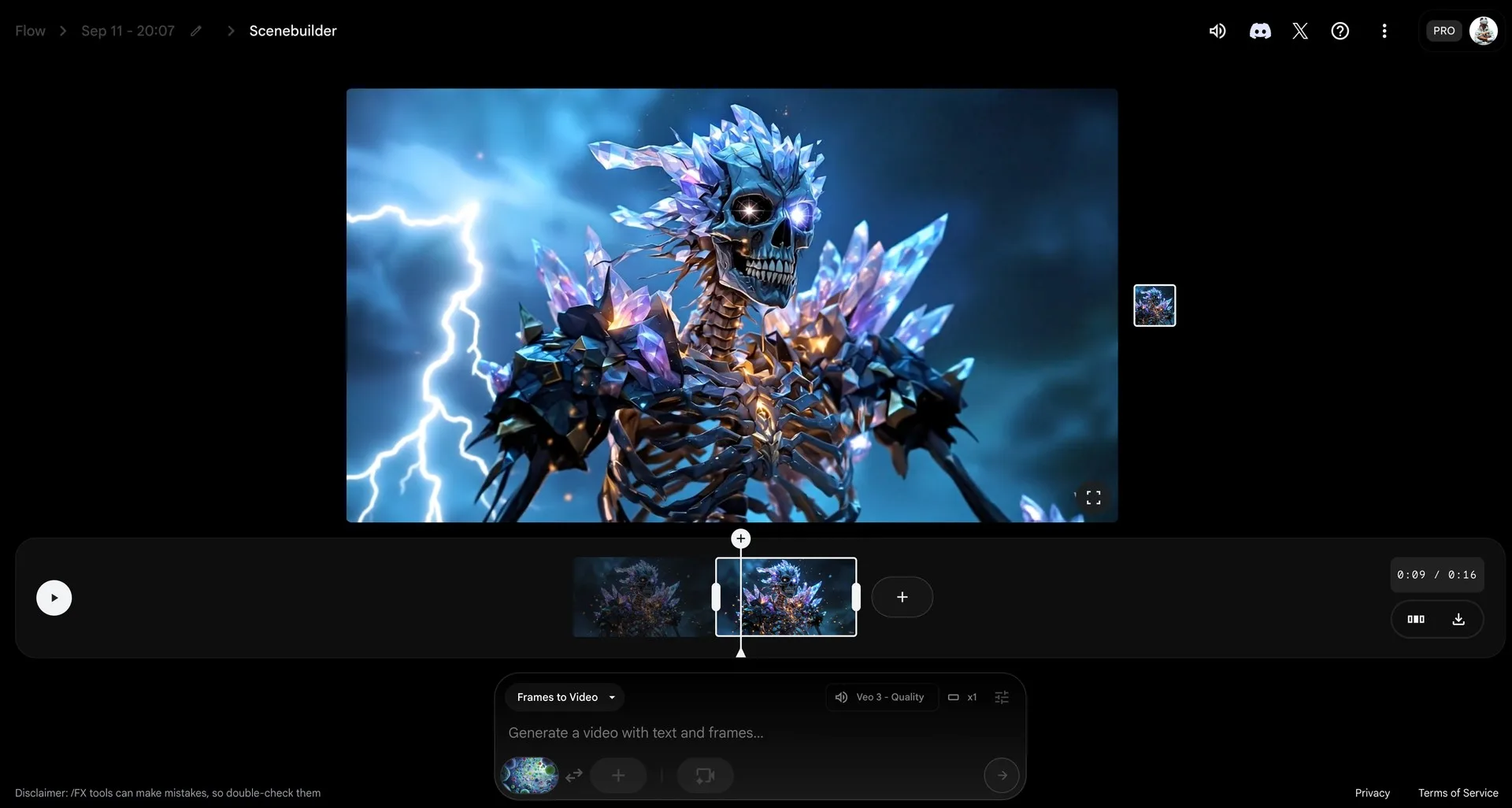
Google Flow’s interface
The Limitations of a Single‑Model Platform
It’s important to understand what you lose when you commit to a tool built around a single model family. In this example, based on our research and the current capabilities of Flow, here are some of the pain points we highlighted for the marketing team:
- No data indexing or smart search: Flow currently has no built‑in way to index your generated content or search through past generations. Scenario automatically tags and indexes your outputs so you can find and reuse them later, with a powerful AI-powered search tool.
- Lack of data lineage and collaboration: There is no mechanism to track asset lineage, prompt changes or share projects across a team. Scenario supports collaborative workspaces, so everyone stays in sync.
- Limited model options: Flow is designed for Google’s Veo models and, according to Google, it’s the only filmmaking tool custom‑designed for Google’s own model family. If a new model surpasses Veo or offers better value, you’ll need to wait for Google to integrate it - or more surely wait for the next generation of Google models.
- No image generation capabilities: Artists rely on custom image models to leverage custom styles or characters. Flow does not currently offer LoRA training or import; Scenario’s training system lets you train models and deploy them quickly.
- Video Editing: Scenario offers advanced editing capabilities including built-in upscaling (Topaz), reframing options, and in-context editing (Runway Aleph). You can upscale videos and convert them to different formats without ever leaving the platform.
- No Prompt Agent: (Prompt assistance, prompt completion, prompt rewriting, prompt translation…) While Flow provides some samples, as a user you are on your own when it comes to write your prompt. Scenario provides an unlimited built-in prompt agent that is always available to help writing the best possible prompt for the selected model taking into account the entire context (reference image, history, user’s preferences).
In short, Flow’s features may be sufficient for hobbyists, but they fall short of what most professional teams require.
Scenario: A Future‑Proof Creative Platform
Scenario was built for teams who need to move fast and scale their creativity. Here’s what sets us apart:
- Multi‑video model flexibility: You don’t have to pick one model and hope it stays ahead. Scenario supports Veo 2, Veo 3 Fast and Veo 3—as well as other models like Seedance, Pixverse, Kling, Minimax, Luma, Runway, Wan and more! When new video models emerge, they’re quickly added to our platform so you can experiment without switching tools or subscriptions.
- LoRA training & custom image generation built in: Our training system lets you train custom LoRAs on your own data. Once trained, these LoRAs can be used for image generation or as frames in videos, giving you unparalleled brand consistency.
- Built-in image editing tools: Scenario features Seedream 4.0, Nanobanana and other powerful editing models that let you easily transform a first frame into a last frame using simple prompts, then generate the video between them in moments.
- Collaborative workspaces: Scenario’s platform includes role‑based collaboration, version history and data lineage. Your whole team can edit, comment and share scenes in real time.
- Advanced editing tools: Scenario offers Reuse First Frame and Reuse Last Frame options (illustrated in the screenshot above), so you can extend a shot smoothly without resorting to external video‑editing software. Upscaling and enhancement are just a click away.
- Content search and indexing: Every asset you create is tagged and searchable. Need that futuristic city clip you made last month? Just type a keyword and find it instantly.
- Enterprise‑grade support: Our enterprise plan includes unlimited generations of your custom‑trained LoRAs, a 30 % discount on compute and priority support. We release new features at a rapid pace, so you can stay ahead without running months‑long tests.
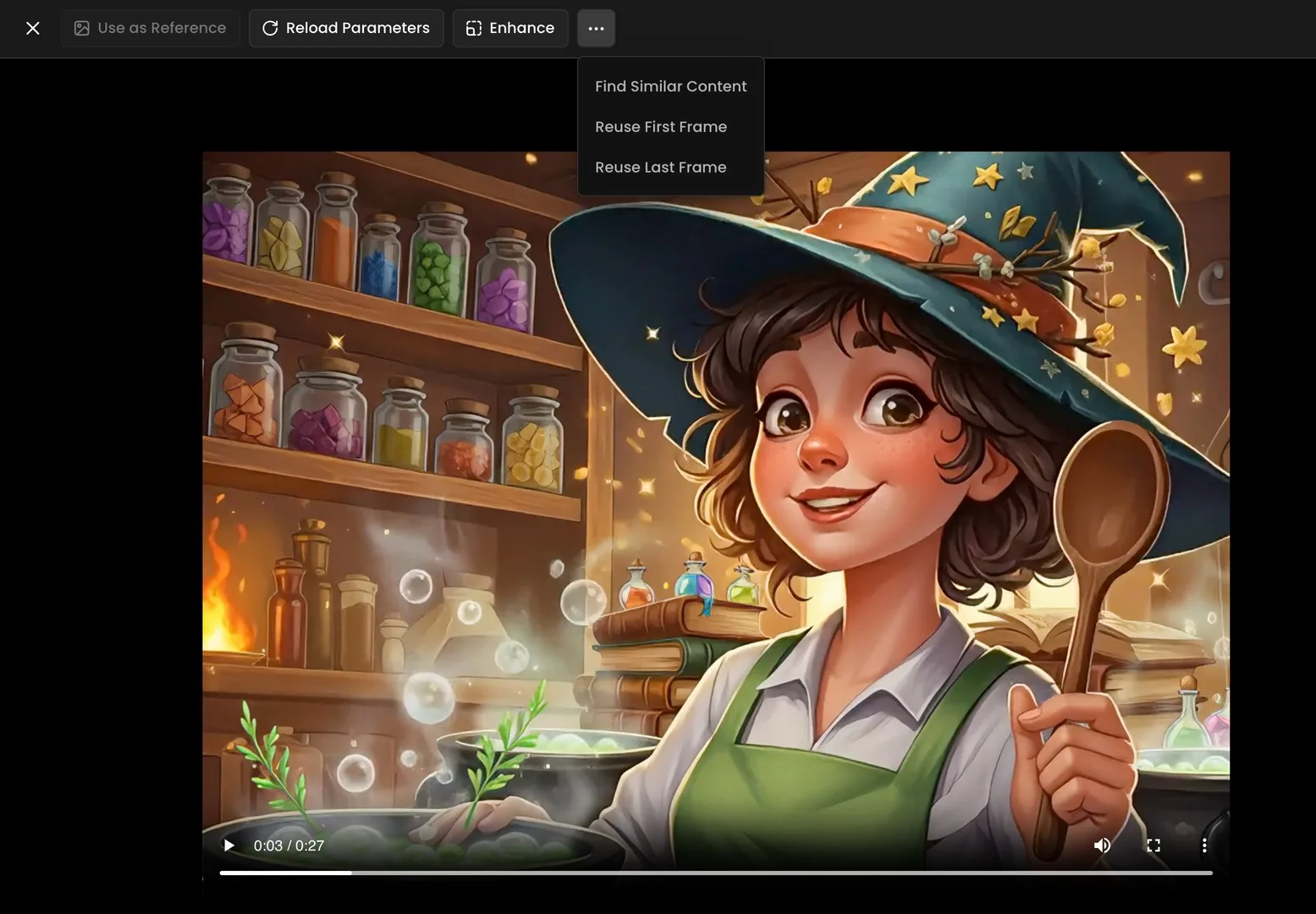
Young witch making a magical potion in kitchen. Scenario's first frame and last frame options.
Why Settle for One Model When You Can Access Them All?
The generative video landscape is evolving rapidly. New models and providers are emerging at lightning speed, and pricing can change overnight. Locking your workflow to a single model means risking obsolescence or missing out on more affordable options. Scenario protects your investment by giving you access to today’s best models and a smooth path to tomorrow’s breakthroughs.
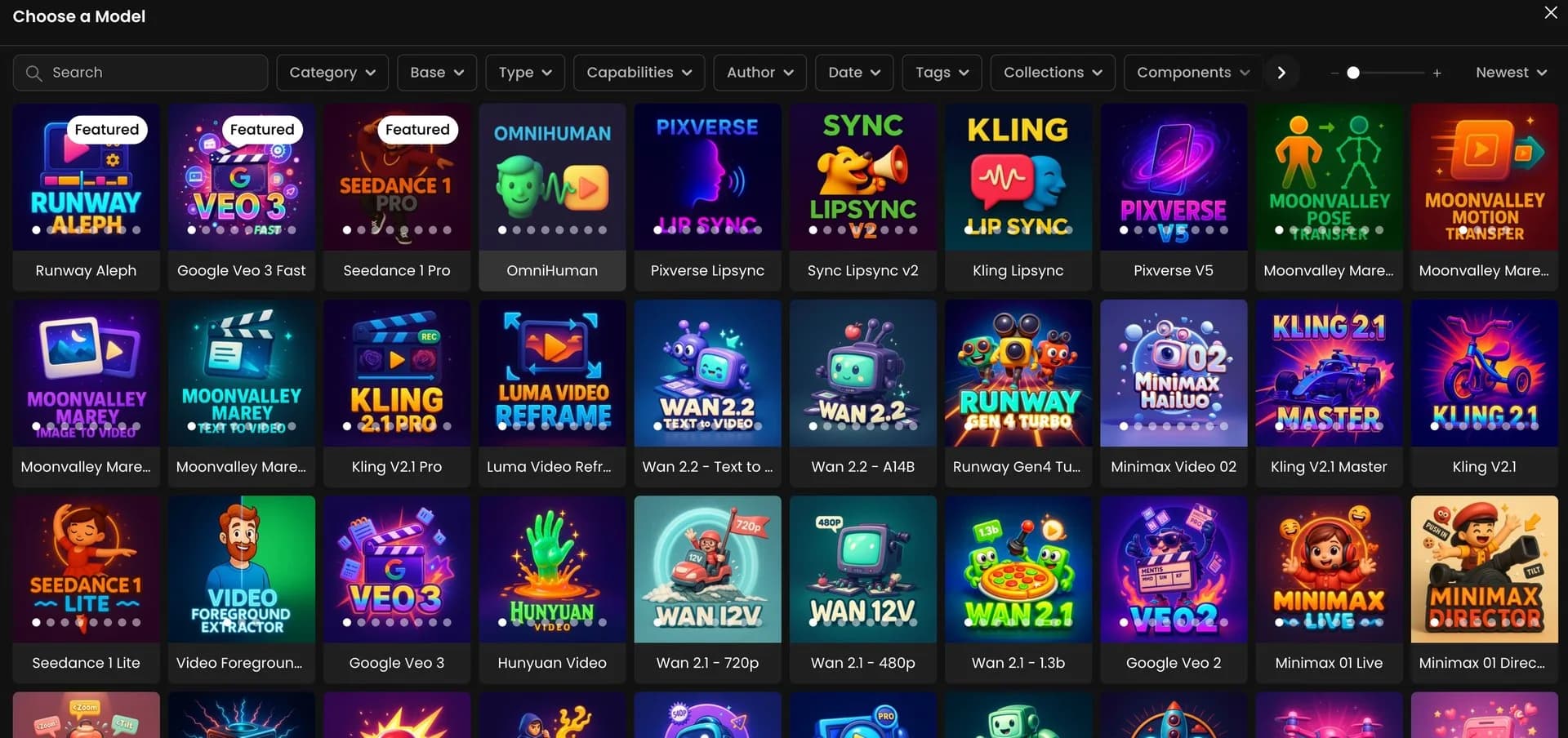
Grid of AI video and animation models in Scenario.
Final Thoughts
Flow’s Scene Builder is an exciting step for creators, and we’re glad tools like Veo 3 are pushing the industry forward. But if your team cares about collaboration, flexible model access, robust asset management and the ability to train your own LoRAs, a single‑model tool won’t be enough.
Scenario’s enterprise plan gives you all of that and more, best‑in‑class editing tools and a roadmap that’s always ahead of the curve. Your creative potential shouldn’t be limited by a single model. Choose a platform that evolves with you.