
Scaling 3D Asset Libraries with AI Retexturing & Seedream
Discover how to scale your 3D asset libraries using AI retexturing with Seedream 4.0. This innovative workflow enables efficient generation of multiple texture variants for 3D models, enhancing productivity in game asset production, architectural visualization, and expanding asset libraries. Say goodbye to slow manual repainting and embrace fast, scalable solutions that maintain quality and consistency in your 3D projects.
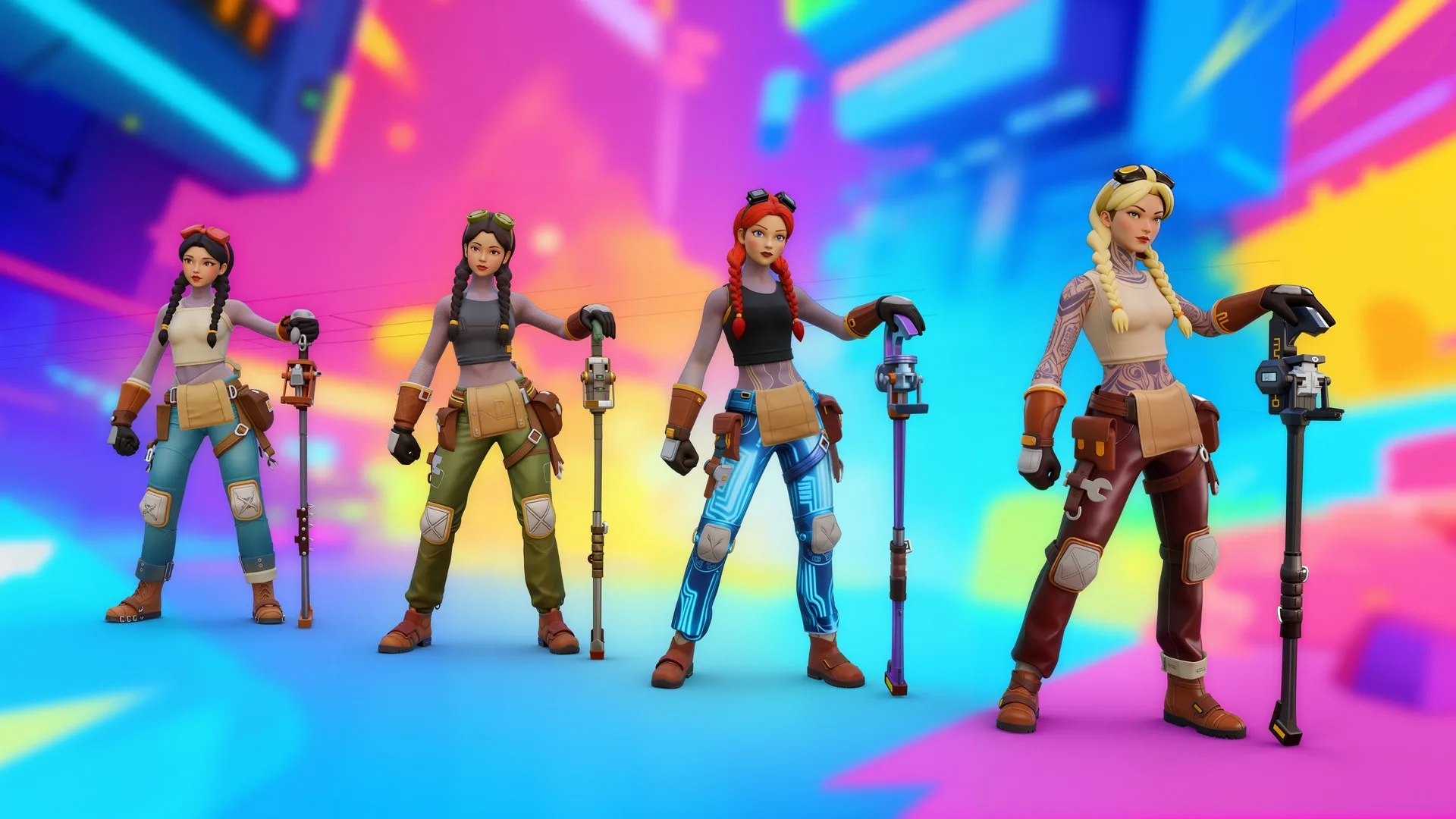
We’re introducing a practical workflow developed by content creators on Scenario that significantly improves how to quickly create variants of 3D models.
This workflow utilizes ByteDance's Seedream 4.0 on Scenario and enables artists to efficiently generate multiple texture variants for 3D models through AI-assisted texture generation and swapping.
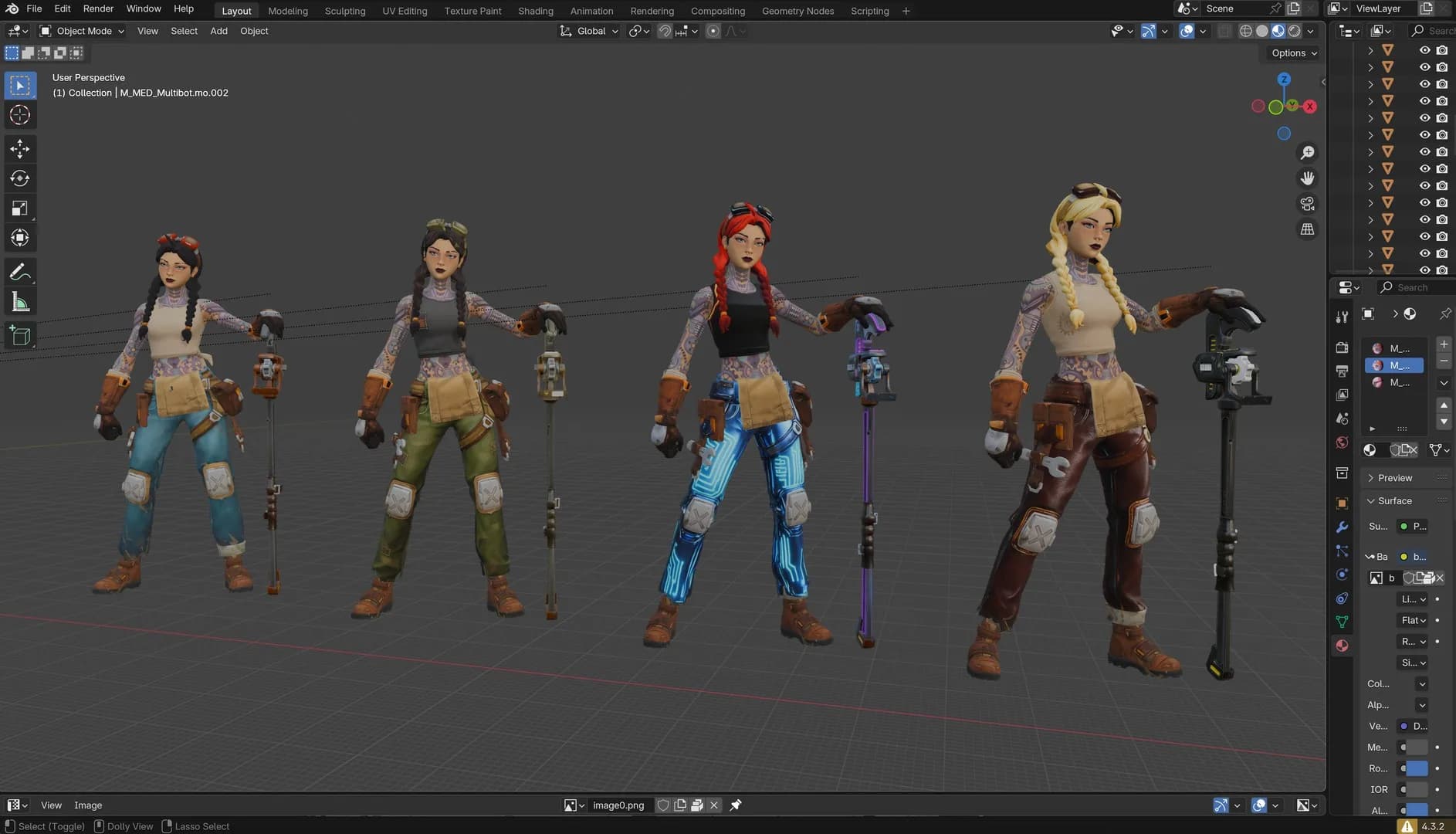
Four versions of a 3D character model with different textures, displayed in Blender.
Creating Texture Variants can be Challenging
Until now, creating new texture variants typically meant repainting the asset by hand. An artist would open the existing albedo map in Photoshop, Krita, or Substance Painter, then manually adjust colors, paint in new wear or dirt, and rebalance details like scratches or fabric patterns.
Even for small changes—such as turning a clean steel shield into a rusted one or swapping a leather strap’s color—this process could take 10 to 30 minutes per variant, depending on the complexity of the asset. While it gave artists complete control over every pixel, it was a slow, repetitive approach that didn’t scale well when dozens or hundreds of variants were needed.
AI is changing this by enabling the development of potentially infinite texture variations for a single mesh, starting from one base texture and expanding using editing models like Seedream 4.0.
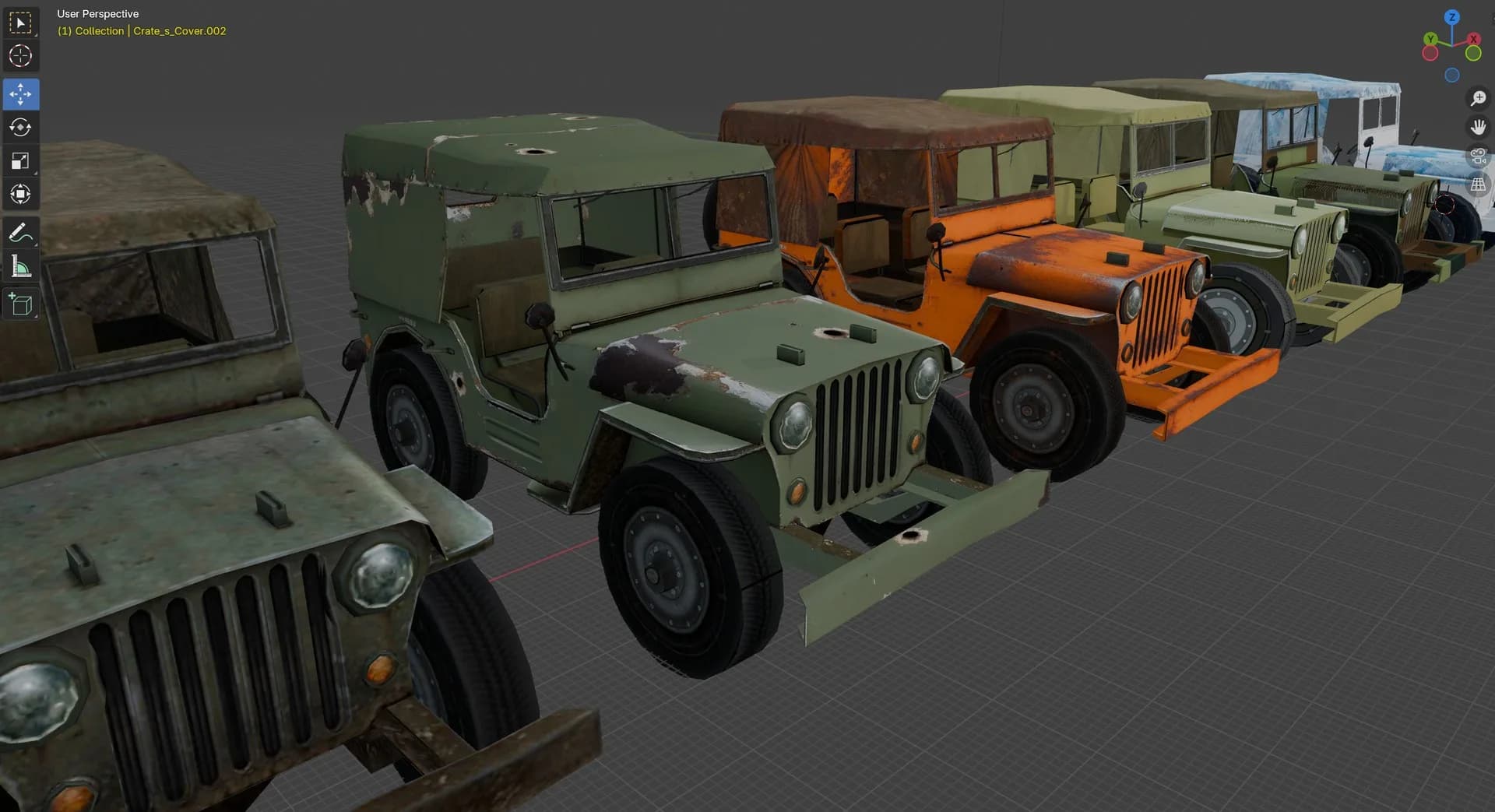
Multiple texture variants of the same jeep model.
Step-by-Step Workflow
Follow this core workflow:
- Start with an existing 3D model and extract its original albedo texture map.
Recommendation: Whenever possible, use models with well-organized and clear UV maps, as this makes it much easier for the AI to recognize and generate consistent results. AI-generated 3D models (without proper UV cleanup) are generally not recommended, since they often contain overlapping or distorted UVs that can reduce quality.
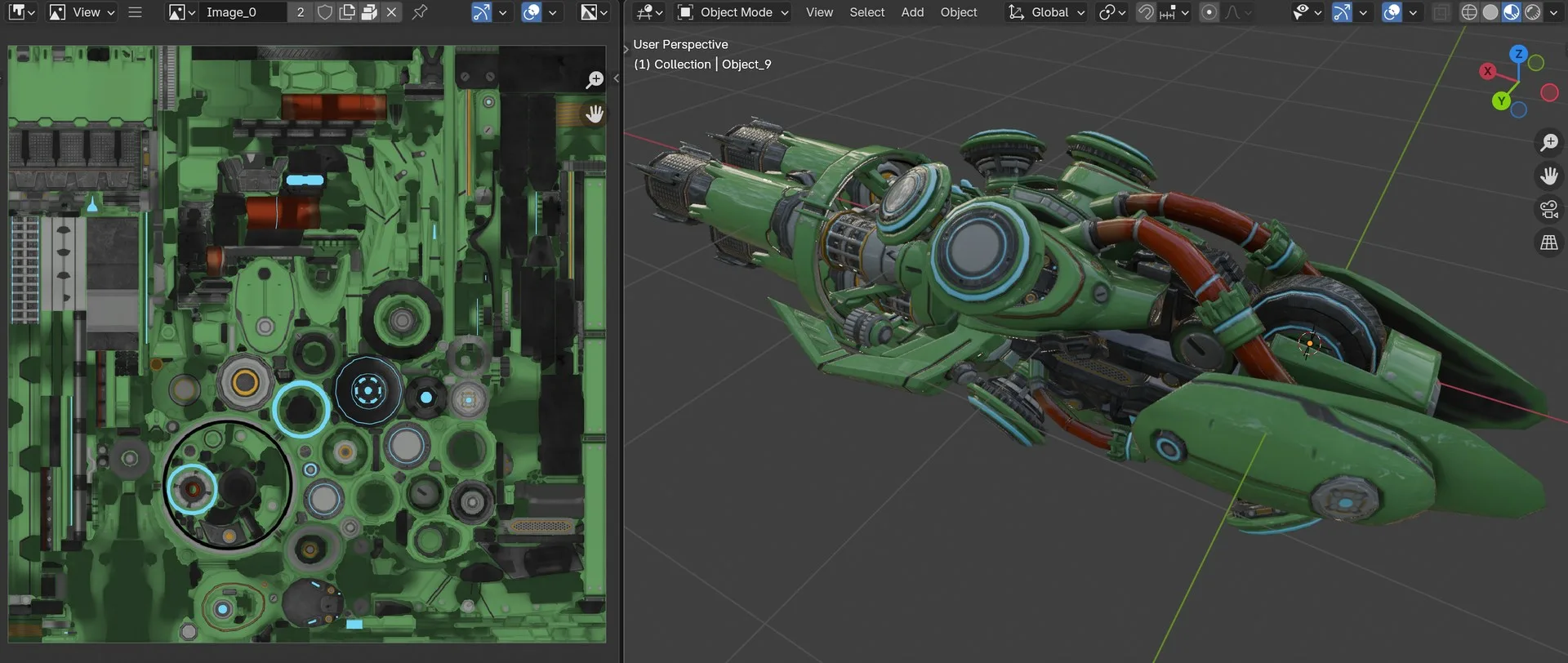
3D laser gun model in Blender alongside its UV texture map.
- Upload the original albedo texture to Scenario (https://app.scenario.com/edit-with-prompts). The texture should be in a standard format (PNG, JPG, or TIFF) with appropriate resolution for your intended use case.
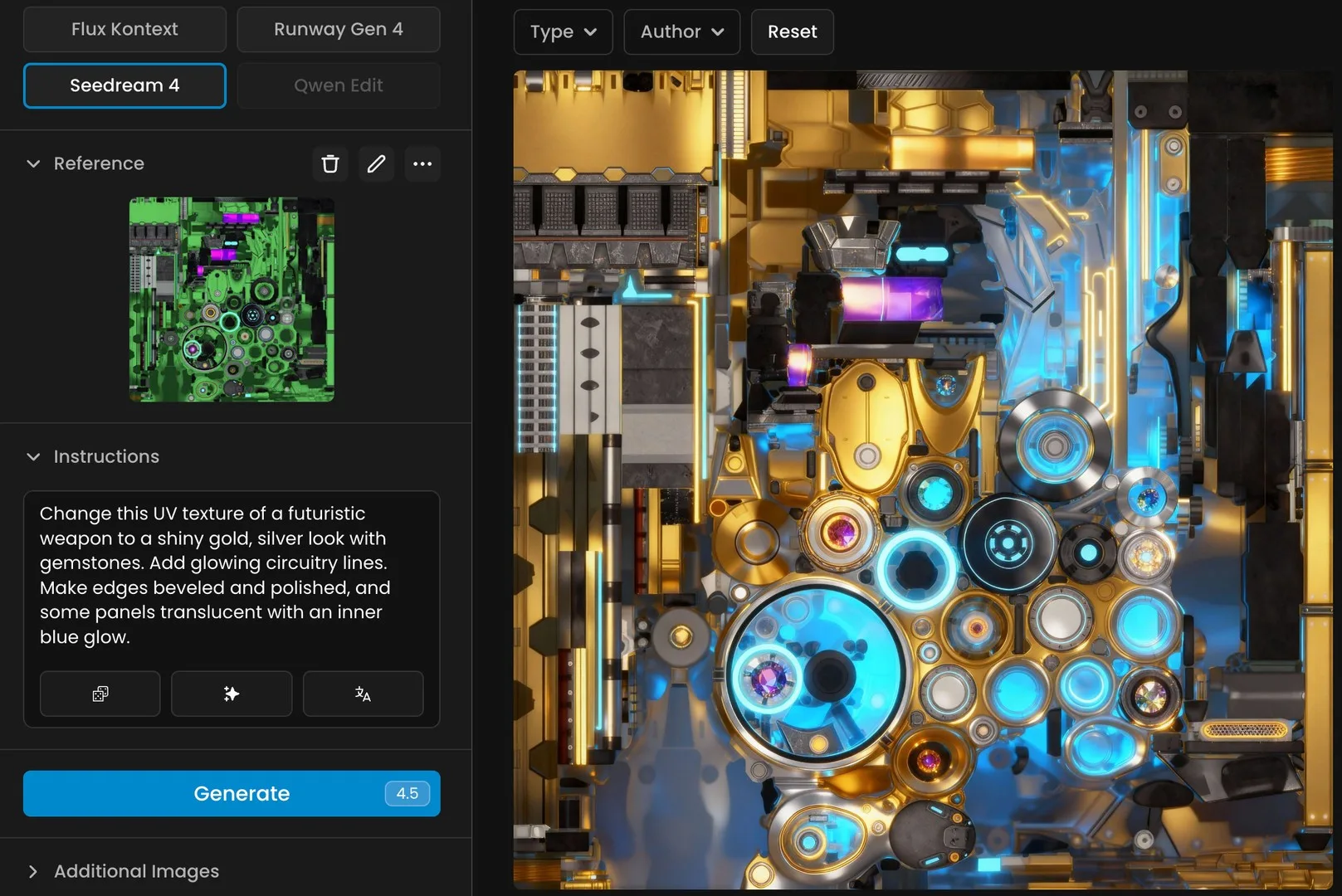
Shiny gold and blue futuristic weapon UV texture.
- Use Seedream 4.0 in “Edit with Prompts" to generate series of alternative albedo maps based on natural language instructions. You can enter specific material descriptions (e.g., "weathered copper with green patina"), include detail level requirements (e.g., "highly detailed," "subtle variation"), or specify style considerations (e.g., "realistic," "stylized," "hand-painted look").
Prompt example: Change this UV texture of a futuristic weapon to a shiny gold, silver look with gemstones. Add glowing circuitry lines. Make edges beveled and polished, and some panels translucent with an inner blue glow.
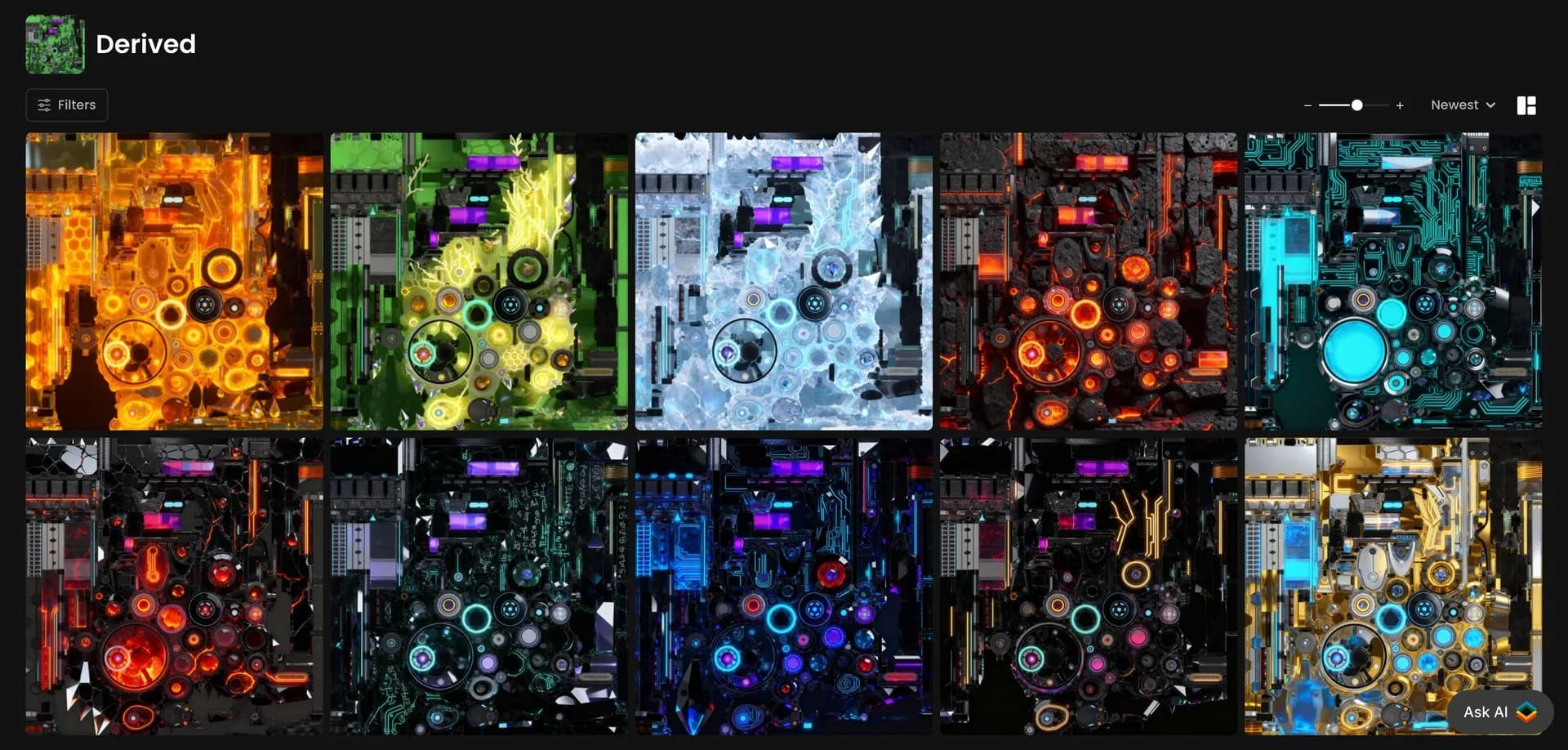
Example outputs of albedo texture variations generated through Scenario's Edit with Prompts workflow.
- Examine the generated textures for quality and alignment, checking that structure remains intact, verifying UV layout consistency. Adjust prompts if needed, and use Scenario's comparison slider feature (accessed via the "c" keyboard shortcut) to evaluate differences between original and generated textures.
- Export the generated texture and apply it to your 3D model in your preferred 3D software. Replace the original albedo/diffuse map with the new AI-generated texture. Adjust other texture maps (normal, roughness, etc.) as needed for consistency. Finally, render or export your newly textured model.
Why Seedream
Seedream 4.0 is ByteDance's latest model that understands the structure of albedo maps while maintaining compatibility with original UV mapping. It generates new textures through descriptive prompts that can be simple or detailed depending on the object or model (like "weathered metal finish" or "wooden texture").
This allows creators to produce multiple visual variants from a single model (such as furniture in various materials) and ensures technical consistency by adhering to original UV layout specifications—all while preserving the model's functional integrity.
Upscale to 4k
Seedream 4.0 lets you generate textures in 4K by default, which is incredibly convenient (simply select 1:1 ratio and 4K in settings). Alternatively, you can use Scenario's Upscale feature to go even higher—up to 8K resolution (see https://help.scenario.com/en/articles/enhance-upscale and https://app.scenario.com/enhance)
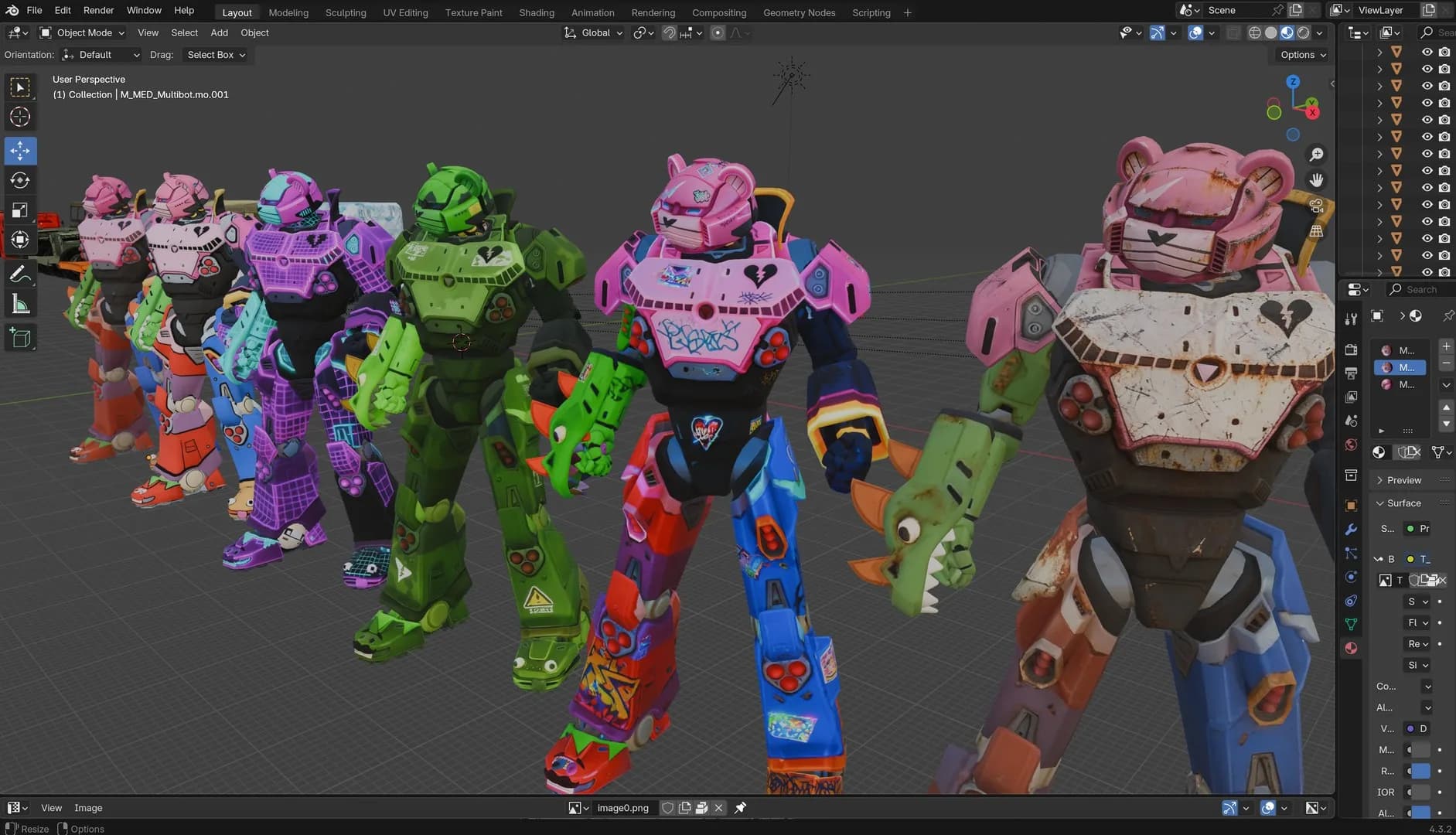
Multiple texture variants of bear robots displayed in 4K resolution.
Applications
This workflow has tangible benefits across several use cases:
Efficient Game Asset Production
Game developers can create asset variants more efficiently. Rather than manually texturing each variation of a game prop or character, developers can generate multiple options from a single base model, reducing production time while maintaining quality standards. This approach also enables user-generated content (UGC) by allowing players to customize assets with their own texture variations while preserving the underlying model structure.
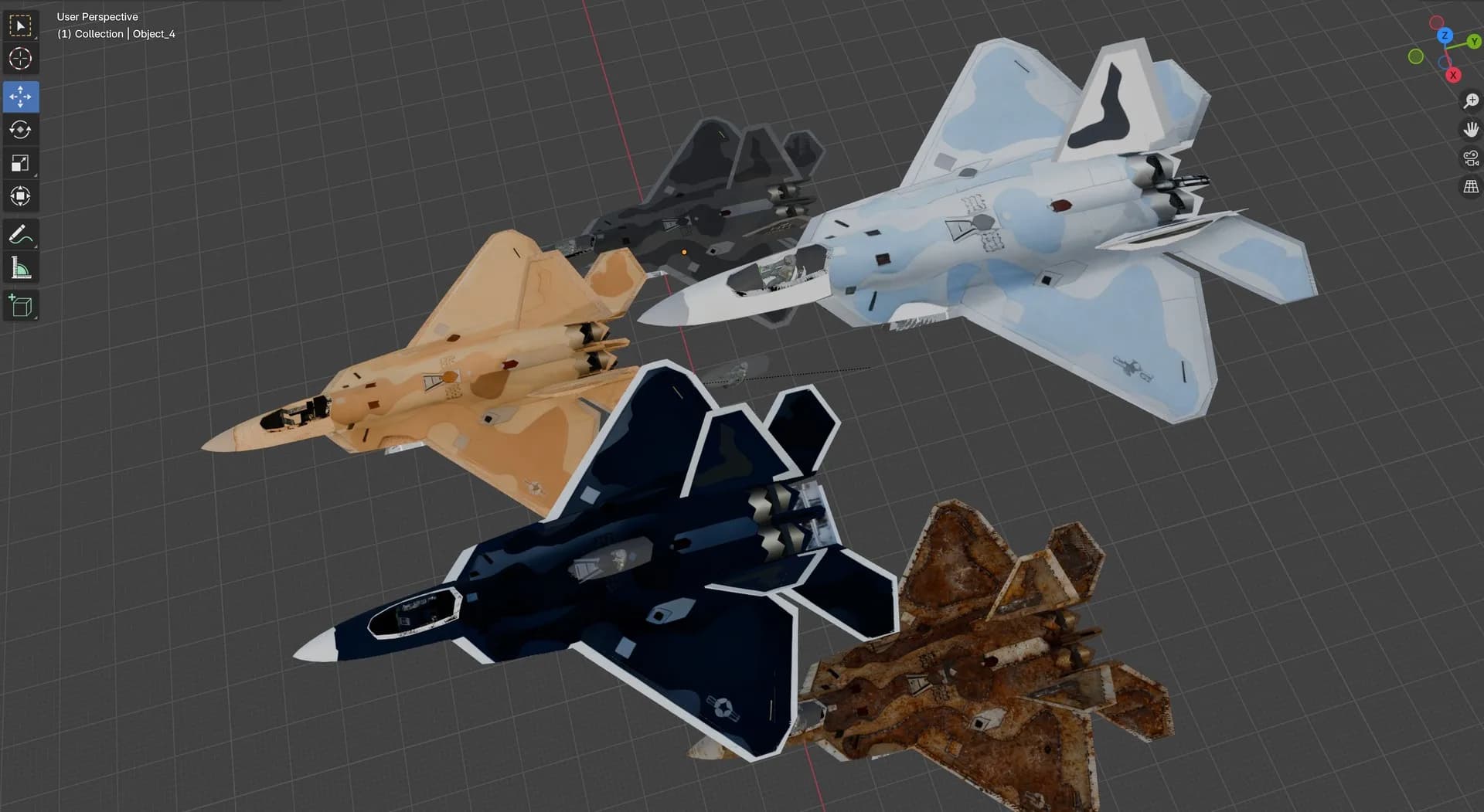
Five 3D-rendered fighter jets with varied camouflage designs.
Architectural Visualization and World Building
Architects or digital world builders can generate multiple material variations for their designs without creating each texture from scratch. This enables rapid prototyping of different material options for client presentations, environmental design iterations, and conceptual explorations. The technique is particularly valuable for visualizing how different materials might affect the overall aesthetic of architectural designs or game environments.
Expanded Asset Libraries
Existing 3D models can serve as templates for multiple variations. This allows studios to extend their asset libraries without proportionally increasing modeling work, making better use of existing resources.
Consistent Asset Collections
This approach facilitates the creation of cohesive asset collections. Teams can rapidly adapt sets of models to match specific visual themes or art direction requirements while maintaining technical consistency.
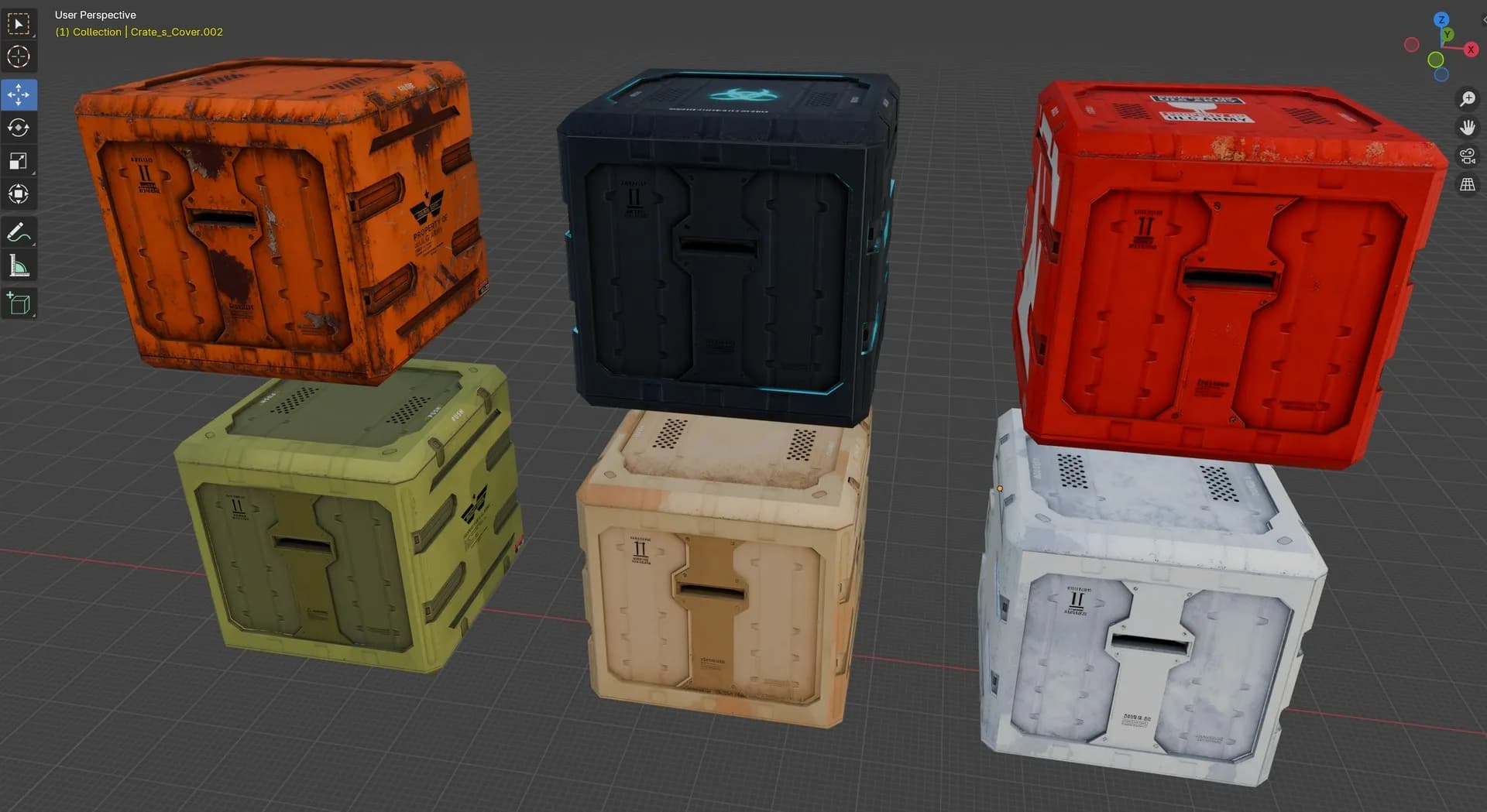
Six futuristic cargo crates in different colors.
Conclusion
By combining AI-assisted texture generation with established 3D workflows, creators can move from slow, repetitive repainting to fast, scalable variation. Whether for games, archviz, or expanding asset libraries, Seedream 4.0 on Scenario opens the door to new levels of efficiency and creativity in 3D production.