Scenario Apps: The One Click Experience For Workflows
Discover Scenario Apps: your one-click solution for streamlined workflows in gaming, e-commerce, and marketing.

Scenario Apps: The One-Click Experience For Workflows
Scenario Apps are small, focused tools that help you turn ideas into visuals without long briefs, heavy software, or endless revisions. Instead of building complex workflows, you choose the App that matches what you want to do, upload a few images, write a short instruction, and let it handle the heavy lifting.
Below are three perspectives on Scenario Apps, depending on where you are working: games, e‑commerce, and marketing.

The Scenario Apps Page
Scenario Apps for Gaming
Character Remix
Live games live or die on fresh content. New seasons, events, and battle passes all need characters that feel new but still belong in the same world. That is exactly where Character Remix shines.
You start with a character your team already likes. Upload that character to Character Remix, describe the new direction you have in mind and let the App explore the space for you. Maybe it is a winter festival version, a sci fi armor set, or a fiery elemental skin. The App generates four variations that keep pose and silhouette recognizable while pushing outfits, colors and materials in new directions.
Because the identity stays intact, you can treat these as serious contenders for skins and event looks, not just quick concept sketches. It feels less like starting from zero for every new idea and more like extending a character’s wardrobe in a way that remains on brand.
Game Scene Builder
When you are getting ready to show your game to the world, you often end up in a familiar problem. You have gameplay, you have assets, but you do not have a lot of time to produce polished scenes for store pages, social, or pitch decks.
Game Scene Builder is built for that moment. You collect the assets you already have: characters, props, logos, background elements. Upload them all, describe the scene you want and let the App compose everything into one cohesive image.
You might ask for a tense boss fight in a ruined city or a cozy campsite under glowing trees. The App takes care of scale, depth, and overall mood, so the final result looks like deliberate key art instead of a rough collage. It is a fast way to turn in game pieces into out of game visuals that actually represent how the experience feels.
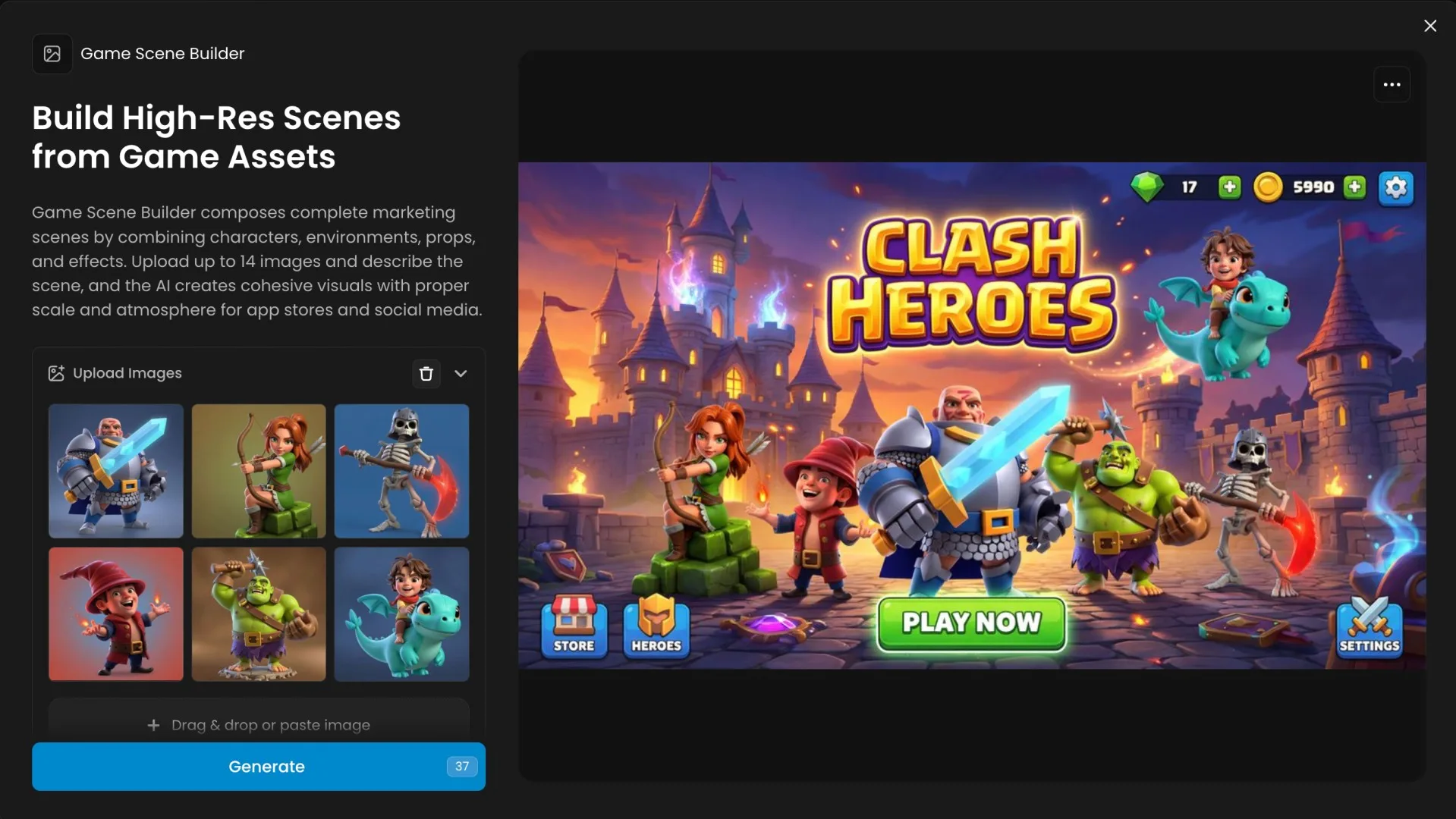
[Game Scene Builder App On Scenario](https://app.scenario.com/workflows/wflow_game-scene-builder)
Scenario Apps for E‑commerce
Logo Placer Pro
Before you invest in full photo shoots or physical samples, you often just need to see how your brand looks on real objects. That is what Logo Placer Pro is for.
You upload your product image and your logo, then tell the App what kind of setting you have in mind. The App places your logo onto the product in a way that respects perspective, lighting, and material. Bottles look printed. Shirts look screen printed or embroidered. Boxes feel like real packaging, not flat overlays.
Very quickly, you have mockups that are strong enough for catalogs, landing pages, launch decks, or investor updates. It becomes much easier to make decisions about which products to prioritize, which designs to test, and how a full line of branded items will look together.
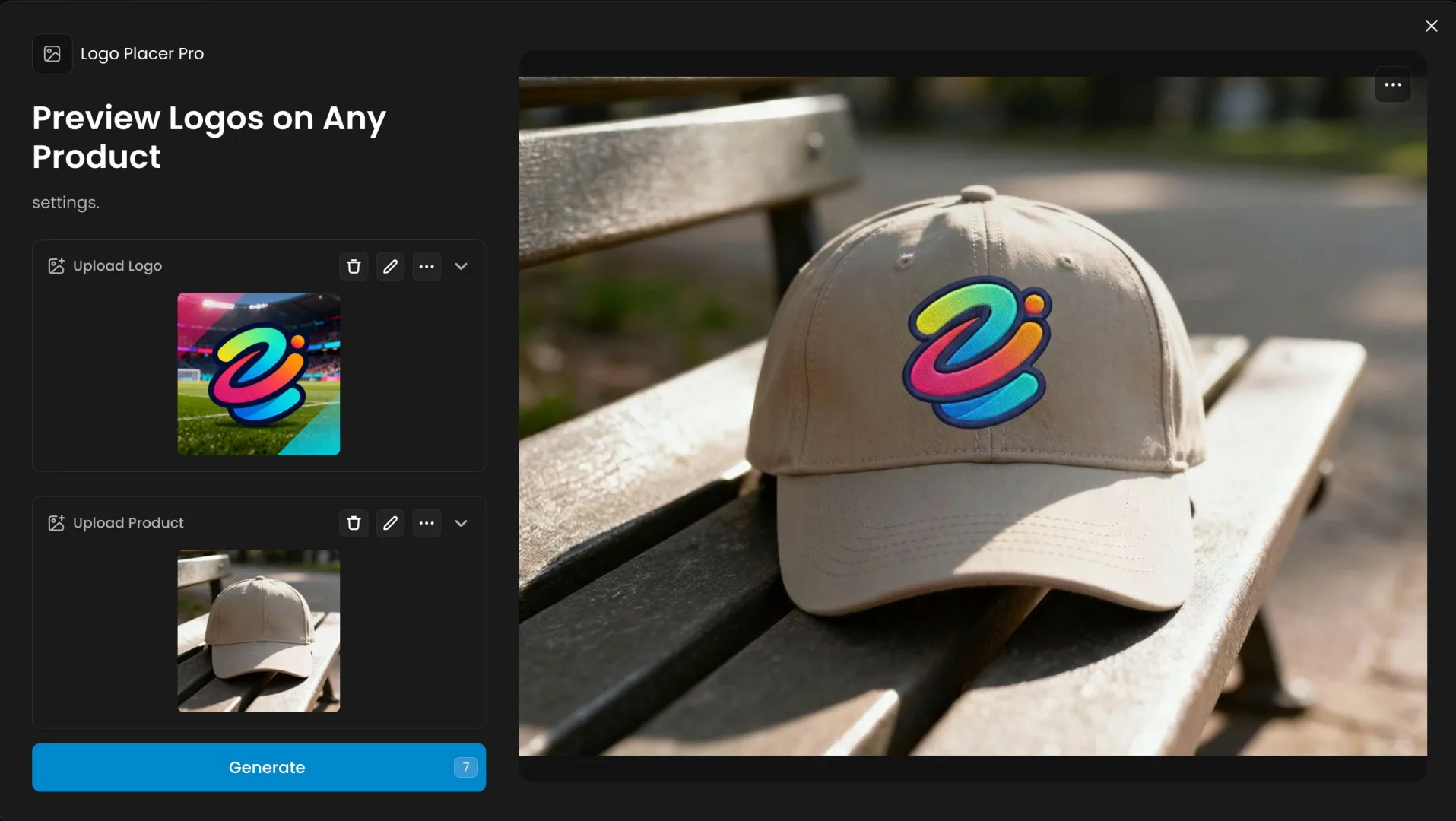
[Logo Placer App On Scenario](https://app.scenario.com/workflows/wflow_logo-placer-pro)
Object Eraser
Even great product photos can be let down by small distractions. A stray cable, a price sticker, a reflection, a messy background. Fixing these issues one by one can easily eat an afternoon.
With Object Eraser, you upload the image, describe what should go away and let the App do the cleanup. You might ask it to remove a tag from a shoe, a splash of liquid on a tabletop, or an extra object sitting just behind your product. The App deletes the distraction and fills the gap so it looks like it was never there.
The result is a cleaner, more focused image that feels ready for your storefront, your ads or your social feed, without having to go back to the studio or spend hours retouching.
Scenario Apps for Marketing
Studio Portrait Maker
People trust brands more when they can see the humans behind them. The challenge is that most teams do not have the time or budget to bring everyone into a studio. That is where Studio Portrait Maker comes in.
You start with the photos people already have. They might be casual phone snaps or quick office shots. Upload them into Studio Portrait Maker and the App transforms them into portraits with balanced lighting and clean, studio like backgrounds.
The result is a set of headshots that look like they were shot on the same day in the same space, even if everyone was on a different continent. You can use them on your website, in press kits, on LinkedIn and in decks, without forcing everyone through a formal photo session.
Virtual Try On
If you work with fashion, lifestyle or character led brands, you know how expensive and slow it can be to show every outfit on a real person. Virtual Try On bridges that gap.
You upload a model or character and the clothing images you want to showcase. The App dresses the model in that outfit and lets you choose where that should happen. You might keep the original background, move to a clean studio look or drop the model into a new setting that fits your campaign.
This makes it much easier to build lookbooks, social sequences, and campaign concepts from a single base shoot. You get to tell richer style stories with far fewer trips to the studio.
FAQ
Do I need to be a designer to use these Apps?
You do not. Designers can push them further and combine them in more complex ways, but the core experience is simple. Upload, describe what you want and generate. If you can write a short creative brief, you can use a Scenario App.
Can I still refine the results after using an App?
Yes. Treat App outputs as very strong first passes. You can feed them into other Scenario Apps, take them back into your usual editing tools or run them through more advanced workflows. The point is to skip the blank canvas and start from something that is already close to your goal.
How should I choose which App to start with?
Begin with your end result. If you are working on a game update, look at Character Remix and Game Scene Builder. If you are polishing a storefront, start with Logo Placer Pro and Object Eraser. If you are refreshing your brand presence, go to Studio Portrait Maker and Virtual Try On. Once you get used to them, they become natural shortcuts you reach for whenever you feel that familiar “we need visuals now” pressure.