Scenario plugin for Blender · Grease Pencil
Grease Pencil to Final Frame
Five rough animatics, rendered into five finished worlds from inside Blender. The keys and the timing stay the animator's.
For
2D animators, storyboard and animatic artists who keep their keys and timing in Grease Pencil and want to see a finished shot without redrawing it.
What was made
Five shots from Blender Studio's Grease Pencil samples, each rendered by two video models, a 66-second social cut, a three-minute technical film, a making-of and an agent skill.
What Scenario did
The Scenario plugin captured every shot from the scene camera and sent it, with a written look, to Seedance 2.5 and MiniMax H3. Scenario also generated the music and the narration of both films.
01 · Compare
Drag the line. Same frame on both sides.
The drawing and both renders are packed into one video, so the two sides can never slip apart. Step frame by frame, switch models, or lay the pencil lines over the render.
02 · Timing
Too short for video models. Then measured, frame by frame.
The video models used here need a clip of at least four seconds (Seedance 2.5) or five (MiniMax H3). Four of the five animatics are shorter. Each got one of three routes in, and every result was then measured against the drawing.
Stretch, then speed back
Blender's Time Stretching slows the capture past the minimum. The render is sped back up uniformly to the original frame count.
Gunslinger · Alley fight · Walter
Pad with black, then cut
The bounce keeps its own speed. A black card fills the clip to the model's minimum (four or five seconds), the look says the bounce lasts two, and only the first 50 frames are kept. Never sped up.
Bouncing ball
Long enough as it is
At 8.25 seconds the cowboy goes in at its own length.
Cowboy
Frames off the drawing, before any fix
Seedance 2.5 MiniMax H3
- Seedance 2.5 stayed under 2.4 frames of average lag on every shot. Three of its renders needed nothing beyond the planned speed-back or cut; Walter and the cowboy were also re-timed to the drawing.
- MiniMax H3 drifted more, up to 31 frames on the cowboy. Four of its five renders were re-timed to the drawing after the measurement; the padded ball needed only the cut.
- Cost: across the five shots, MiniMax H3 used about two thirds of the credits of Seedance 2.5.
03 · The plugin
From the Blender sidebar. No export step.
The Scenario plugin is an open-source extension for Blender 5.0 and later. Get the Scenario plugin for Blender
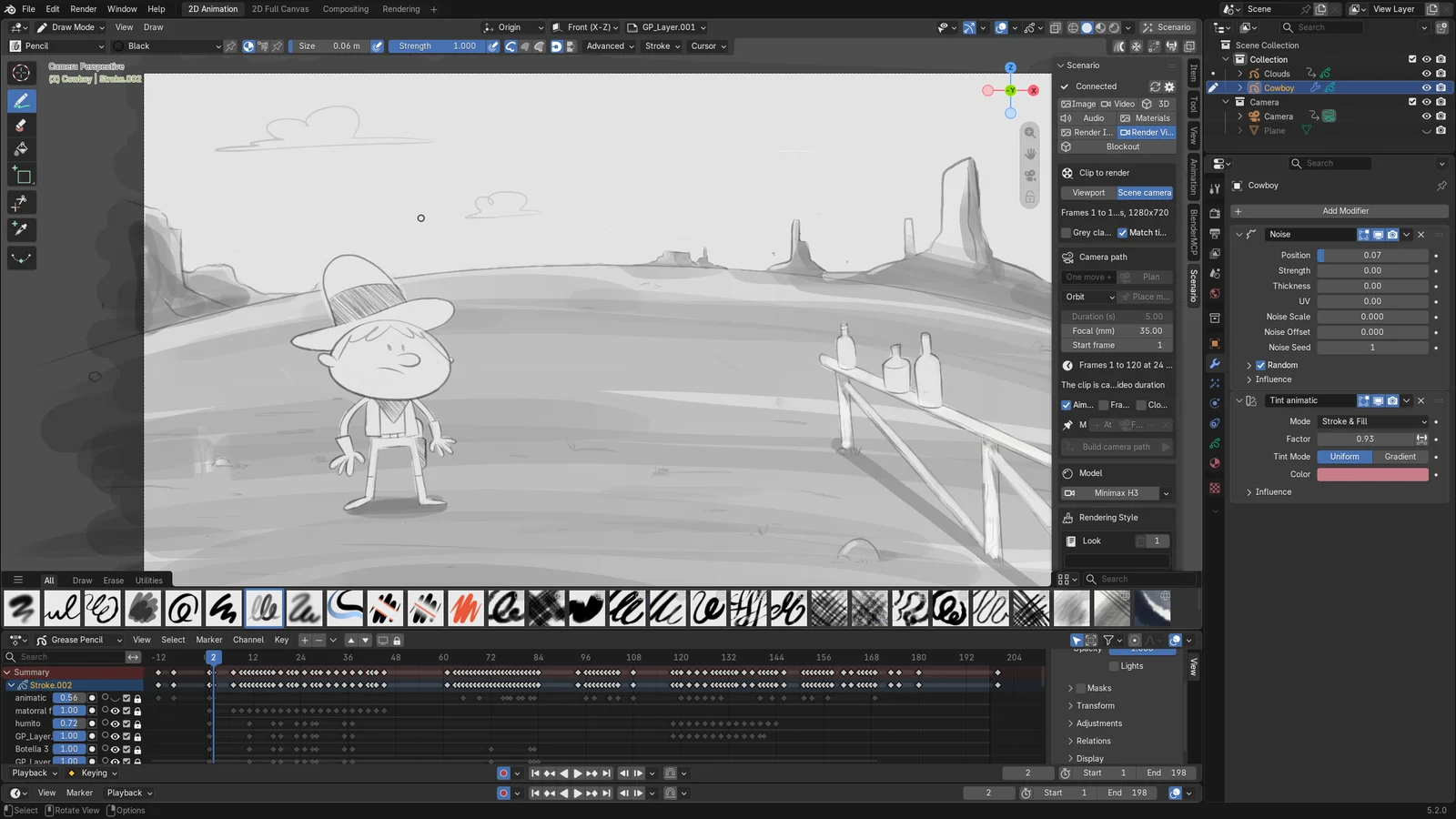
- Capture. In the Scenario panel, choose Render Video and the scene camera. The plugin records the shot exactly as the camera frames it.
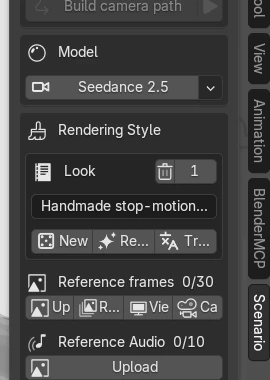
- Pick a model and write the look. Describe the world, the light and the material, not the motion: the motion comes from the drawing.
- Generate. The job runs in the background and the result returns to the panel's generations list.
- Measure and keep. Compare the render with the drawing frame by frame, then cut or re-time it so every key lands where it was drawn.
04 · The technical film
Every step, in three minutes.
The plugin in use, the two routes into the model minimum, the frame-by-frame checks and the two models side by side on every shot.
05 · Make yours
Draw it rough. Render it final.
Agent skill · ZIP
scenario-grease-pencil-to-final-frame
The capture, the routes into the model minimum, look-writing, timing measurement and the fixes, with the mistakes that cost a render here.
Download the skillPDF · Illustrated
The making-of
The five shots, the plugin runs, the failed attempts, the measurements and how both films were built.
Read the making-ofCredits
Grease Pencil animations, modified with AI, licensed CC BY 4.0: Bouncing Ball and Walter Test by Rafa Cano; Cowboy by Pedro Alpera (Blender Studio Grease Pencil samples); alley fight p027 and gunslinger p27B from Hero, Blender Studio (studio.blender.org). This exploration is not endorsed by the authors or by the Blender Foundation.
Fonts: Archivo and IBM Plex Mono, SIL Open Font License (Archivo, IBM Plex Mono).