
When to use it
- A film longer than one shot, where the same character, props and places must stay identical from cut to cut.
- When you want to set camera, blocking and timing yourself instead of leaving them to a prompt.
- When picture and sound must land together: a narrated line on the shot that shows it, a score hit on an event.
The principle
Four inputs, each deciding only what it does well:
- Motion video, a grey clay playblast from Blender: camera, layout, timing and every motion.
- One finished still per cut: the look (materials, palette, light).
- Reference sheets: the identity of each recurring character, prop and detail. They feed the stills.
- Text: only what neither shows. Story states (what is lit, what is shut), the colour of a prop the still does not show, what stays still.
When two inputs disagree, the video model settles it by cutting, dissolving or inventing, so it is worth making them agree before spending credits.
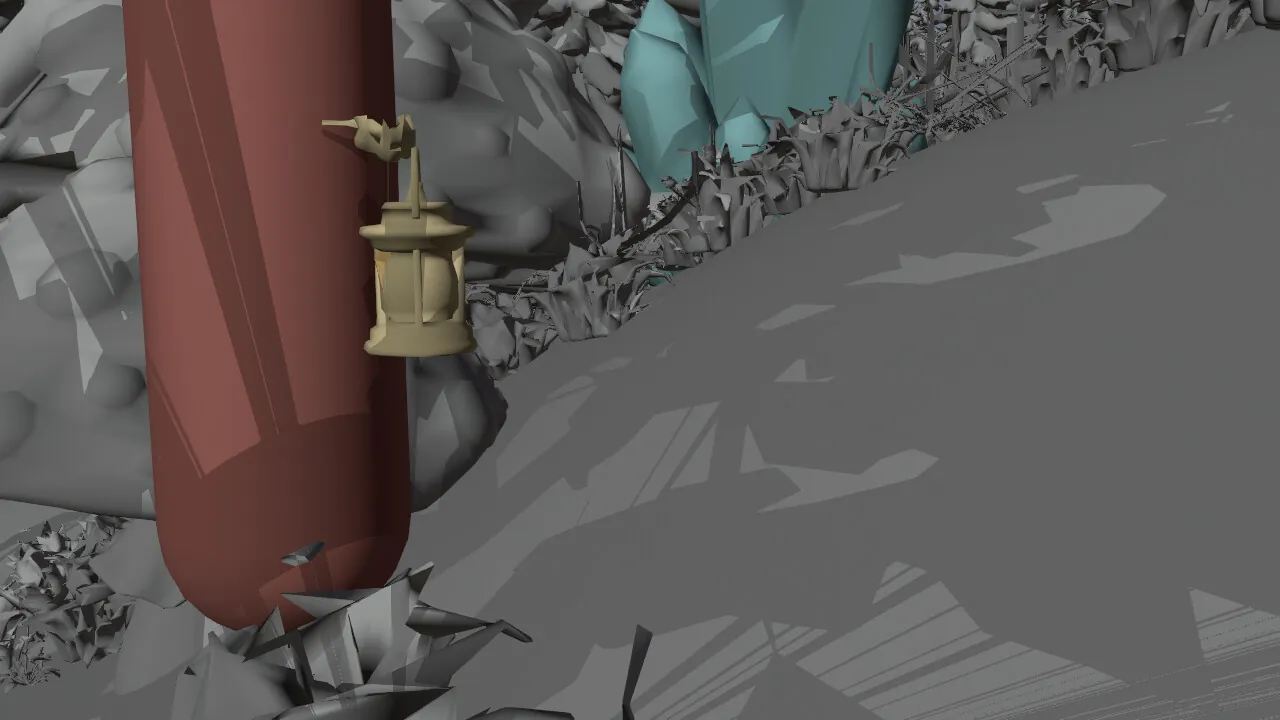
@video1Motion videoThe clay playblast: camera, layout, timing, every motion.
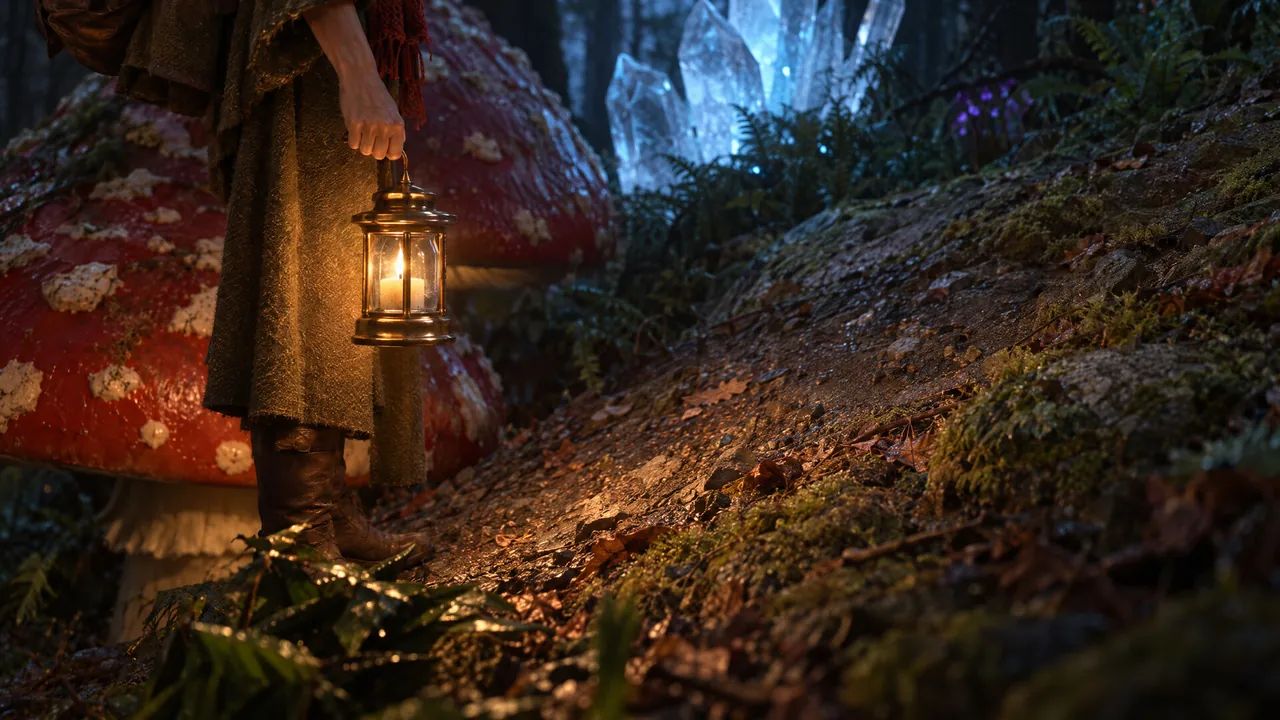
@image1One finished stillThe look: materials, palette, light.
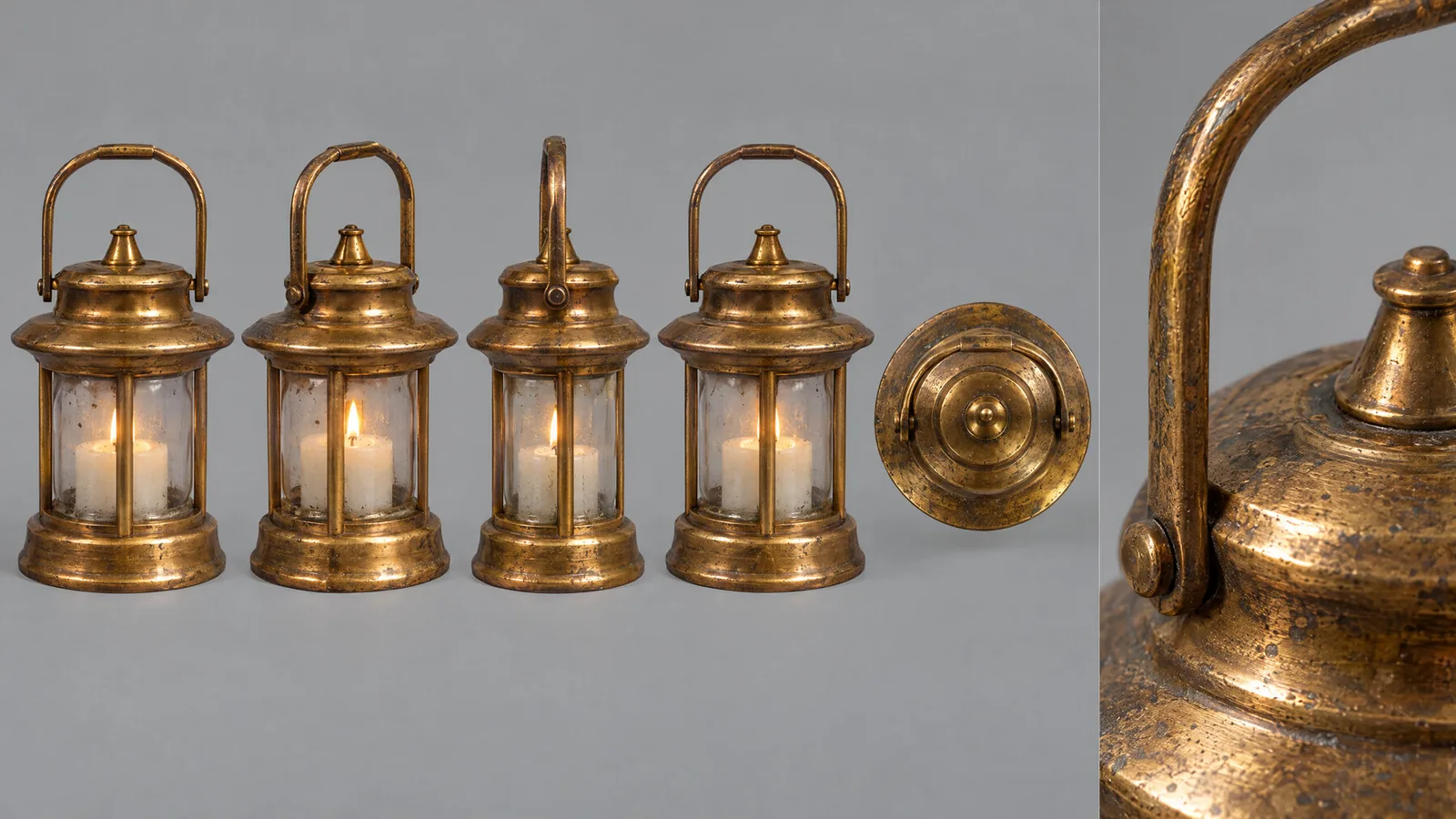
Feeds the stillReference sheetsWho and what recurs: the traveller, the lantern, the door.
PromptTextOnly what the others cannot show: what is lit or shut, what stays still.
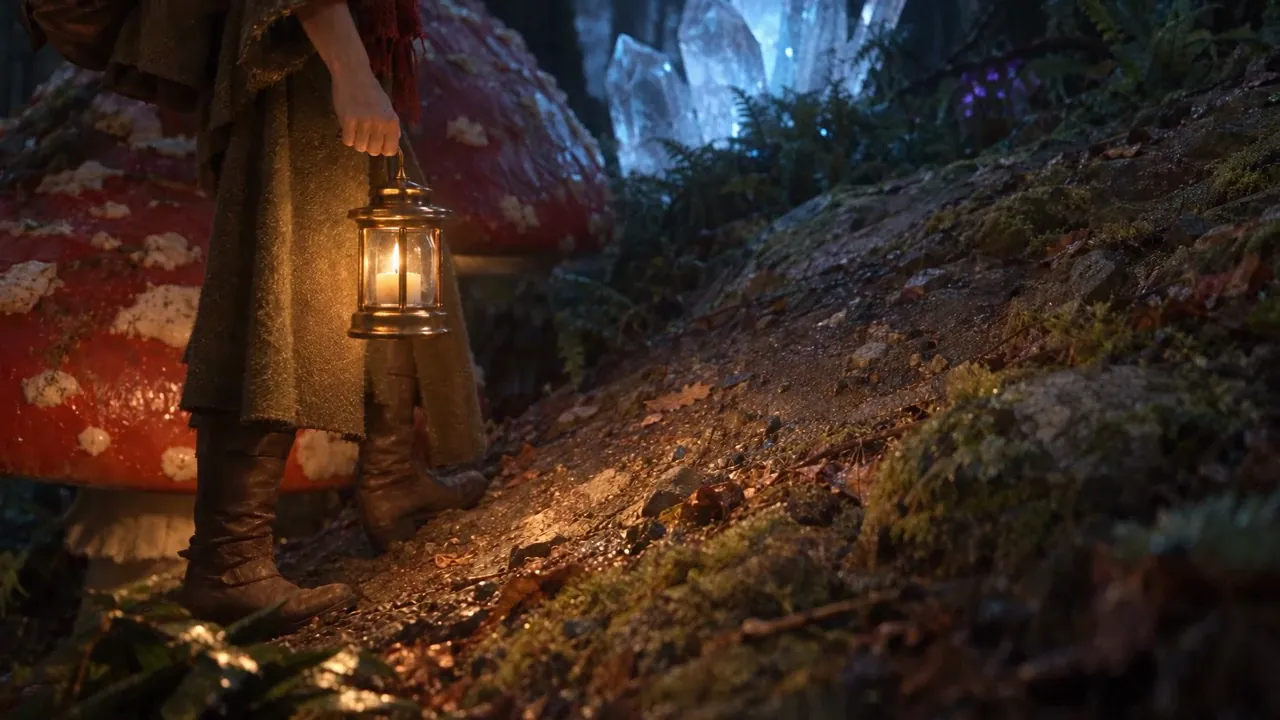
Seedance 2.5, reference modeOne continuous takeMotion from the clay, look from the still.
The arc at a glance
| Step | Main tools | Cost on this film |
|---|---|---|
| 1. Blockout, story, shot list, cut plan, previs | Blender 5.2 headless, Scenario Blender Plugin | 0 CU |
| 2. Generated 3D models, ground, sky, lights | GPT Image 2.5 Sunburst, Tripo 3.1, PATINA Material, Scenario Skybox GPT | about 2,960 CU |
| 3. One look frame per cut, reference sheets | Blender EEVEE, mesh turnarounds, GPT Image 2.5 Sunburst | 26 to 27 CU per sheet |
| 4. One finished still per cut | GPT Image 2.5 Sunburst xhigh | 26 CU per still |
| 5. One clay playblast per take | Blender Workbench | 0 CU |
| 6. One Seedance take per cut | Seedance 2.5, reference mode | 546 to 1,226 CU per 1080p take |
| 7. Narration, score, effects, mix | ElevenLabs v4, ElevenLabs Music Advanced v2.5, ElevenLabs SFX 2, Sonilo V1.1, whisper, ffmpeg | about 4,060 CU over three sound passes |
| 8. Edit, review video, fix plan | ffmpeg, one edit decision list | 0 CU |
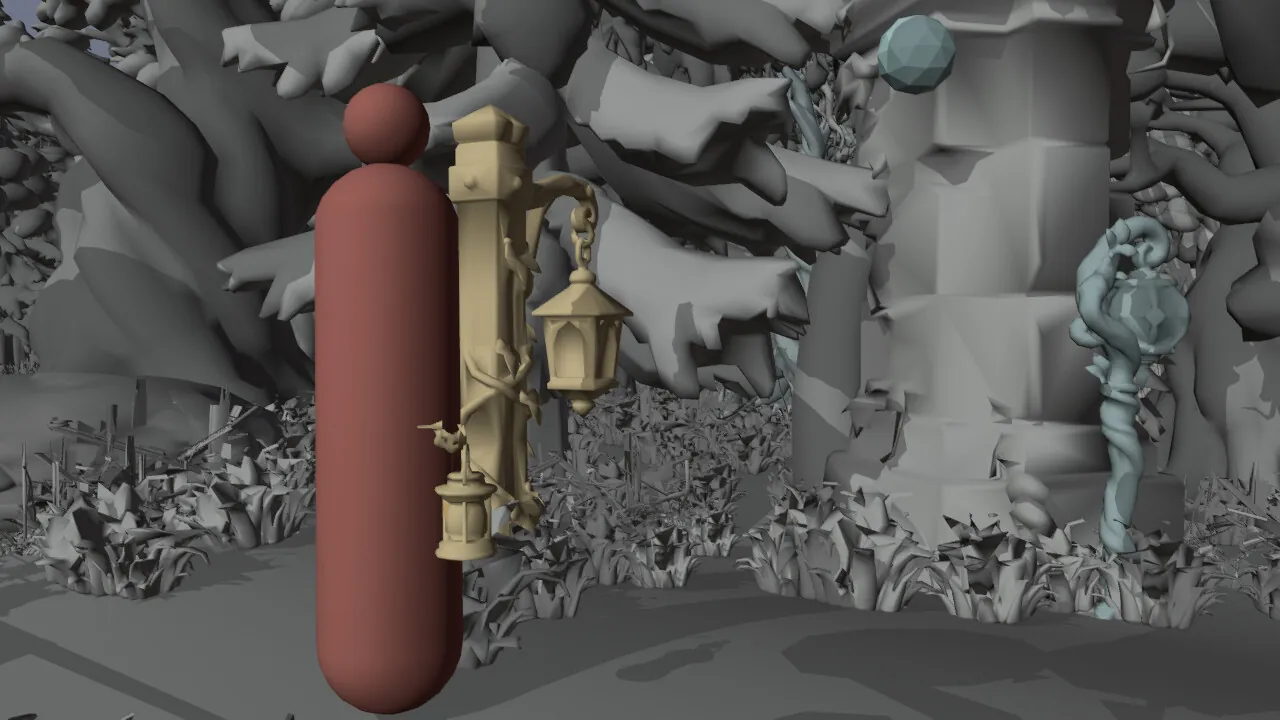
Steps 1 and 5Clay playblast
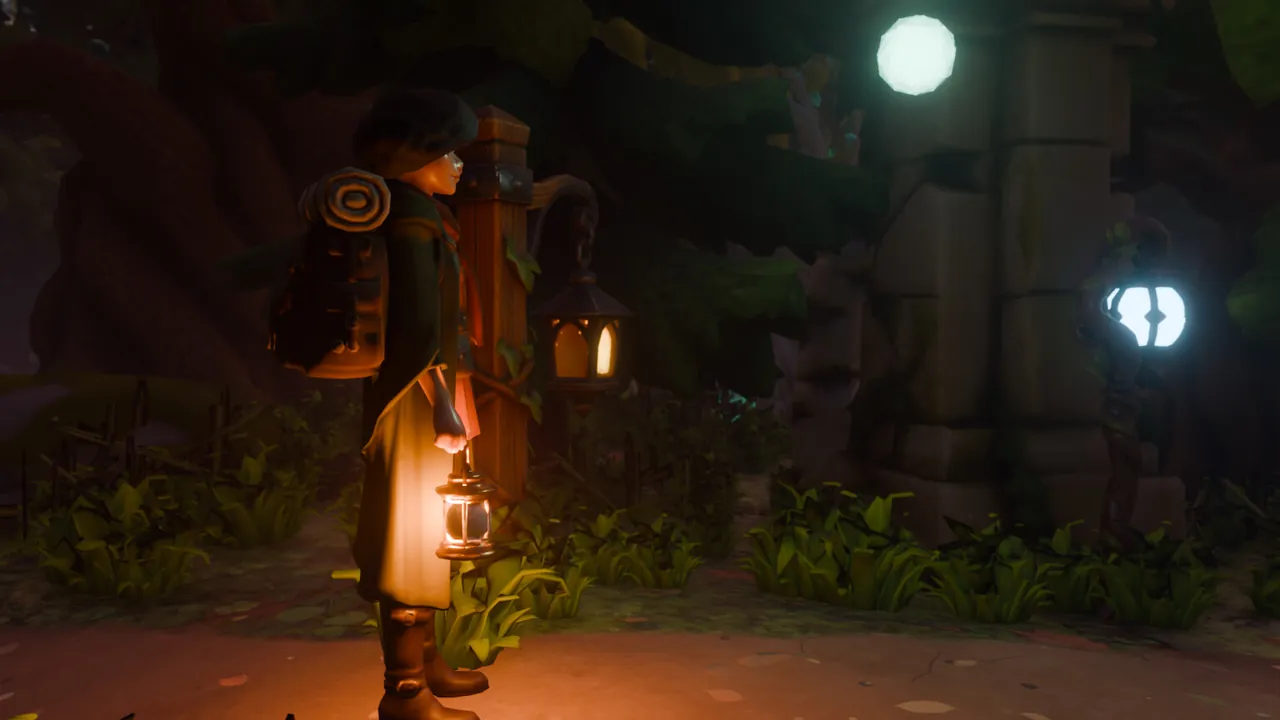
Step 3Look frame
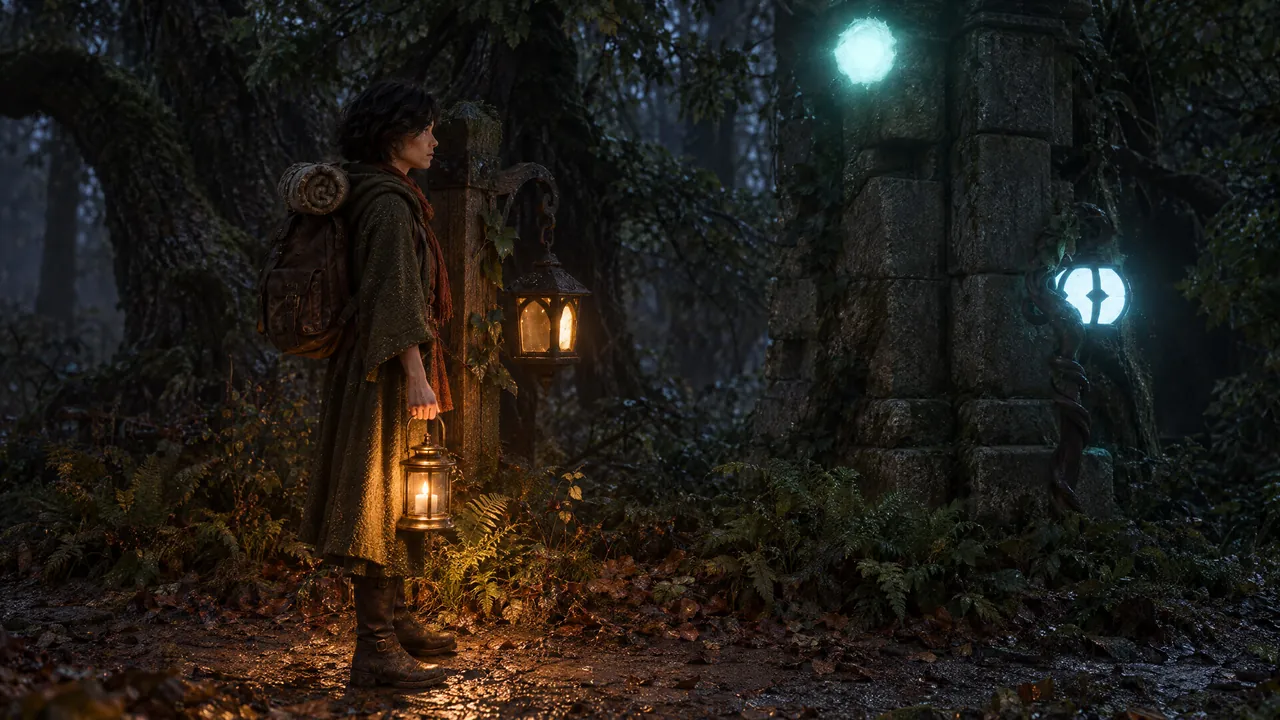
Step 4Finished still
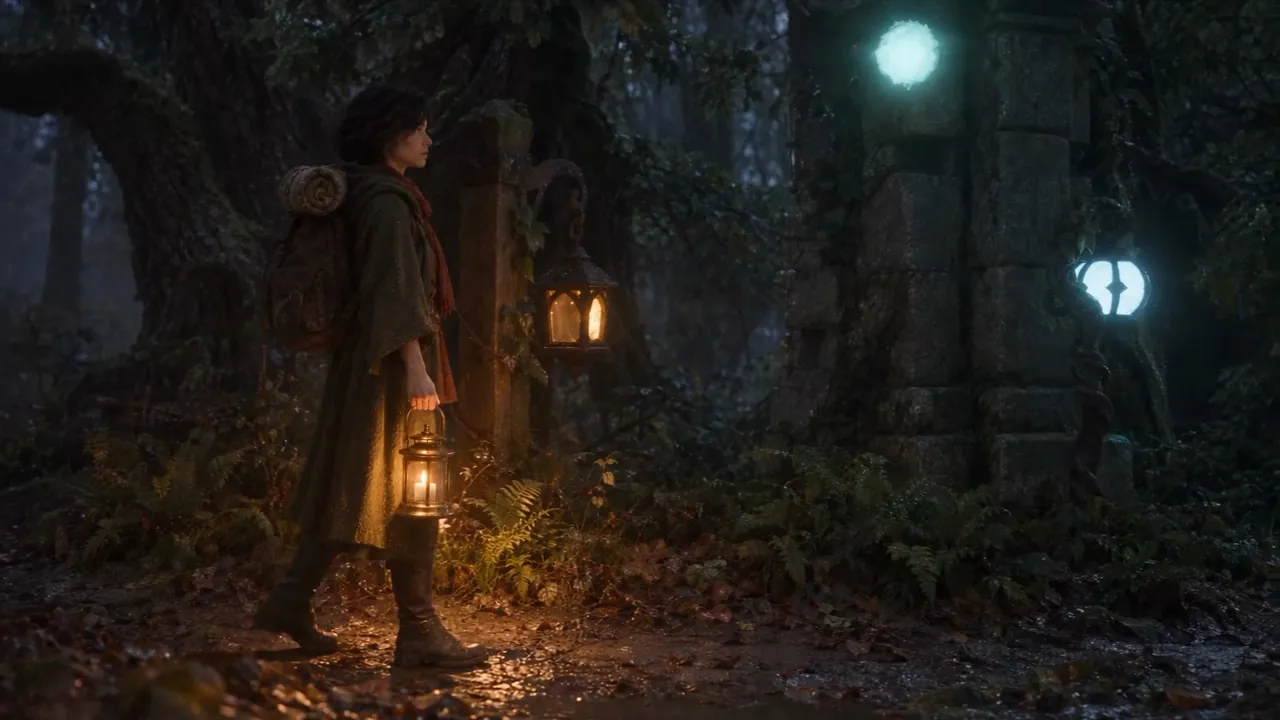
Step 6Seedance take
1. Blockout, story and cameras
Why: camera, layout and timing are settled here at 0 CU, and every later input reads from them.
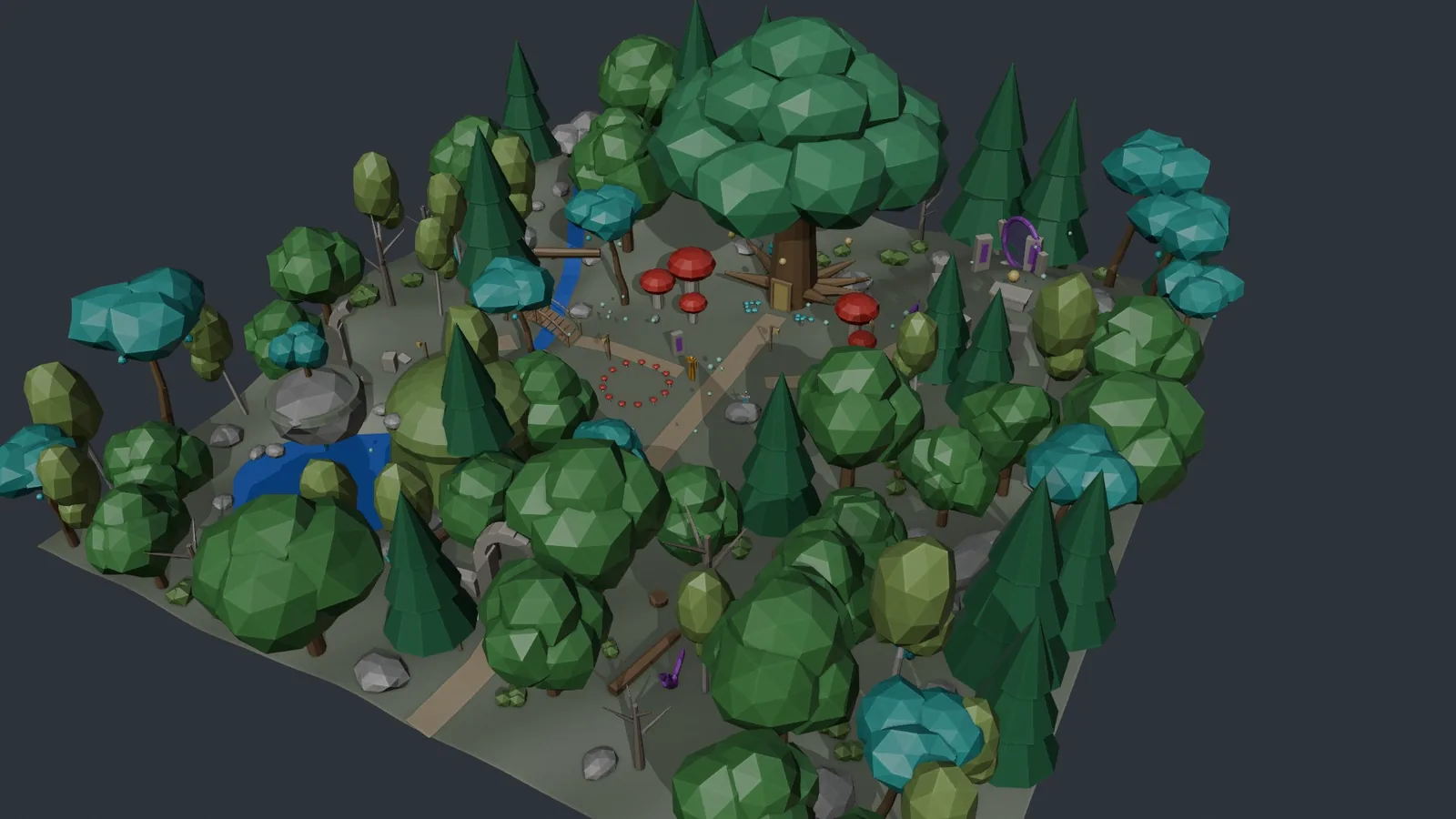 Blockout
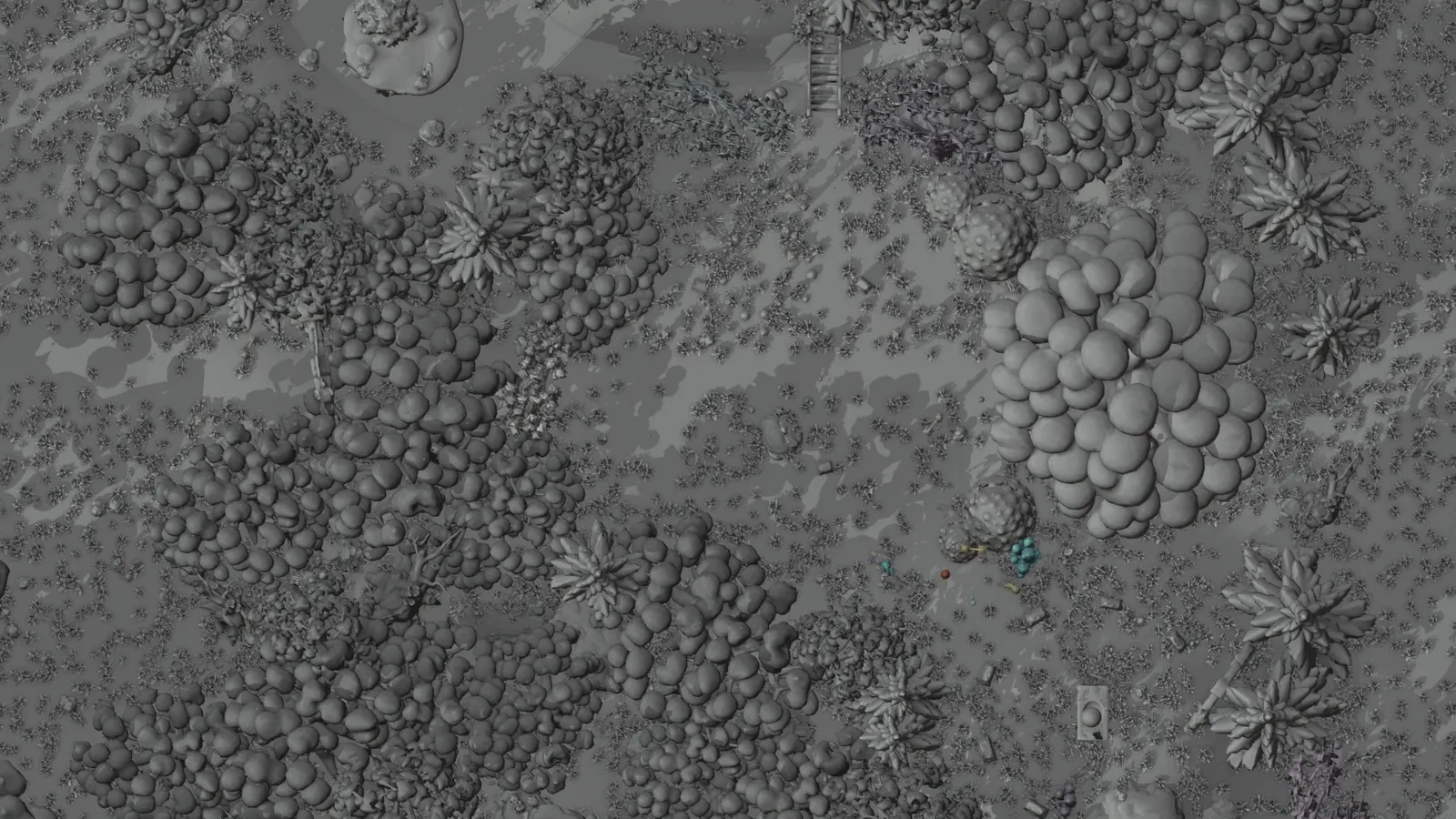 Top view
What to do
- Build the brief as a real space at metric scale: here a 50 x 50 m forest with relief, a clearing, a hill with a stone circle, a creek to a pond, and a path through a ruined gate and a living arch to a great tree's door.
- Use short, seeded, idempotent stage scripts (scaffold, terrain, hero piece, trees, rocks, arches, magic props, reference figure, cameras), with a backup after each. One colour per element type; lumpy shapes so later passes do not read boxes.
- Add a 1.75 m reference figure for the main character, a traveller, with one asymmetric detail (a backpack) so facing reads.
- Audit with numbers: floating objects (lowest vertex against a ground ray), footprint clashes, camera eye height and clearance, and the subject in frame and unoccluded by ray cast at each shot's first and last frame.
- Score candidate cameras for "near clutter" (share of a 9 x 5 ray grid hitting something within 6 to 10 m) to keep open air in front of the lens.
- Write story and shot list on the blockout, audit to 0 fails, render a previs animatic at 50 % with a shot, time and frame burn-in.
- Give each beat coverage cameras on the same action at the same frames as its main camera, so cuts match by construction. Cuts of 2 to 5 s, longer only on a payoff; takes of 4 to 5 s with handles.
- Store coverage cameras as specs (relative to traveller, ground or object, or absolute, eased over the take) built in memory at render time. Ray-cast audit each before a test render: lens clear, line to the aim point, feet, chest, face or prop seen.
Settings: 24 fps, 1920 x 1080, Workbench proofs, previs at 960 x 540, ffmpeg libx264 crf 18. Here: 289 objects, 14 shots, 2,880 frames, 28 framing checks passing.
What went wrong here, and the fix
- Multi-colour objects rendered in one colour: slots cleared after
bm.to_meshreset every face to slot 0. Set slots first, then write the mesh. - The live Blender window closed mid-search with no crash report. Since then: headless runs, at most two Blender processes.
- The camera search had three bugs (wisps counted as occluders, a floating island hitting itself, a stale view layer). Suggestion: test an audit on a known case first.
- A review note on the first 8 to 9 s shots: "shots that last 8 sec are pretty long... we need cuts short enough we will stay captivated." Coverage gave 39 cuts averaging 3.1 s (40 after the opening was reordered).
- Round 1 put 11 of 24 new coverage cameras inside trees or rocks, or off her; the audit caught the rest in seconds. Move the blocker or camera and keep the plan; an angle that cannot see her becomes an insert.
2. Replace the blocks with generated 3D models
Why: a detail that lives only in a prompt is reinvented in every shot. Placed models fix shape and size.
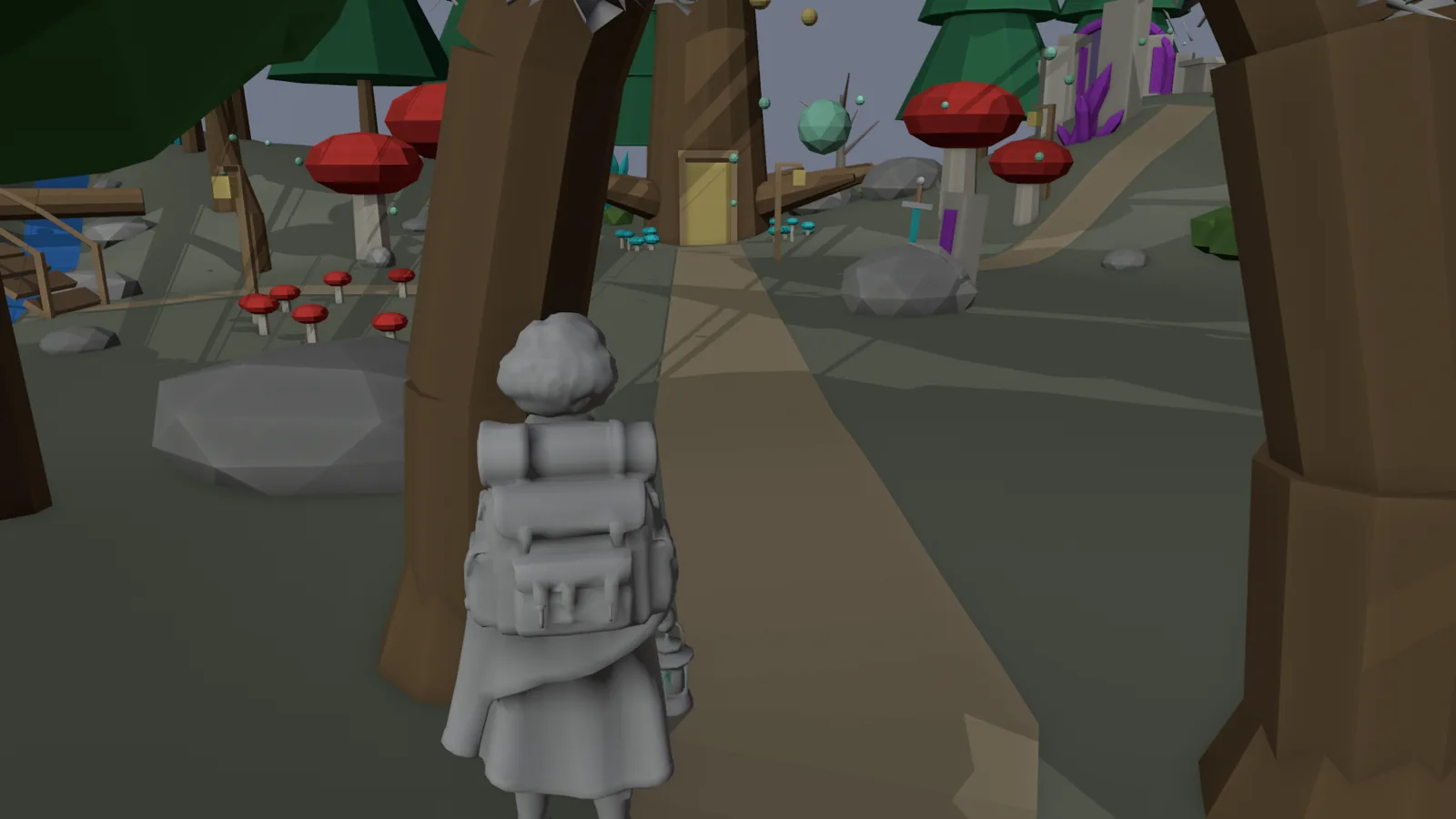 Blocks
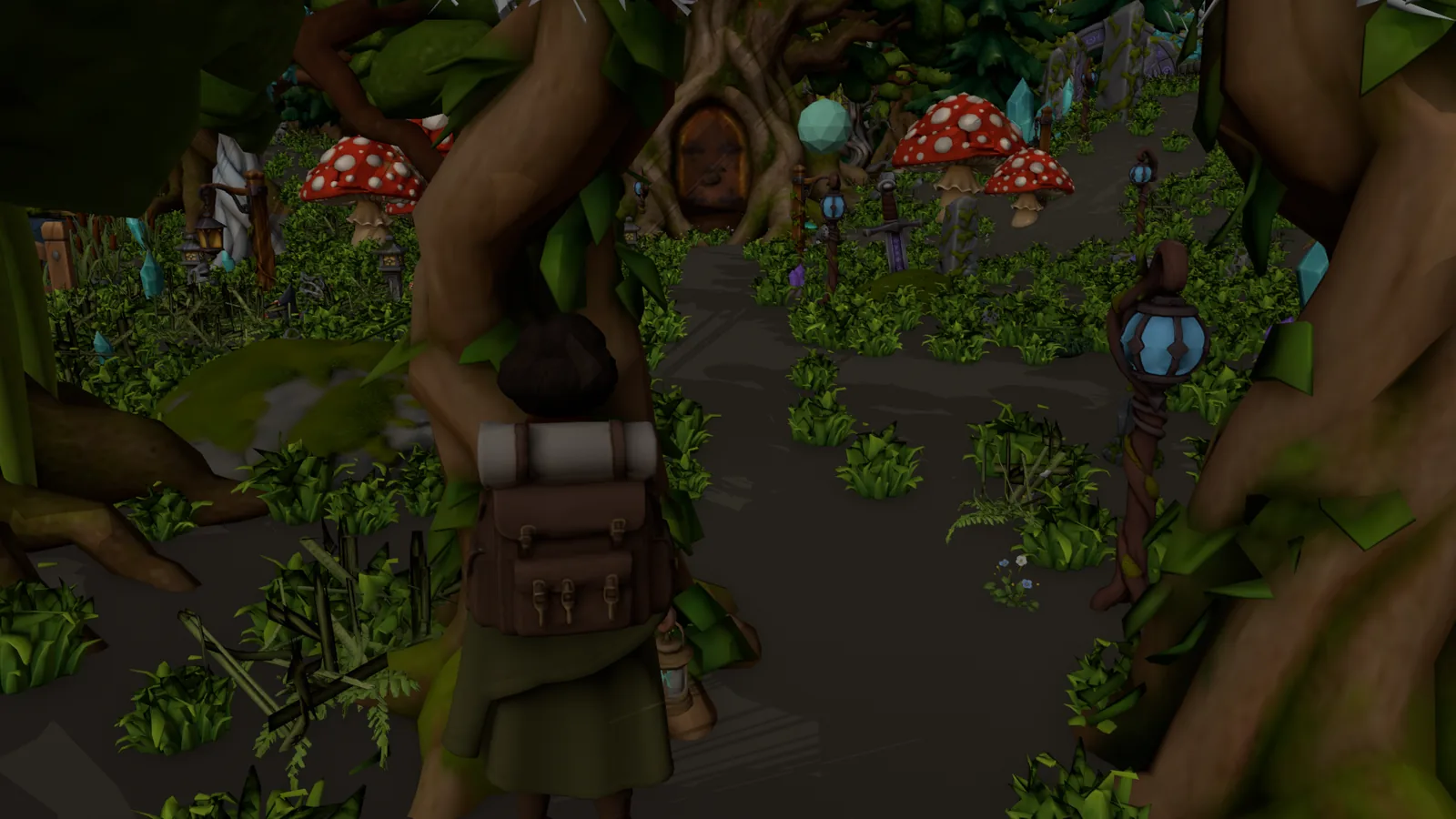 Models
What to do
- Per proxy type, a concept image (GPT Image 2.5 Sunburst, 3 CU), then image-to-3D (Tripo 3.1 Smart Low Poly, 60 CU). For the hero character, a shoot-out on the same input (here Tripo against Meshy 7.1), recording winner and runner-up.
- Place models with an idempotent script that fits each to its proxy's visible size (sink value per asset; floating props keep their height, spanning props their span) and holds the audit nudges. Hide the proxies, then rerun the framing audit.
- Keep the scene workable: textures at 1024 for colour and 512 for data, heavy meshes decimated, EEVEE as scene engine so Material Preview works.
- Dress the set: one geometry-nodes scatter (grass, ferns, flowers, small rocks) weighted to keep paths, water, cameras and sight lines clear; seamless PBR ground (PATINA Material, 13 CU each) blended by painted masks; sky from Scenario Skybox GPT (3840 x 1920, 44 CU) on a dome whose foot meets the terrain.
- Light only from visible sources, each in its own colour, nothing random, every glowing surface on its light's keys and noise, planned as story states from the start (asleep, waking, lit).
- Near-lens audit (32 x 18 rays, 5 frames per shot): no prop fills half the frame between camera and subject.
Here: scene v2, 20 assets, 1,380 CU, 0 audit fails after 3 blocker moves; scene v3, 23 more concepts and models, three ground materials, two skyboxes, about 1,580 CU (derived from unit prices).
What went wrong here, and the fix
- Bushes and boulders sat 40 to 55 % underground: their proxies were half-buried spheres. Fit to the visible height.
- The scene became too slow to use: swap at 10 of 11 GB, with 1.44 GB of 2K textures. Smaller textures brought that to 178 MB.
- Light rig 1 (sun, canopy shafts, wandering fireflies) was rejected. Light comes only from lanterns, lamps, crystals, leaves, orbs and magic items, in different colours.
- The set floated over the skybox and became a clearing at the floor of the sky. The panorama was off by half a turn (Blender u = 0.5 minus azimuth / 2 pi).
- The near-lens audit found a lantern post 1.1 m from one lens and a mushroom cap 0.8 m from another.
- A model carries everything in its concept: the crystal shards came on a moss mound, so they were cut at 24 % of their height and mirrored.
- Prompt-only details (carved runes, a lamp flicker) changed in every shot. Model them, or fix them in a sheet.
3. Look frames and reference sheets
Why: the look frame is the base of each still, and sheets keep recurring elements identical across cuts.
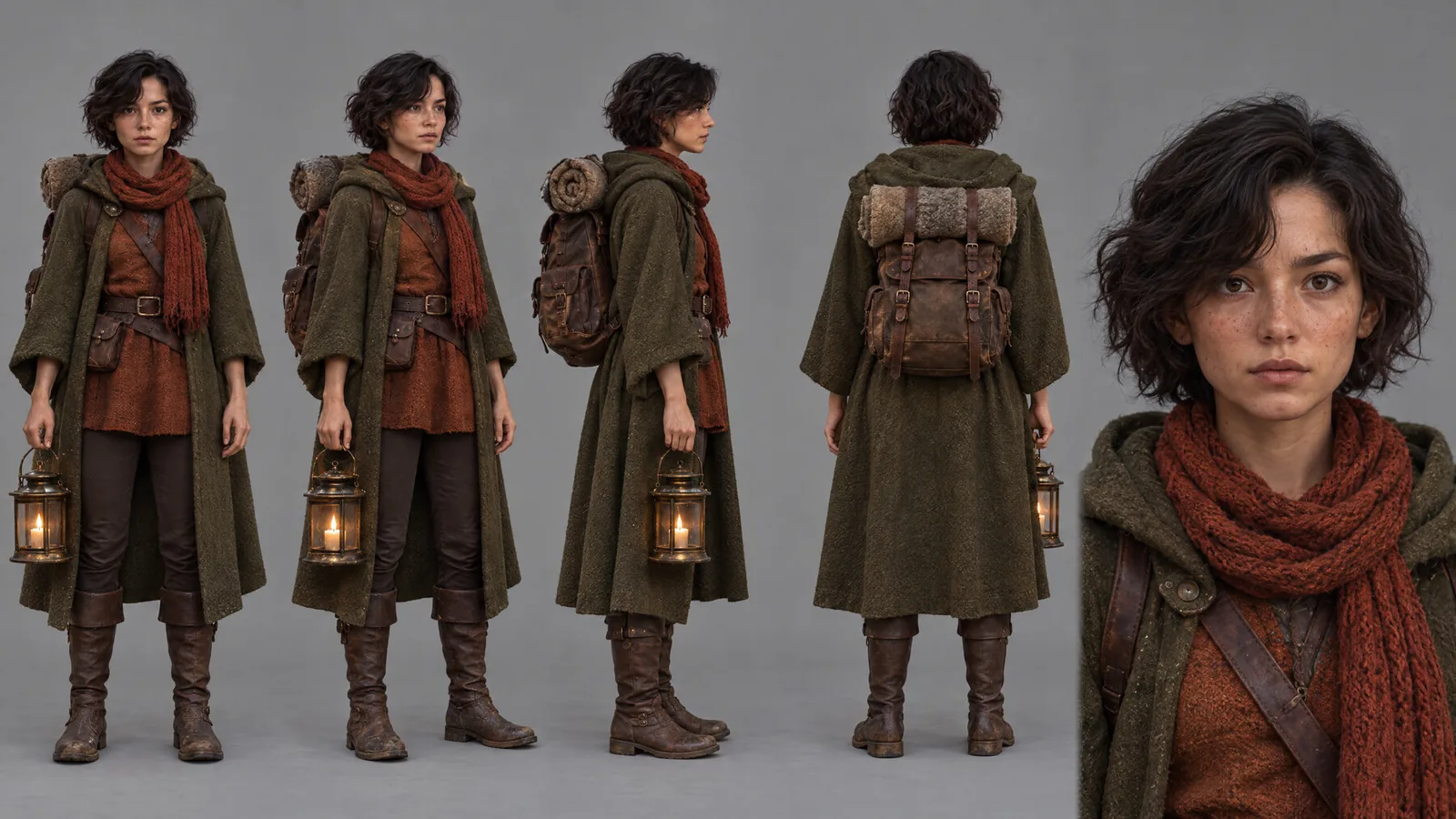 CharacterProp
What to do
- Keep two scene files with the same cameras and keys: the look file (textured character) and the clay file (step 5).
- Render one look frame per cut, the middle frame of its take, in EEVEE at 1536 x 864, with light states from the same render rules as the clay.
- For each recurring character, prop and detail, render a mesh turnaround (0 CU; a prop hidden inside another mesh can be extracted from its mesh islands). Then make a photoreal sheet with GPT Image 2.5 Sunburst, xhigh, 2560 x 1440 (26 to 27 CU): turnaround as @image1 for shape, a finished still as @image2 for material. Describe the design in words too: "an arched bail handle of round brass rod... a small stepped dome cap with a pointed knob finial, sitting on a wide flat flared brim...".
- Add pose sheets the story needs: here the lantern lowered at three angles, raised, and offered with both hands under the base so the flame rises clear of the hands.
- Build the character sheet from the two largest finished views: front, three-quarter, profile, back, face close-up.
Here: character 26 CU; lantern solo 26, in hand 27, poses 27; door closed 26, open 26.
What went wrong here, and the fix
- The lantern changed in every shot of the first cut: the clay showed only a flame marker. A review note: "it keeps changing, not acceptable." Fix: a lantern sheet in the finish pass, real lantern geometry in the clay.
- The door runes lived only in prompts, so each door shot invented its own. A door sheet fixed one design: closed, runes lit, and open onto a golden forest cathedral.
- The bar, from a review note: "the frames must be very style consistent and character consistent."
4. Finish pass
Why: the finished still is Seedance's only look input for a cut, so it must hold the layout's exact framing.
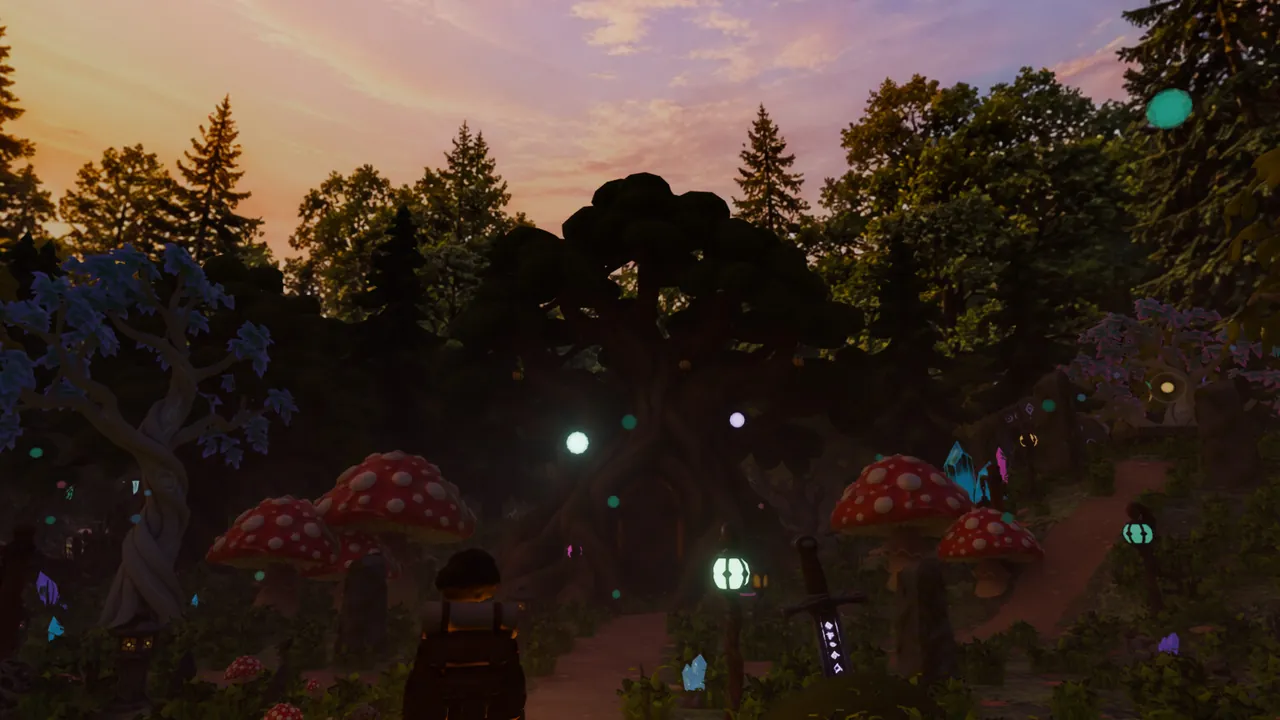 Look frame
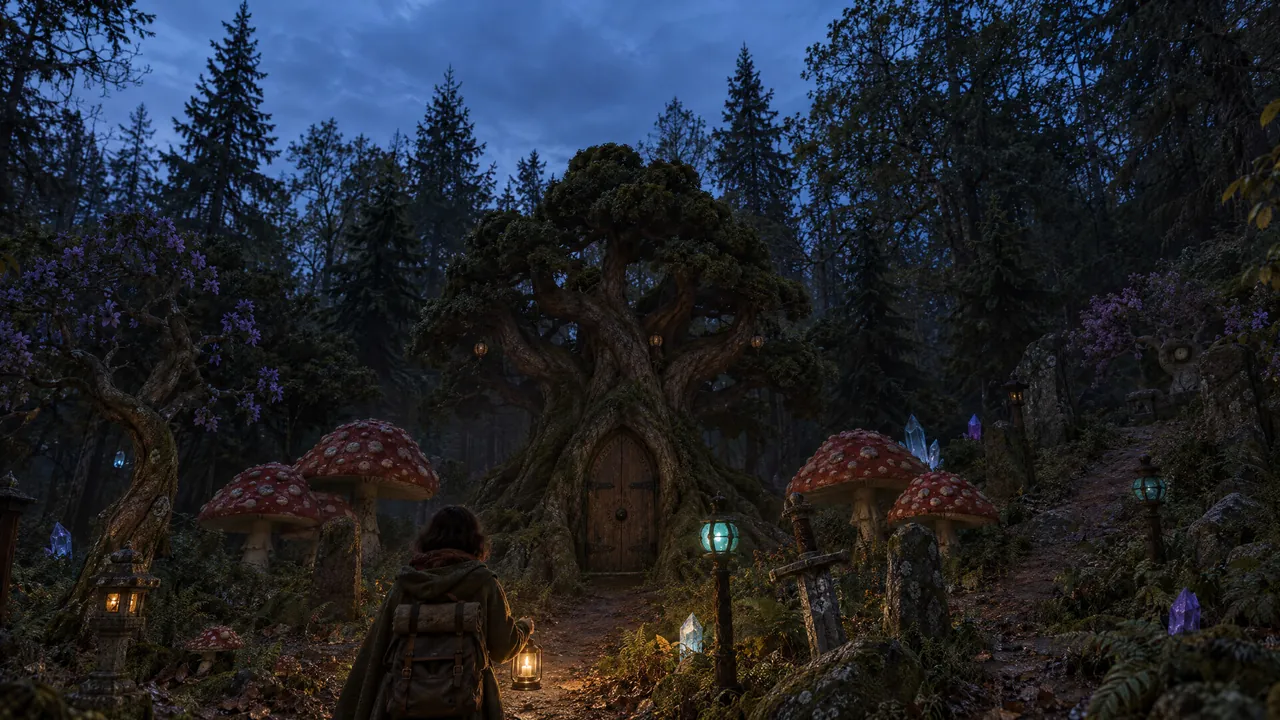 Finished still
What to do
Edit each look frame with GPT Image 2.5 Sunburst at xhigh 2560 (26 CU). The prompt (see prompt patterns) treats the render as a layout to keep and its textures as placeholders to rebuild with photographic detail, keeps every light's colour, and adds a camera (ARRI Alexa 65, 35 mm at T2, fine grain, no brush strokes, no waxy surfaces), a face clause and the story state at that frame.
For a recurring prop, add its solo sheet as @image2 with the crop clause: the prop's size, position, angle and crop stay as in @image1. Before calling a still final: overlay it on the look frame at 50 % (no ghosting), check faces at full size, and compare all stills side by side.
What went wrong here, and the fix
- Nano Banana 2.1 (13 CU) was chosen first, as more photographic. The review then asked for "real hyperrealism", less painterly, which led to Sunburst with the photographic prompt.
- Quality test on one frame: high 1536 at 12 CU; xhigh 2560 at 26 CU, clearly sharper; max at 57 CU, no visible gain.
- The in-hand sheet zoomed the frame out. On one shot (3 tests, 78 CU), the solo sheet with the crop clause held the framing and carried the exact lantern.
5. Playblast motion (the clay)
Why: Seedance copies camera, positions and motion from the clay, and a prompt cannot add motion the video does not show.
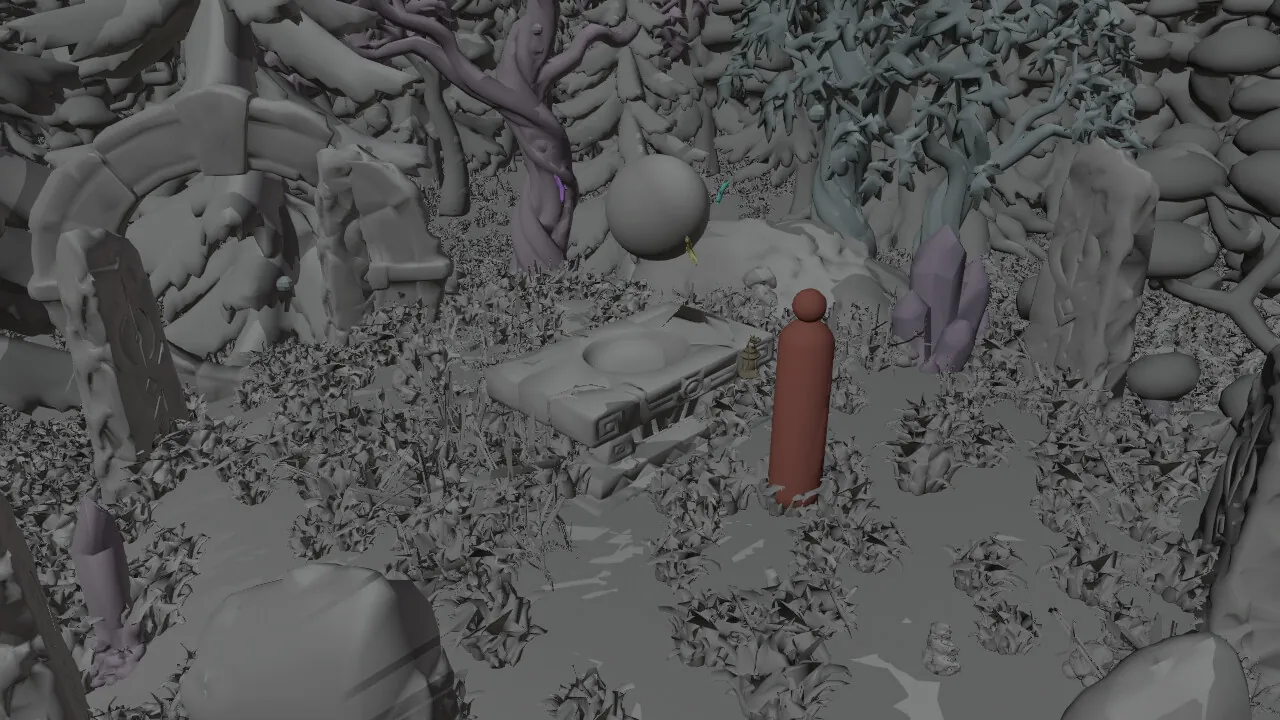 Clay
Clay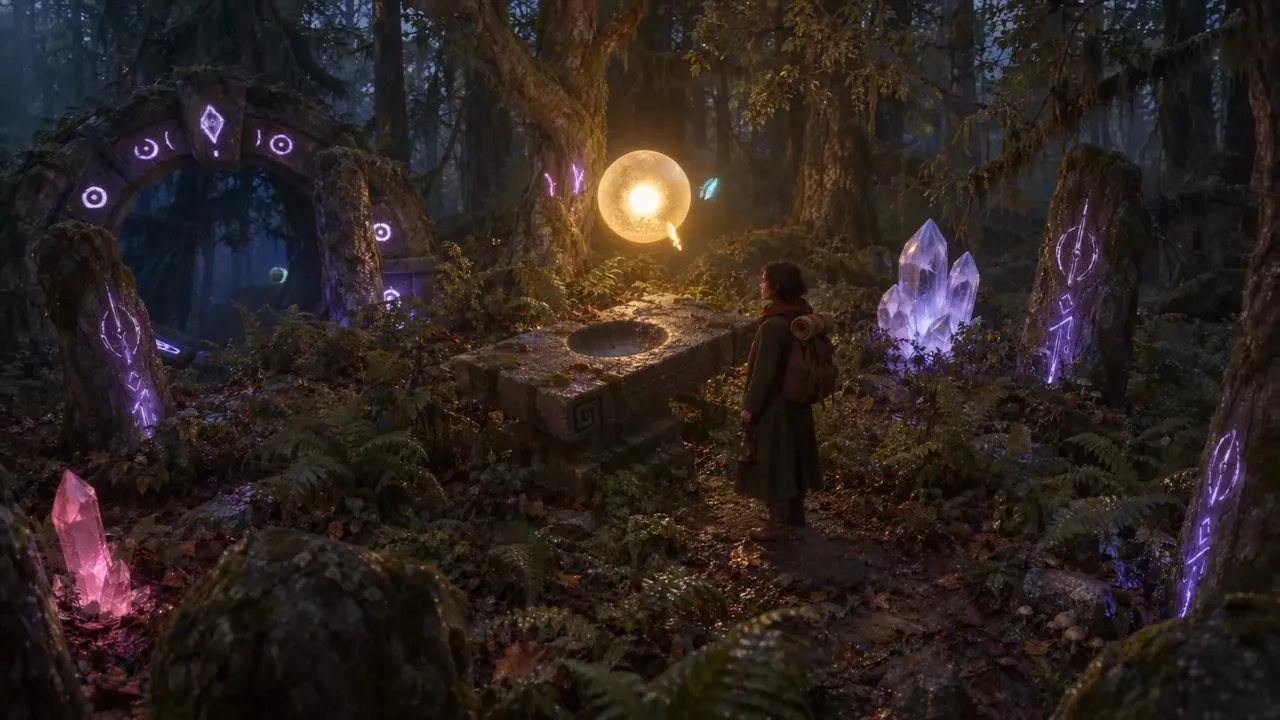 Film
FilmWhat to do
- Render each take from the clay file in Workbench with single-pass FXAA: 3.5 s a frame instead of 25 s, same motion.
- Grey set, each light in its own colour at its story state, the character in muted red.
- A travelling character is a legless dummy: capsule body, ball head, no arms or legs, true height, parented to the animated path. The prompt calls it a stand-in; the video model invents the walk.
- Give the dummy a walking bob (about 0.026 m rise per 0.62 m step, slight sway, scaled by speed) that the camera does not follow.
- What moves or changes in the shot does so in the clay: a lantern lift, a flame leaving the lantern, a door opening, lights waking.
- Story states are render-time rules; the scene file stays unchanged. Before the wave of light from the altar, every lamp, crystal, leaf and mushroom sleeps near dark; each wakes when the lantern comes within 1.5 to 4.0 m, fades over 60 frames behind her, and follows its own keys once the wave reaches it.
- Give recurring props real geometry (the lantern, extracted from the character mesh). Markers that must read become objects.
- Vary the greys (trees in several greys, a lighter living arch). Leave out what a cut must not show: no character in the empty-forest opening, no orb where it crowded her head.
What went wrong here, and the fix
- Statue clay (a rigid figure slid along the path) gave frozen legs. A review note: "The character should walk, right now it's floating and sliding." A long walking clause still slid on both test shots (942 CU).
- A rigged walk (best of three auto-rigs, 198 CU) slid at the feet. A review note: "You need to replace the character with a blockout (like a Blender dummy). No legs, nothing."
- With the dummy she walked in all three pilot takes (heel lift, planted front boot), and the review approved it.
- Cut 13 still slid: the capsule glided at constant height, camera locked to it. Hence the bob.
- Cut 2 showed her and every light at full colour where the forest should be empty and asleep. Cut 4 had a purple glow from a violet crystal in the clay gateway. Fixes: the asleep, wake and fade rules; the crystal removed for that shot.
6. Seedance (reference mode)
Why: with the clay for motion and one still for the look, the model has no second framing to cut or dissolve to.
Sent with every take
- @video1the clay playblast of the cut
- @image1one finished still, the middle frame
- Promptthe six blocks below, in this order
Left out
First and last frame modeCharacter sheetA second or third stillGenerated audio
- ReferenceCopy the camera, framing, timing and motion of @video1; the still is the look, never a framing to cut to.
- DummyThe red capsule is a stand-in that marks where she is, her height and her direction.
- WalkHeel then toe, each foot planted before the other lifts.
- ActionWhat the clay shows, frame by frame.
- StateWhat is lit, dark, shut or open at that moment.
- TailOne continuous take: no cuts, jumps, dissolves or fades.
What to do
Seedance 2.5 in reference mode only: the clay as @video1 plus one finished still (the middle frame). No first/last-frame mode, no character sheet, no extra stills. Every prompt uses the same blocks, in this order:
- Reference: reproduce exactly the camera move, framing, timing and every motion of @video1, which gives "camera, positions, scale and motion only, never surfaces or colours"; @image1 is one moment in the final look, "but never cut, dissolve or jump to reproduce its framing; the framing always comes from @video1".
- Dummy: "a plain red capsule stand-in... it only marks where she is, her height and which way she moves".
- Walk (when she travels): "heel then toe, each foot planted firmly on the ground before the other lifts... Her feet never slide, glide or float."
- Action line: what the clay shows, frame by frame.
- State line: what is lit, dark, shut or open at that moment.
- Tail: "One continuous take, no cuts, no jumps, no dissolves, no crossfades, no fades", exactly two hands, no text, no grey or untextured surfaces.
Shots without her: "There is no person in this shot: no traveller, no figure, nobody anywhere in the frame." The action line describes what the clay shows and leaves the story beat out; it says what stays still or far away, names every story state, and gives the colour of any prop the still does not show.
Settings: 1080p, generateAudio: false, takes of 4 to 5 s, batches of 8, one job log so jobs from a stopped submitter can be collected. New prompt wording went to the director before each batch. Per 1080p take: 546 CU (4 s), 682 (5 s), 818 (6 s), 1,090 (8 s), 1,226 (9 s); 720p tests: 444 (8 s), 498 (9 s).
What went wrong here, and the fix
- Three stills from different moments made Seedance dissolve to reach each one (at 0:02 in one shot, 0:07 in another), despite a no-dissolve clause. One or two stills stayed continuous. That was one take each, so treat it as a working rule.
- "Steps out of the trees" invented two seconds of trunks in front of the lens, then a hard cut.
- One take followed her to the great tree and ended on a glowing door. The retake forbade forward camera motion and kept the door dark, and it held.
- One take gave her a violet lantern: the still showed a violet lamp, her lantern out of frame. The retake added "warm amber candle light; the violet glow belongs only to the lamp at the top left of the frame".
- With audio on, the copyright filter refused 5 of 29 takes (
OutputAudioSensitiveContentDetected). Fix: generate video without audio. - At one point every pilot final had passed the automatic checks while sliding or dissolving. Only the dense contact sheet, the feet strip and a look at the faces caught them.
7. Audio and sync
Why: sound is written and placed against cut frames, so what is heard matches what is shown.
What to do
- Narration: third person, present tense, about 95 words a minute (190 words for two minutes), silent on the reveals; introduce a character before any pronoun. Read the same script on several models and rank the takes on measured pitch movement, pace inside the phrases and fit on the cuts, then listen to the best five. Here: 19 setups on ElevenLabs v4, Seed Audio 1.0, Gemini 3.8 Flash TTS and MiniMax Speech 2.8 HD, with voices from a description, a portrait or a reference recording. Chosen: ElevenLabs v4, voice Bill, stability 0.35, one full take of the script (32 CU); a full take costs about one line's price. Cut it into phrases on whisper word timestamps, text aligned with difflib; the word times also trim the babble per-line jobs sometimes add.
- Score: a brief of 14 sections on the story beats, from the night to the open door, at a steady 120 BPM so cuts on whole and half seconds fall on beats. ElevenLabs Music Advanced v2.5 writes it section by section (60 CU a take). Measure each take: how its loudness rises and falls with the story, where its accents meet the cuts, and whisper for stray voices. Then choose by ear. Lyria 3.5 ran every section about 1.3 times long.
- Effects: hits on the frames of their events (candle, door, orb, wave), each on ElevenLabs SFX 2 (30 CU) with concrete sources plus "No hiss, no white noise, no wind roar, no music." Under them, foley from the picture itself: Sonilo V1.1 video to sound effects on the whole cut (216 CU). Spectrograms are a first filter; the director's ear picks.
- Mix (ffmpeg): levels from measured loudness (voice -18, score -27 before ducking, hits -24, foley -27 LUFS), score ducked under the voice, normalised to -16 LUFS with true peak at -1.5 dB. A line that runs long pushes the next one later; a pause is set by the next phrase's start ("One lantern" starts 0.74 s after the first line ends).
- Sync: each phrase on the cut that shows it, split at commas on word timestamps; pauses are fine. Move picture events onto their words where you can (the lantern raise, the door opening).
What went wrong here, and the fix
- Spectrograms showed the first bed and candle were broadband noise and the shimmers mostly hiss. After the remake, the director kept 3 of the 5 spectrogram picks and dropped the layering idea.
- On the first cut, "She carries it" came before the viewer knew who she was, and "one lantern" played over a shot without the lantern. Fix: narration that introduces the traveller first, plus phrase-level sync.
- An ElevenLabs score read its own prompt notes aloud under the music. Fix: transcribe every score alone with whisper before it goes into a mix.
- Seed Audio 1.0 with a portrait and the full text failed three times. Fix: the portrait's short sample went in as an @Audio1 reference instead.
8. Edit and review
Why: reviewing by cut and frame shows where each fault started, so it can be fixed there.
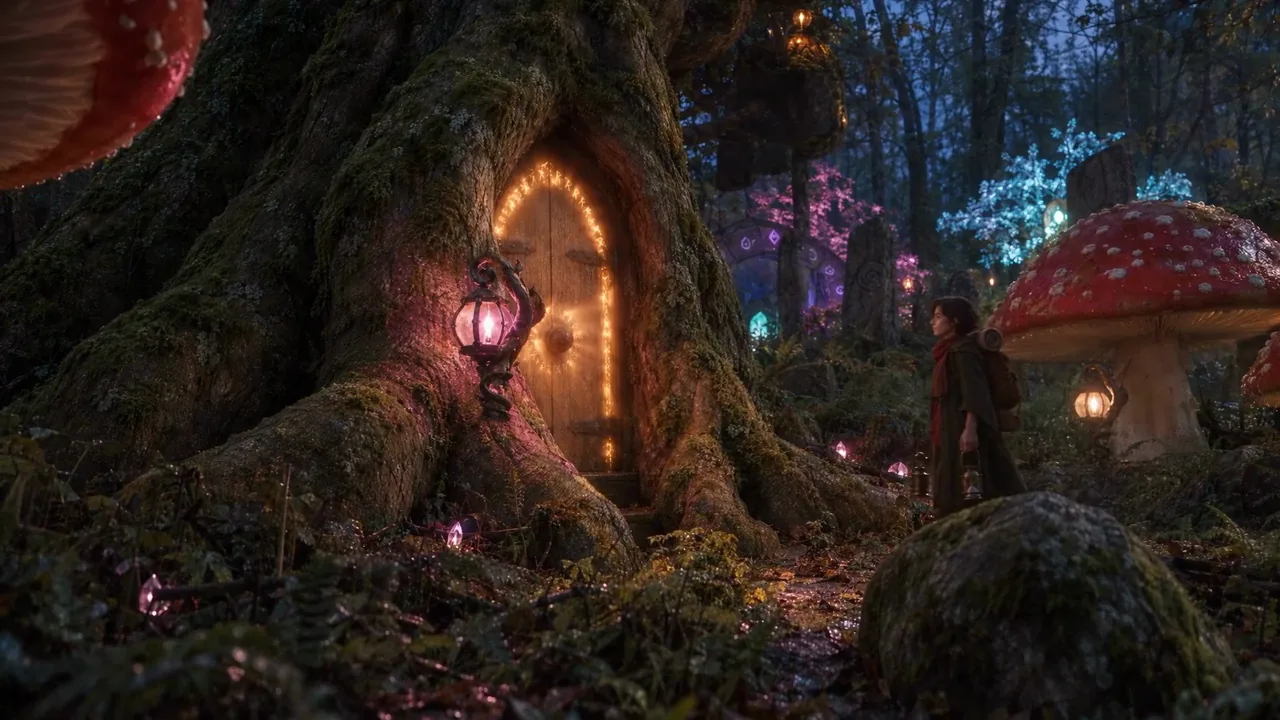 Before
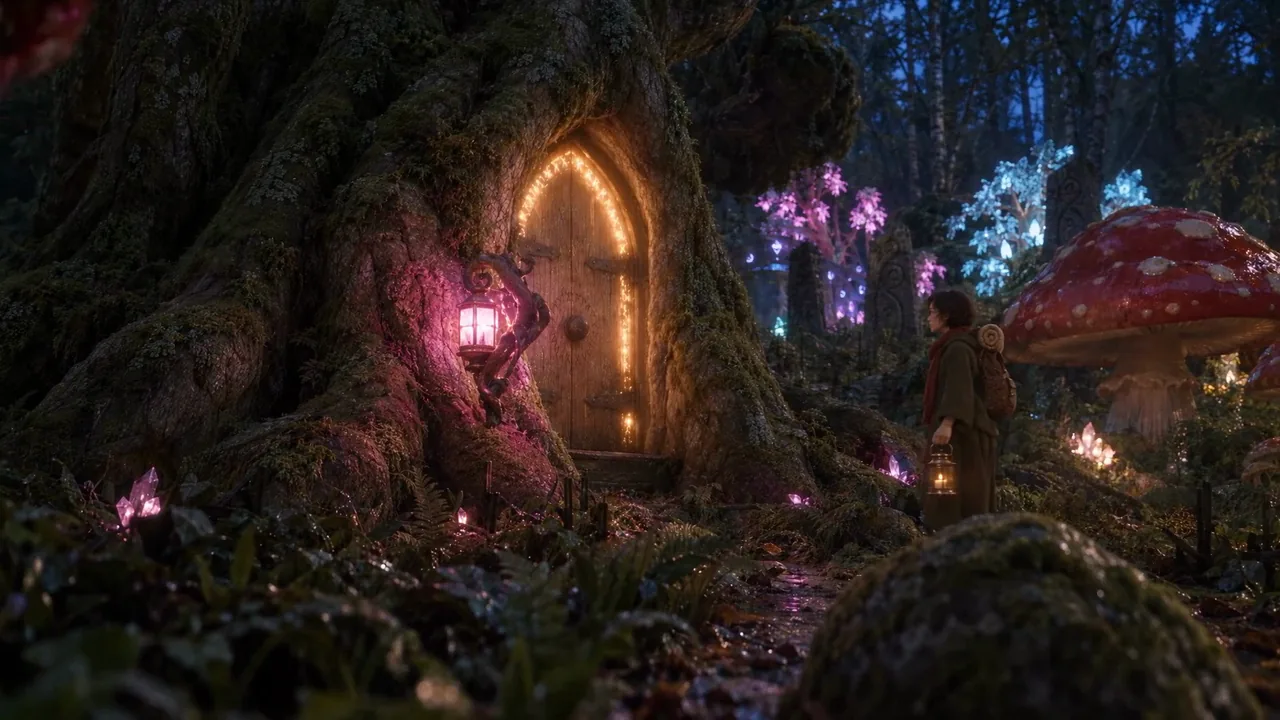 After
AfterWhat to do
- Keep the edit decision list in one file. Assemble from the latest passing take of each cut, then mix.
- Make a review video: the film stacked over its playblast, labelled "cut NN, take, F####, m:ss", reviewed by cut number.
- Put the notes in a table (note, cause found, fix), then fix in this order: sheets, render rules, clay and look renders, finish pass, narration and sync, Seedance, QA, cut, review video.
- Save every cut and review video as a new version.
What it showed
The film-over-playblast video let the reviewer point at exact frames (F0090, F0280), and showed that most picture faults came from the clay or the stills, which the video model had copied faithfully.
Symptoms and fixes
| Symptom | Fix (step) |
|---|---|
| Multi-colour objects render in one colour | Set material slots before bm.to_mesh (1) |
| Blender window closes mid-search | Headless runs, at most two processes (1) |
| Props half sunk | Fit to the proxy's visible height, sink per asset (2) |
| Scene unusable, machine swapping | 1024 colour, 512 data textures, decimate (2) |
| Prop fills the lens | Near-lens ray audit; move props, keep the plan (2) |
| Lantern or door changes every shot | Reference sheet in the finish pass; real geometry in the clay (3, 5) |
| Still zooms out with a sheet | Solo sheet plus the crop clause (4) |
| Doll-like face | Face clause: natural adult proportions, casting photo (4) |
| Dissolve or jump inside a take | One still; "the framing always comes from @video1" (6) |
| Invented trunks or objects | Describe only what the clay shows (6) |
| Camera pushes in, door lights early | State what stays still and every story state (6) |
| Prop takes a nearby light's colour | Give the prop's colour in the line (6) |
| Frozen legs or sliding feet | Legless dummy; the model invents the gait (5) |
| Glide on a close shot | Walking bob the camera ignores (5) |
| Forest lit before she arrives | Asleep, wake and fade rules (5) |
| Purple light behind her | Remove the violet crystal for that shot (5) |
| Take refused | generateAudio: false (6) |
| Babble before a narrated line | Trim on whisper word times (7) |
| Score enters late | Measure, then move the section or the cut (7) |
| Effect is hiss | Concrete source plus "no hiss, no white noise" (7) |
| Voice says it, picture does not show it | Phrase on the cut that shows it (7) |
| Automatic QA passes a bad take | Dense sheet, gait and feet strips, faces at full size (6) |
Prompt patterns that worked
Wording already quoted in step 6 is not repeated here.
- Finish pass: "Edit @image1, a rough 3D layout render, into a real photograph... Keep the exact composition, camera angle, focal length and horizon, and the position, scale and silhouette of every element." "The render's textures are placeholders... discard them completely." "Keep the colour of every light source exactly as in the render: teal stays teal, violet stays violet."
- Face: "a real person with natural adult facial proportions, like a casting photo of an actress, never a doll, game or animated character face".
- Prop from a sheet (crop clause): "The lantern she carries is exactly the lantern in @image2... Use @image2 only for the lantern's design: its size, position and angle in the frame, and the way the frame edges crop it, stay exactly as in @image1."
- Reference sheet: "Its shape and proportions are exactly the lantern in @image1 (four views of a 3D model)... Material and finish like the lantern in @image2... The same lantern in every view. No text, no labels."
- State: "The great tree's door is shut and dark; its carved runes glow very faintly, as if fading."
- Hands and flame: "both hands cradling the base of the lantern and lifting it before her chest... the candle flame burning tall, her fingers well below the top of the lantern".
QA checklist per take
- Before submitting: clay, look frame and finished still overlaid at 50 %, no ghosting.
- Clay and take overlaid at first, middle and last frames: positions and framing match.
- Cut detector (ffmpeg scdet, threshold 6): no hard cut.
- Dissolve scan plus a dense sheet checked by eye: no blend.
- Contact sheet every 0.4 s: no invented objects, story states right.
- Gait strip: legs alternate while she moves.
- Feet strip, or side-by-side at half speed: feet planted, no slide.
- Faces at full size: same person, natural proportions.
- Hands: two arms, two hands, prop whole and in the right hand, flame clear of the fingers.
- Recurring props and details match their sheets.
- Motion runs the right way (feet, heading, creatures head first).
- One verdict recorded per take.
Costs on this film
Every generation in the final film, read from the project's job ledgers. Blender renders, edits and checks cost 0 CU.
| What | CU |
|---|---|
| Seedance 2.5, 39 takes | 24,694 |
| Stills, 39 | 1,030 |
| 3D set: 43 concepts, 43 models, 3 materials, 1 sky | 2,792 |
| Sound: narration, score, effects, foley | 668 |
| Reference sheets, 6 | 158 |
| Total | 29,342 |
Video is about 84 % of the cost, so the cheapest place to fix a fault is upstream: in the clay, the look frame or the still, before a take is made.
Added after the second review
These fixes came from review notes on the first cut. All of them are in the finished film:
- Lights as story states in Seedance (asleep, waking near her lantern, fading behind her).
- Lantern and door sheets on every still that shows them, consistent across all cuts.
- The walking bob on the dummy (cut 13).
- Real lantern geometry and the offering lift in the clay, flame clear of her hands (cut 28).
- The golden forest cathedral behind the opened door, and the walk-in seen from behind (cuts 38 and 39).
- A new final take with the whole forest turning gold.
- The empty, dark opening (cut 2) and the gateway without the violet crystal (cut 4).
- Narration v2 and phrase-level sync, with the lantern raise and the door opening moved onto their words.