One texture. Sixteen tiles. No grid.
WangTiles
Ground that never shows its grid. Cut from one Scenario texture.
Fill a map with one tile and the eye finds the pattern at once: the same pebble, every 32 pixels, in rows. Give every tile edge one of two colours, let a tile sit only where its edges match, and pick the edges at random. Every seam still lines up, and the grid is gone. Each set here is cut from a single pixel art texture generated with Scenario.
Four loops
Try it
Drag the map. Find the grid.

How it works
One texture, then code.
- 1
Generate the ground
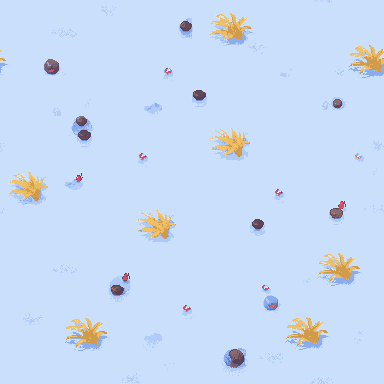
A pixel art model draws an open stretch of ground from above, seamless, in a palette chosen for each terrain, with small motifs spread evenly: pebbles, tufts, shards, petals. The prompt describes only what is there, never what to leave out.
Scenariopixel art texture
- 2
Cut sixteen tiles
Two motif-free spots per edge direction become the edge strips, so neighbours continue the same patch across every seam. Each tile gets its own middle, most holding a motif of their own, joined to the strips along the seam where they differ least, pixel for pixel. The repeated tile gets the set's average amount of detail, so both sides of the loop carry the same ground.
CodePython · numpy
- 3
Fill with random edges
Every edge gets one of two colours at random. Each cell takes the one tile whose four edges match: top + 2 × right + 4 × bottom + 8 × left. Every seam lines up, and nothing repeats on a fixed period.
- 4
Export, and film it
Each set ships as a Tiled Wang set, a Godot TileMapLayer script, a Unity Tilemap component and a web canvas helper. All four pick edges from one hash, so separately generated chunks agree on every shared edge. The same set renders the 12.8 second loop.
CodeTiled · Godot · Unity · web
Make one
Your ground, your tiles.
Claude skill · ZIP
scenario-wang-tiles
The cutter, the engine exports, the loop renderer, the prompts that worked and the ones that did not.
DownloadScenario MCP
Connect your agent
The skill generates the source texture through it.
Set it upScenario
Make yours
Start creating on Scenario.
Start creatingNeeds Claude Code with the Scenario MCP ↗ connected, Python 3 with numpy and Pillow, and ffmpeg for the loop. The cut, the exports and the video run on your machine; each texture uses Scenario credits, priced before the run.