Scenario / experiments Create yours

One take. 13 angles. Three worlds

The Sun Keeper.

Change angles.
Keep the moment.

One continuous video, seamlessly reimagined
through 13 camera angles. Explore the shift.

Get the visual guide7-page PDF
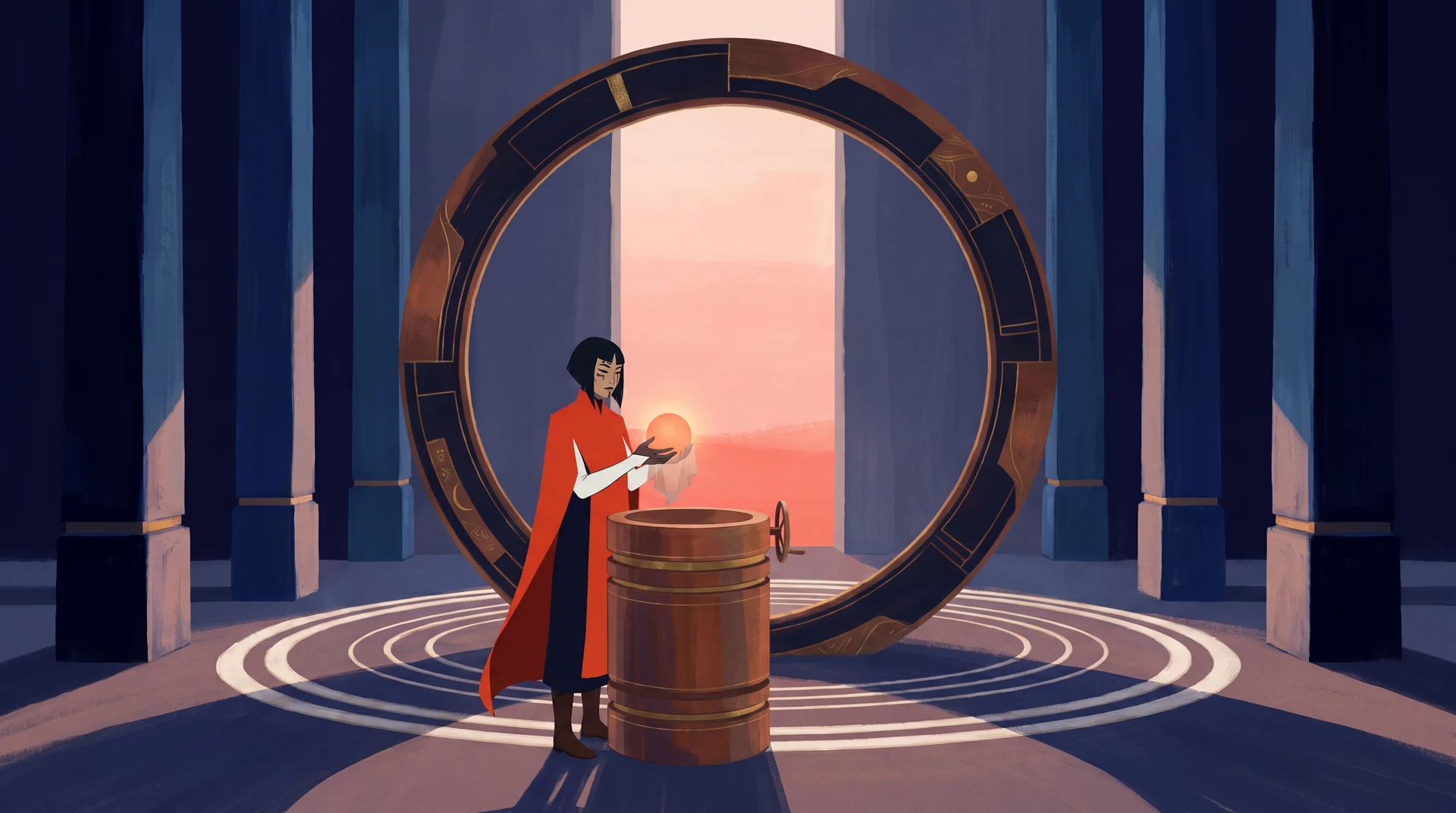
A keeper in a vermilion cloak carries a small sun inside a monumental blue observatory
01 / 13A world waiting

00:00 00:22

Three worlds. Let the camera guide you.

Choose your view

Thirteen points of view

Choose a frame. Follow the moment.

01 → 13

One moment.
Thirteen ways to feel it.

One continuous take becomes a sequence of new camera angles. The hands, the light, the tiny pause before a smile: a different lens brings a different detail forward.

Choose a world, then drag across Compare to see the source beneath the film. Each world has its own original performance.

Behind the change of perspective

How this was made.

A simple Blender stage becomes three worlds. Each gets one continuous performance, then thirteen new camera angles with Scenario.

The Blender stageThe shared spatial reference
VermilionVery stylized
Little DaybreakAnimated
Blue HourRealistic
  1. 01

    Stage the moment.

    Block the action and camera positions in Blender.

  2. 02

    Imagine three worlds.

    Use Gemini 3.0 Pro to create each visual language.

  3. 03

    Change the point of view.

    Animate with Seedance 2.5, then recut the original into 13 angles.

Download the illustrated PDF

Your highlight reel

Keep the moments you love.

Tap the shots you want to keep. They play forward in their original story order, with the unselected moments skipped. Each angle belongs to a particular moment in the film.

Always in story order. No backward jumps. Tap a selected shot to remove it.

Your highlights · chronological order0 shots

    Choose a few favorite moments above.

    The Sun Keeper / Production notebook

    From a simple stage to three cinematic worlds

    How this was made.

    Build one take. Change every angle. Follow the Blender + Scenario workflow, then download the exact prompts and source materials.

    Vermilion, the finished stylized world

    01 / The complete process

    Build the world. Then change the view.

    1. Stage the action in Blender.

      Block out a keeper, a small sun, a cradle, a handwheel and an astronomical ring. Fifty-two simple objects establish scale and sightlines. Scenario Blender Studio creates a source view and 13 alternate camera studies, captures references and saves the editable scene.

      The source uses a 32 mm lens at (7, −15, 6.5), aimed at (0.1, 0.8, 3.3). This capture guides the image model’s composition.

      The actual Scenario Blender Studio capture. Click to enlarge.
    2. Give the idea three visual languages.

      Use the capture in Gemini 3.0 Pro on Scenario ↗. Generate two 2K, 16:9 candidates per world. A second pass combines the artwork and Blender reference to widen the view, restoring the full figure and ring.

      Vermilion: painted mineral blue. Little Daybreak: ceramic and brass. Blue Hour: wet basalt and photographic light. Each world has its own character and performance.

      Vermilion
      Little Daybreak
      Blue Hour
    3. Make one continuous performance.

      Give the chosen artwork to Seedance 2.5 on Scenario ↗ as the first frame. Lock the camera for 20 seconds: uncover the sun, lower it into the cradle, release it, turn the wheel, then watch the room awaken. Generate native sound.

      Review a 480p pilot for hands, cloth, contact and stable landmarks. Refine the physical constraints before generating the 1080p source.

    4. Read the action that came back.

      Sample a frame every 0.5 seconds. Inspect the contact sheets with Scenario LLM using Gemini 3.7 Flash to locate placement, hand release, the wheel turn, light onset and reaction. Use these observed intervals to plan the edit. They are approximate, not frame-accurate.

    5. Change all 13 angles in one generation.

      Attach the original as referenceVideos in Seedance 2.5. Choose Auto duration (−1 in the API) and 1080p. Lock the character, props, action order, light and timebase, then specify 13 timed shots: wides, portraits, hands, profiles, overheads and reverse views.

      Test a 480p pilot first. New angles are generated interpretations: hands, fabric, gaze and timing can differ. Compare reveals those differences at the same playback time.

    6. Measure the cuts. Prepare delivery.

      Detect and check the actual cut boundaries, which can differ from the prompt. Add matching two-second final-frame holds for 22-second playback. Encode fast-start H.264 at 1080p and extract 13 shot thumbnails.

      Both views use the original soundtrack, with an ending fade. Remove the recut audio. The six delivery files total 36.27 MB, 26.58% smaller than the native finals.

    7. Make perspective something to explore.

      Two prepared videos share one clock and soundtrack. Compare reveals both; hold O for the original. The camera map shows the intended position and lens. It is a schematic, not a 3D reconstruction.

      Highlights play selected moments in story order, skipping forward. Share the selection as a link. The browser plays prepared footage; it does not generate angles or export a new movie.

    02 / The exact production prompts

    Steal the prompts.

    Download all promptsZIP

    Choose a world and step. Copy the exact prompt or download it, then replace the reference asset IDs with your own.

    Open the notebook to load the exact requests.


    Exact settings & references


    03 / Models & tools

    Open the tools behind the film.

    The spatial study uses Blender 5.2.1 LTS and Scenario Blender Studio 0.1.6. The recipe includes the scene, camera plan and rebuild scripts. Rebuilding requires Blender and the Scenario plugin.

    The supplied one-take, 13-angle workflow ↗ inspired the process. All artwork and films were made for this experiment.

    04 / Keep the materials

    Everything, within reach.

    The ZIP contains the prompts, settings and editable Blender scene. Grab images and films individually below.

    Blender staging reference Download image