calm-minimal-video
Calm
How it edits
- What drives the pace
- Cuts and camera
- Lettering
- Voice
- Music and sound
- Footage
- Ending
Editing choices to notice · click to jump there
A video style library · Eight reusable skills
One finished process, eight editing styles.
Same material, a different video every time.
Each style is a skill an AI agent follows to edit a video: its own tone, its own idea of how to explain, and its own editing rules for pace, cuts, camera, lettering, voice and music. We gave all eight the same finished work and the same facts. Pick a style, then play two side by side and watch the edit change the story.
01 · The library
Same input, same facts, about a minute each. What changes is everything an editor decides.
Both start on the same frame. One plays with sound; switch it under either video.
calm-minimal-video
How it edits
Editing choices to notice · click to jump there
02 · Get the skills
Each style on this page is an agent skill: a folder with the editing rules, a small render engine, its fonts and the tools that time the words and check the mix. An AI agent such as Claude Code reads it and turns your own finished process into a video in that style.
Or one style at a time · each style works on its own
calm-minimal-videokinetic-tech-showcasedocumentary-process-videocinematic-trailer-videotutorial-walkthrough-videodiagram-explainer-videopaper-cutout-videohype-music-videoasmr-sensory-videovideo-style-libraryffmpeg and ffprobe on the PATH.requirements.txt).~/.claude/skills/, or .claude/skills/ inside a project. Keep the folders side by side.Tested on Windows. The skills are written for macOS too, but have not been tested there yet. The hype style is adapted from the music video skill of the Every Scenario exploration.
03 · All at once
All eight videos in one silent grid, started together. Without the sound you see the edit itself: how often each one cuts, where the camera moves and when the type lands.
04 · Side by side
| Style | Skill | Voice | Length | Words a minute | Voice share | Tempo |
|---|---|---|---|---|---|---|
| Calm | calm-minimal-video | Sulafat | 57.5 s | 74 | 37% | ambient bed |
| Kinetic | kinetic-tech-showcase | Puck | 60 s | 107 | 52% | 120 BPM |
| Documentary | documentary-process-video | Callirrhoe | 61.6 s | 130 | 59% | 90 BPM |
| Trailer | cinematic-trailer-video | Algenib | 60 s | 43 | 20% | 120 BPM cue |
| Tutorial | tutorial-walkthrough-video | Zubenelgenubi | 55.5 s | 129 | 62% | 100 BPM |
| Diagram | diagram-explainer-video | Fenrir | 60 s | 132 | 63% | 100 BPM |
| Paper cut-out | paper-cutout-video | Sulafat | 56.5 s | 122 | 59% | 100 BPM |
| Hype | hype-music-video | Sung | 50 s | 88 | 74% | 127 BPM |
Measured on each final mix: words a minute and the share of the running time with a voice (sung, for the hype video). Tempo is the music bed as analyzed; the calm bed is ambient. Every mix lands between -14.8 and -14.1 LUFS.
06 · The test footage
To make the comparison fair, all eight videos tell one real, finished process with one set of records: four pencil sketches turned into finished renders in Scenario, each sketch the reference image for one detailed prompt, as in the Help Center’s Sketch-to-Render. The harbor is on GPT Image 2.5 Sunburst (OpenAI); the inventor, dragon and scooter are on Gemini 3.1 Flash (Google). Drag across it.
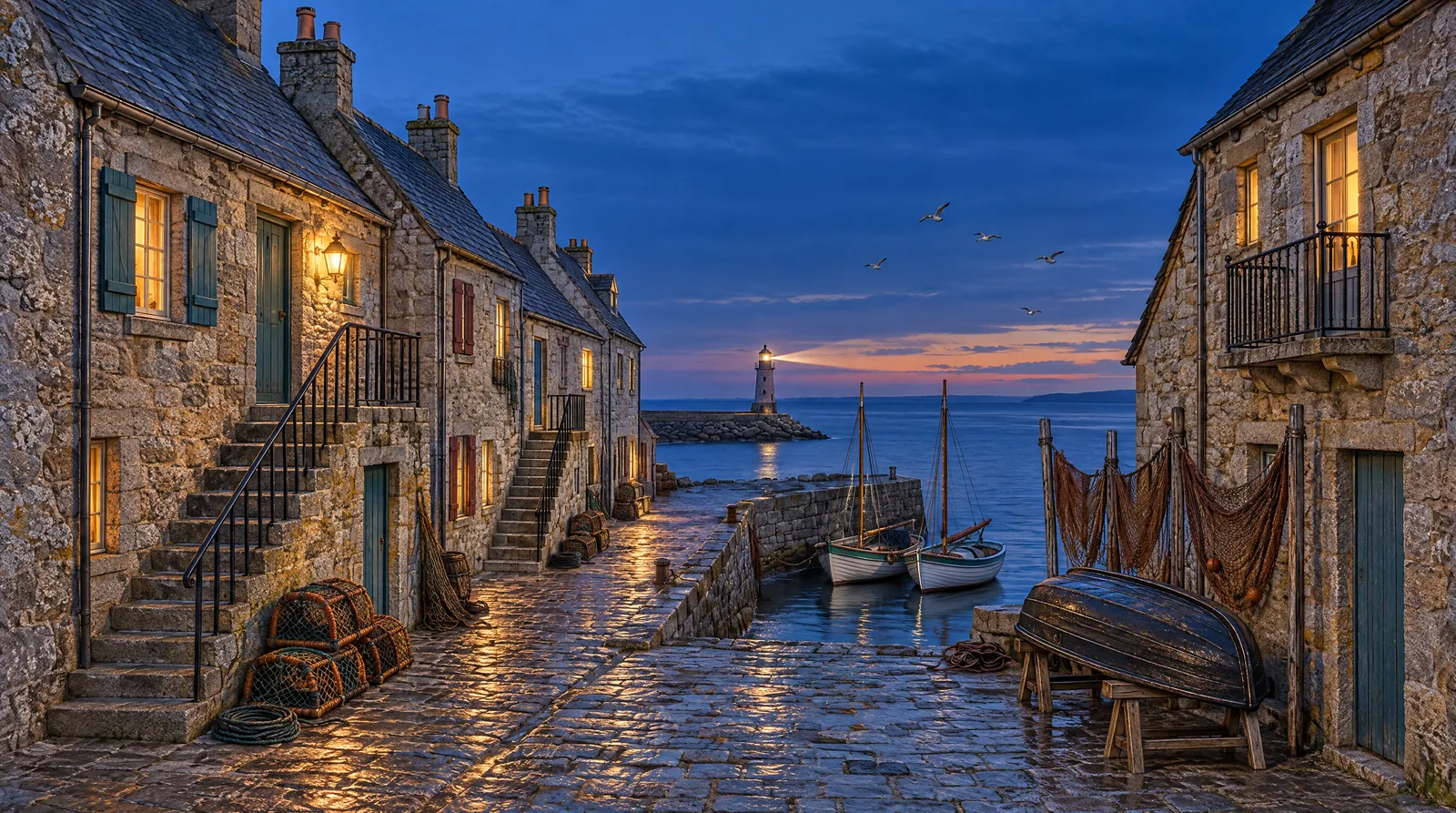
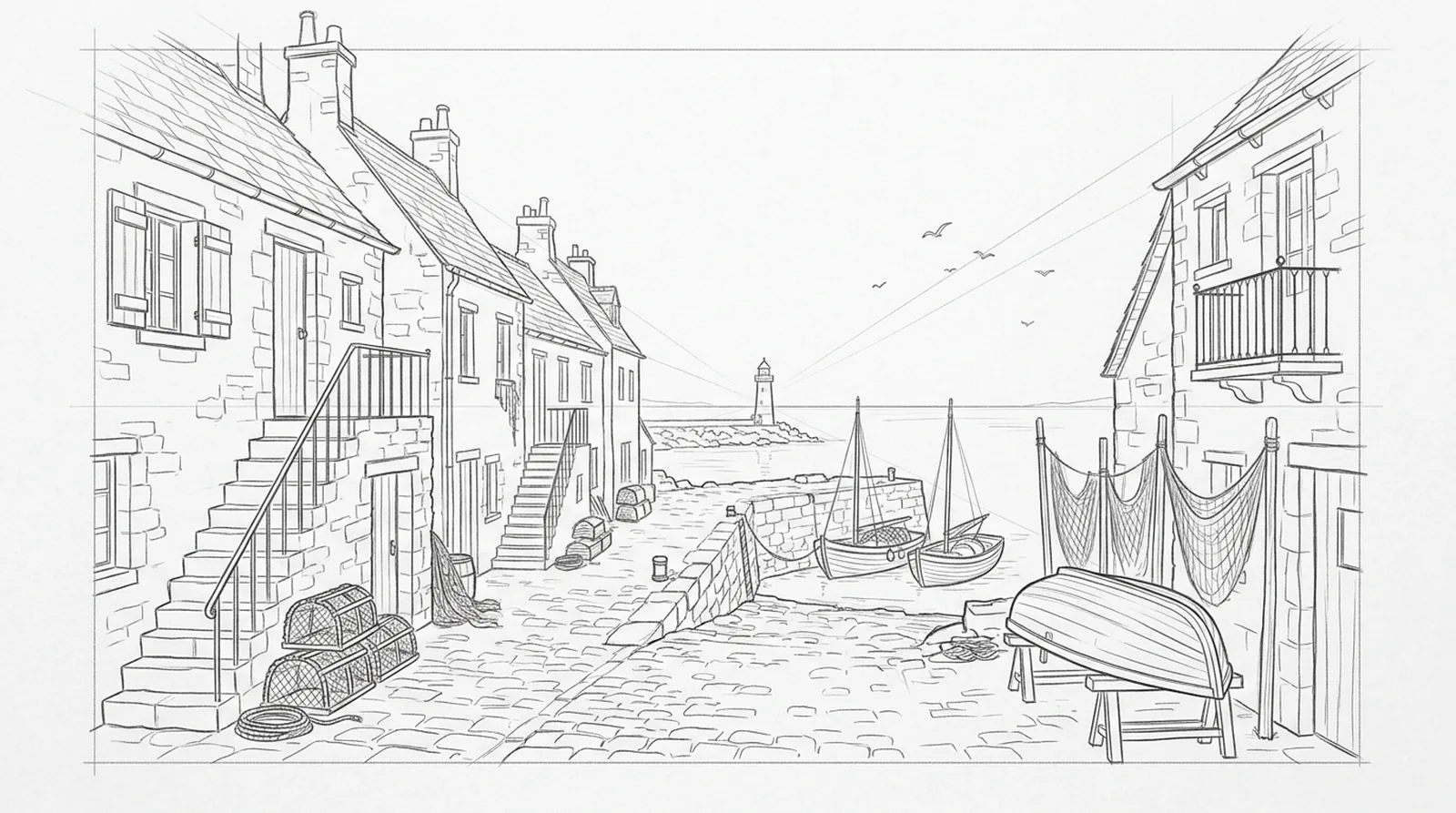
90% of the sketch’s lines land within 2 px of an edge in the render
By chance, against renders of other subjects: 8 to 14%. GPT Image 2.5 Sunburst (OpenAI), with a strict line-for-line prompt. The first harbor, a looser prompt on Gemini 3.1 Flash, scored 71%.

The first harbor let the boats and the lighthouse drift off the pencil lines. A stricter, line-for-line prompt on another model put them back, so that render became the test footage. The prompts differ and each ran once: two real attempts, not a ranking of models.
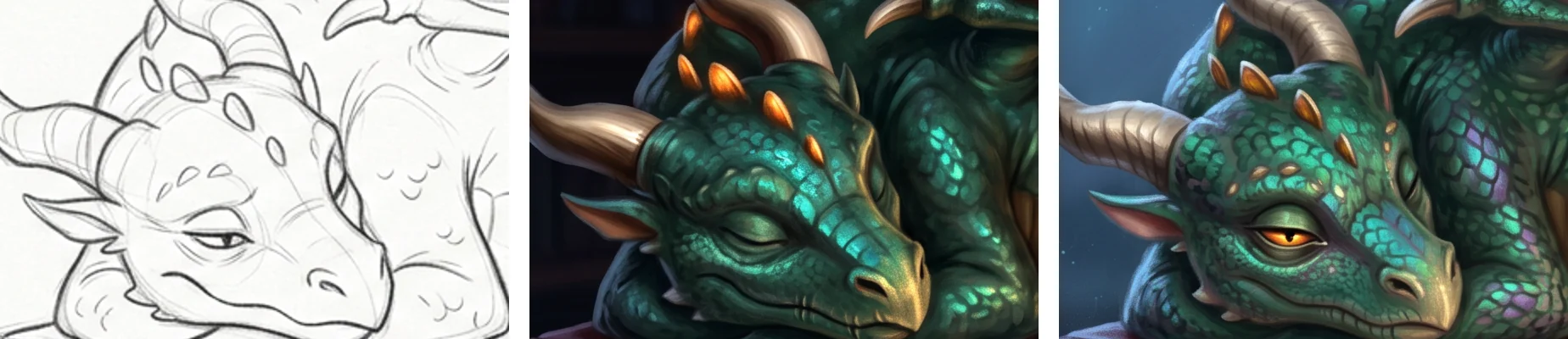
The first dragon prompt mentioned the eye only in passing, at the end of a list of colors and materials, and the eye came back closed. The second prompt gave it its own instruction and it came back half open. Each style tells this same failure and fix in its own way.
The second prompt’s new instruction, word for word:
“Keep the dragon's expression from the sketch: its visible eye is HALF OPEN, the upper eyelid lowered halfway over a glowing golden eye with a slit pupil, gazing sleepily toward the viewer. The eye must not be closed.”
Models
The narration of seven videos, in six voices.
The music beds.
The song in the hype video.
Whooshes, ticks, stamps and paper sounds.
The masks that cut the paper pieces from the real renders.
The test footage: four pencil sketches and the inventor, dragon and scooter renders.
The harbor render, with a strict line-for-line prompt.
One comparison render of the dragon.
Five 8-second clips, each starting on a render.
Have a finished process? Generate the voice, the music and the footage on Scenario, then edit it your way.
Create yours