Your AI-Generated Images Are Getting Scored. Here Is What Quality Gate Actually Checks.
Getting AI-generated images that are both technically clean and on-brand at scale requires more than human review. Quality Gate scores every image on two independent dimensions: how closely it matches your brand brief, and how free it is of AI artifacts.

Scaling AI image generation inside a studio or agency introduces a quality problem nobody talks about enough.
The volume goes up. The review process stays the same. One person eyeballing outputs for brand consistency and AI artifacts does not scale to a team of fifteen running hundreds of generations a day. Things slip through. An off-brand color palette. A character with a malformed hand. Text that is slightly garbled. Waxy skin that reads as AI immediately. These are the outputs that make it to a client deck or a game build and create problems later.
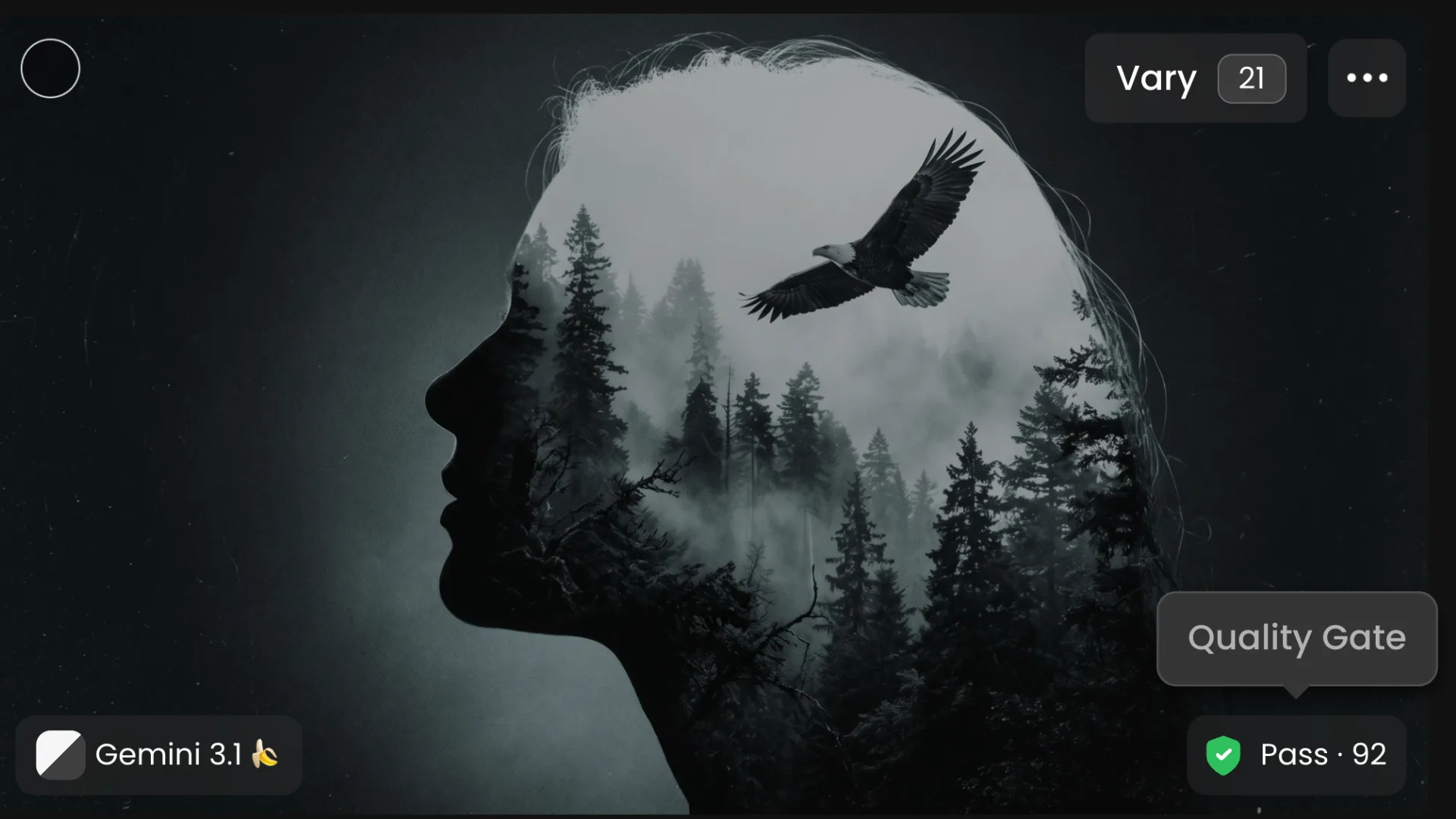
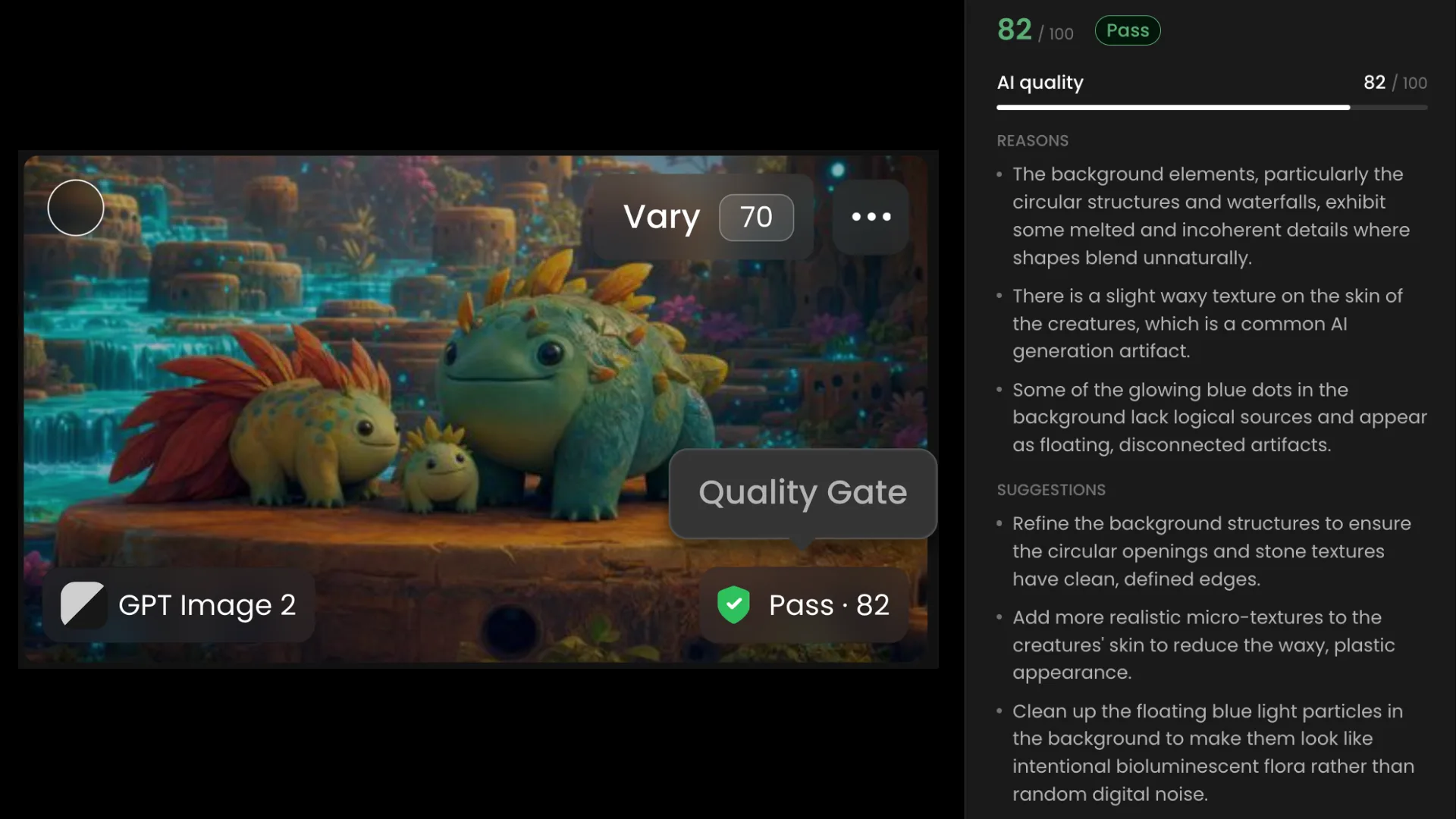
Quality Gate is a Scenario Enterprise Plan add-on that scores every generated image on two dimensions: how closely it follows your brand brief, and how free it is of the artifacts that make an image look machine-made. Every scored image gets a mark out of 100 and a verdict of Pass, Review, or Fail, with the reasons behind it and concrete suggestions to fix it.
Two Independent Scores
Quality Gate keeps brand compliance and AI quality deliberately separate because a perfectly on-brand image can still have obvious artifacts, and a technically flawless image can be completely off-brand.
Brief compliance measures adherence to your written brand brief and consistency with your reference images. Only scored when a brief is active.
AI quality measures freedom from the artifacts that give AI images away: malformed hands and anatomy, garbled text, waxy skin, muddy or oversaturated color, watermarks and fake signatures, melted or duplicated detail, incoherent backgrounds, uncanny symmetry. Always scored, with or without a brief.
The overall score weights brief compliance at 60% and AI quality at 40%. When no brief applies, AI quality is the full score.
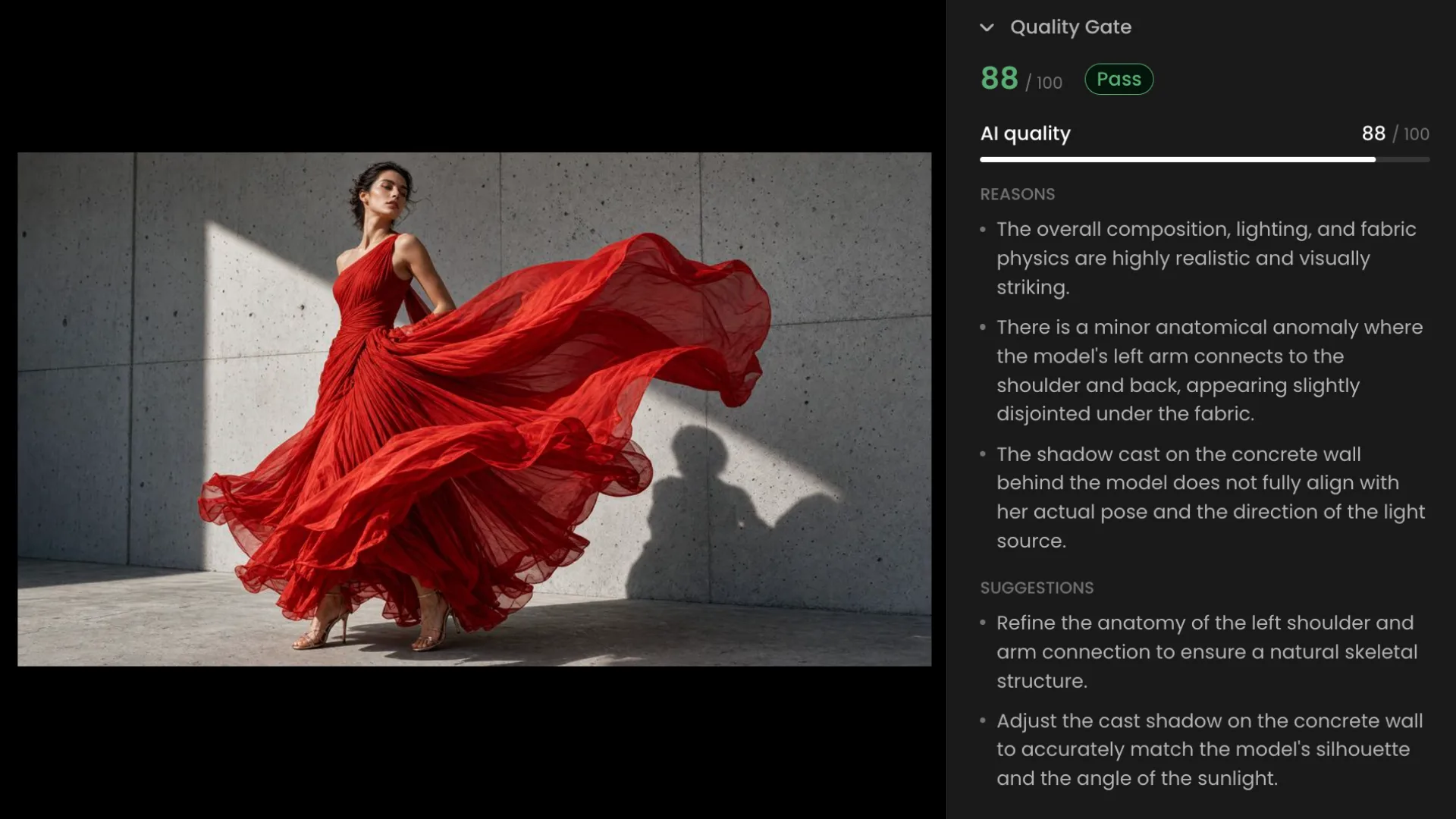
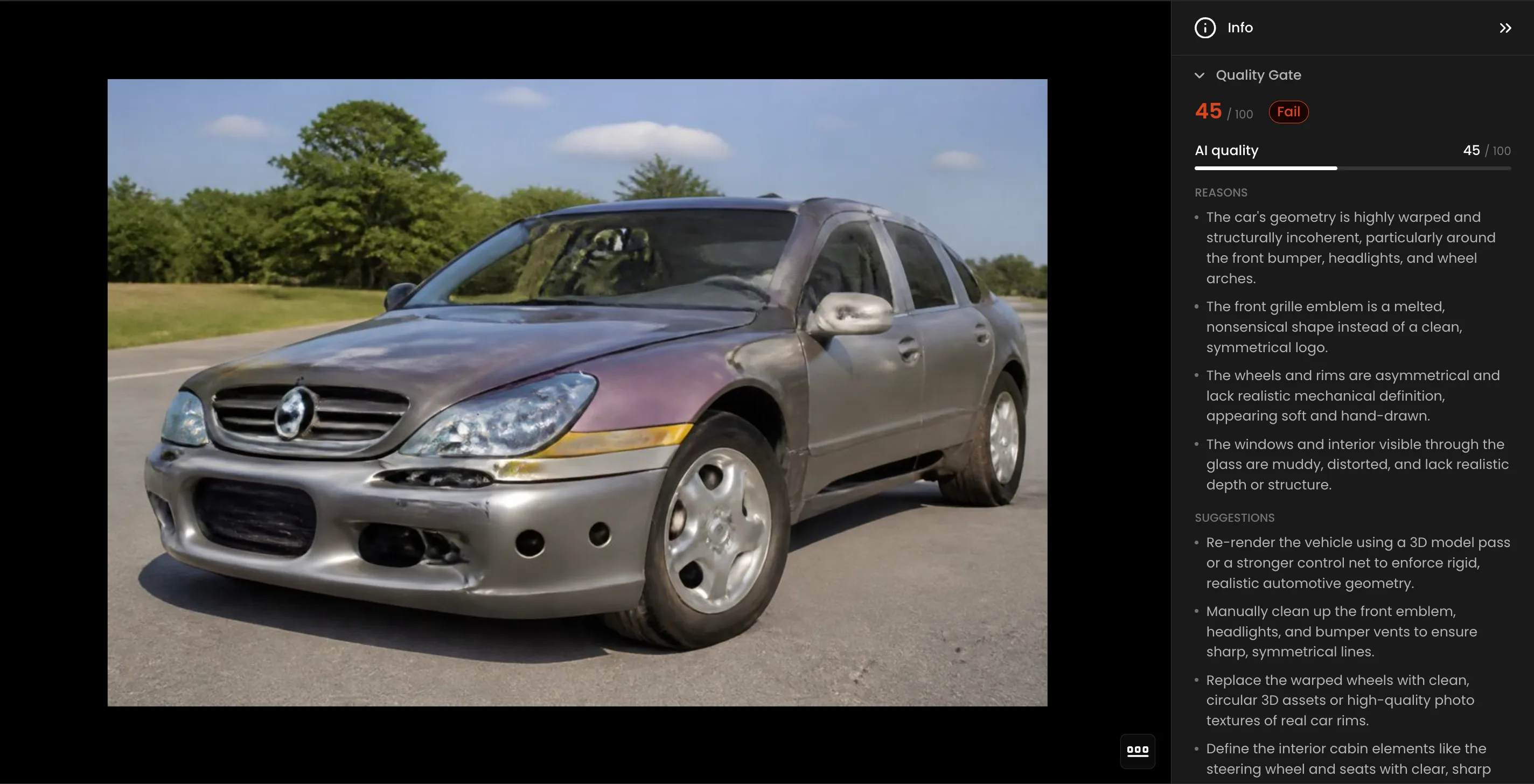
A score below 50 on either dimension is a signal worth acting on. Under the default Medium sensitivity, anything below 50 fails outright. Between 50 and 69 lands in Review, which means it is worth a human look before it goes anywhere. 70 and above passes.
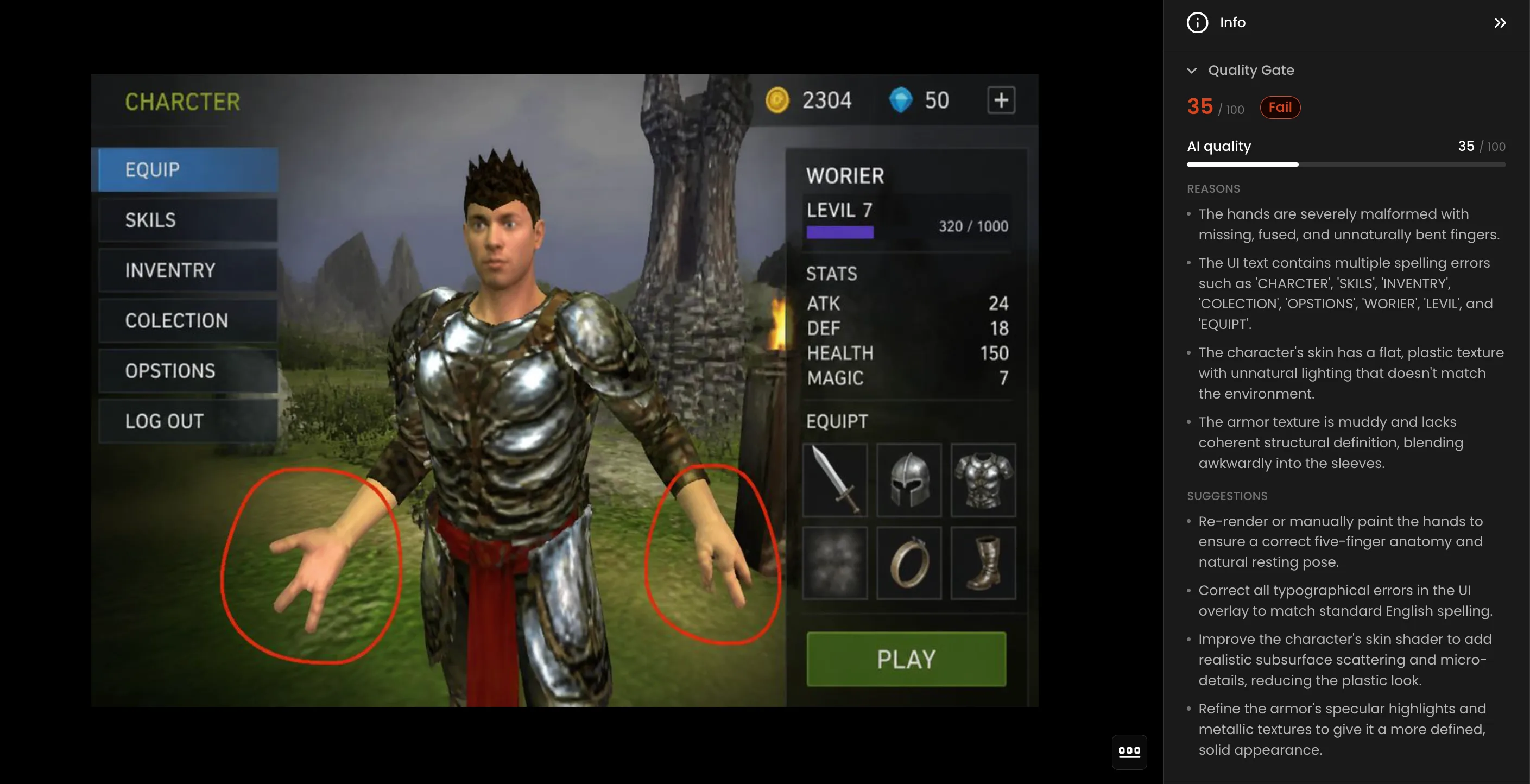
A game UI mockup comes back looking complete at first glance. A character in armor, a stats panel, an equipment grid, a play button. Quality Gate scores it 35 out of 100. Fail.
The reasons: both hands are severely malformed with missing, fused, and unnaturally bent fingers. The UI text contains multiple spelling errors across every menu item. The character's skin has a flat plastic texture with lighting that does not match the environment. The armor is muddy and lacks structural definition.
Quality Gate surfaces it immediately with the specific reasons and concrete suggestions: re-render the hands, correct the typography, improve the skin shader, refine the armor's specular highlights. Fix what is wrong without starting from scratch.
Write Your Brand Brief
The brief is what brand compliance is judged against. Without one, Quality Gate still runs but scores AI quality only.
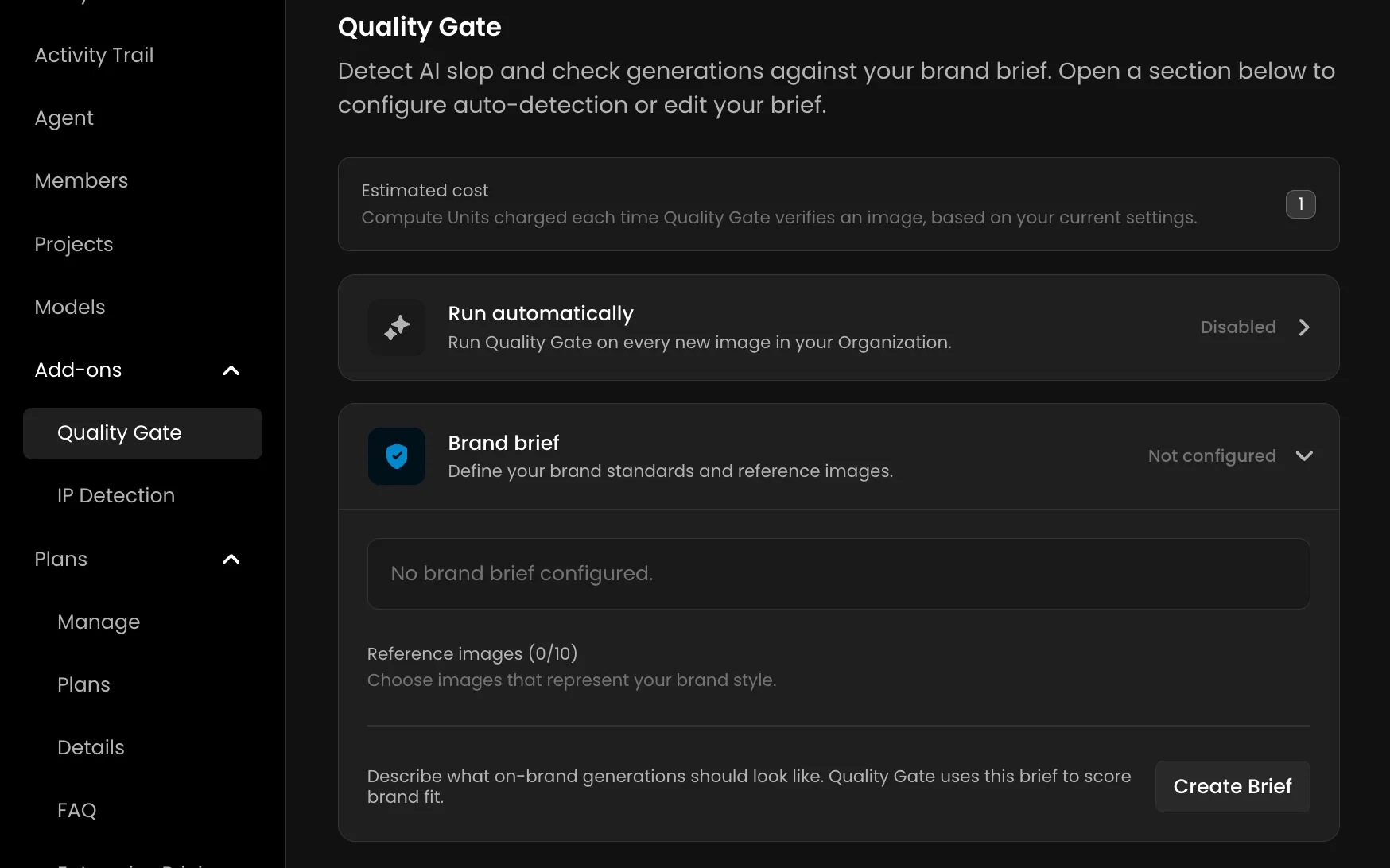
Open Organization > Add-ons > Quality Gate, expand Brand brief, and create one. Up to 8,000 characters describing what an on-brand generation looks like: palette, lighting, rendering style, level of stylization, subject rules, and what should never appear. Attach up to ten reference images from your library to show the model what the style looks like in practice.
Briefs exist at two levels. The organization brief carries your broad brand rules. A project brief refines those rules for a specific campaign or art direction. Both apply when both are enabled, with the project brief taking precedence for that project's generations.
Sensitivity Levels
Sensitivity controls where the Pass, Review, and Fail lines fall. It does not change the scores themselves, only how strictly they are read.
Low: Fails below 40, Reviews 40-59, Passes 60 and above. Flags only clear mismatches.
Medium: Fails below 50, Reviews 50-69, Passes 70 and above. The balanced setting for most brand briefs and the default.
High: Fails below 60, Reviews 60-79, Passes 80 and above. Stricter. Borderline images land on Review or Fail.
Sensitivity is set per brief. A project brief's sensitivity overrides the organization's.
Run It on Demand or Automatically
On demand: Pick up to ten images from your library, run the check, and get scores back immediately. The fastest way to see how your brief behaves before enabling it for everything. Re-scoring an image after tightening the brief replaces the previous verdict.
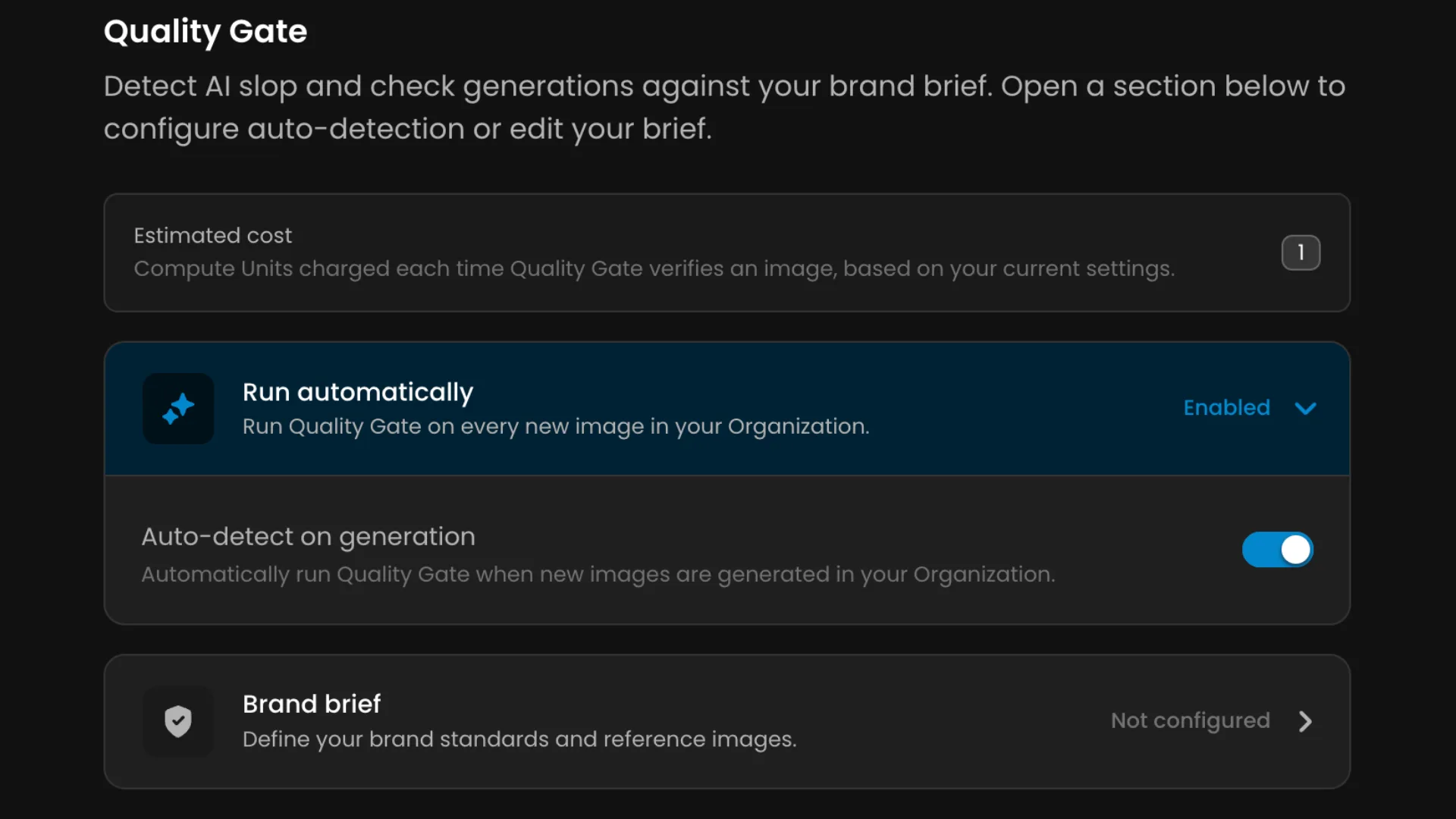
Automatically: Turn on Auto-detect on generation and every new image generated in the organization is scored automatically, from the web app and from the API. A verdict badge appears on the image shortly after generation. Projects can inherit the organization setting, enable their own, or disable scoring for their generations independently.
Quality Gate scores, it never blocks. A low score does not stop a generation or delete anything. If you need generations stopped before they run, that is IP Detection.
Reading a Verdict
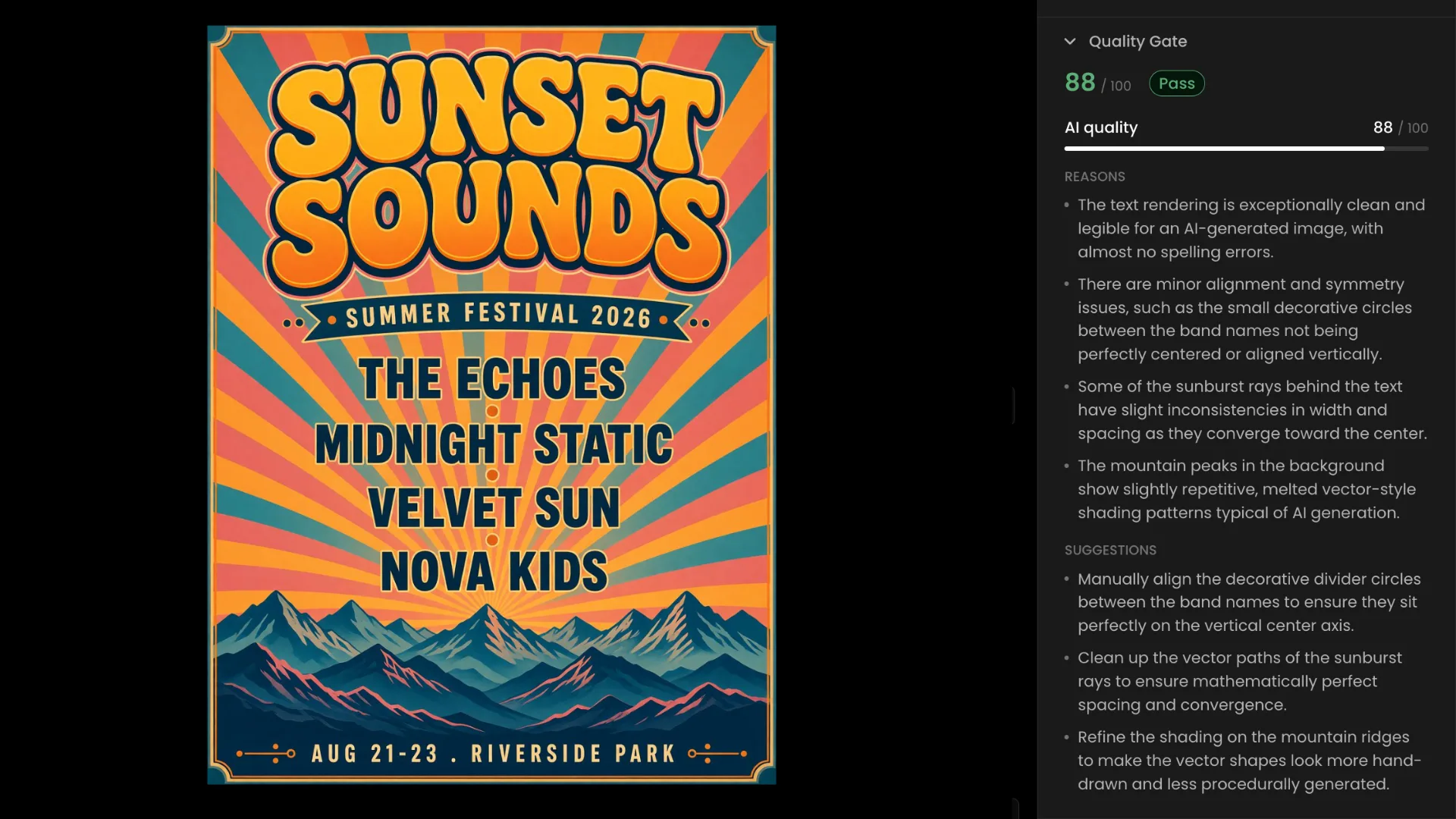
Every scored image carries a verdict badge in the file manager. Open the image and the Quality Gate panel shows the full picture: overall score out of 100, Pass/Review/Fail verdict, and both dimension scores with the specific reasons behind them and concrete suggestions to improve them.
Read Review as "worth a human look" rather than a rejection. It is the band where the score is neither clearly on-brand nor clearly off.
Organization Analytics tracks Quality Gate verdicts over time: Pass, Review, and Fail counts across the period you select. Reporting starts when scoring starts. There is no backfill for images generated before the add-on was enabled.
What It Costs
Checks are billed in Compute Units per image scored, separately from the generation itself. The price rises with the length of your brief and the number of reference images it carries, because every reference travels with every check.
The Quality Gate page shows an estimated cost for your current configuration, updated as you edit the brief, so you can see the effect of adding references before saving.
Everything Your Team Generates, Scored
Brand compliance and AI quality scored automatically on every image your team generates. Pass, Review, or Fail verdicts with reasons and suggestions built in. Run on demand or across the full organization. Fully accessible through the Scenario API for teams building it into their pipelines directly, you can read more in the API knowledge base article.
FAQ
Does Quality Gate block generations?
No. It scores images after generation and returns a verdict. It never blocks or deletes anything. IP Detection is the add-on that blocks generations before they run.
What does AI quality actually check?
Malformed hands and anatomy, garbled text, waxy skin, muddy or oversaturated color, watermarks and fake signatures, melted or duplicated detail, incoherent backgrounds, and uncanny symmetry.
Do I need a brand brief to use Quality Gate?
No. Without a brief, Quality Gate scores AI quality only. The brief is required for brand compliance scoring.
Can different projects use different sensitivity levels?
Yes. A project brief's sensitivity setting overrides the organization's for that project's generations.
Does it score video, audio, and 3D?
No. Quality Gate scores images only.
When does automatic scoring happen?
After the generation finishes. A verdict appears on the image shortly after the image itself.