
We Built a Playable Game in Four Days. The Art, the Voices and the Trailer All Came Through Scenario MCP.
Low Thunder is a real, playable browser game: ten tanks, ten commanders, ten battlefields, a full campaign, Google sign-in, and leaderboards. Every portrait, 3D body, voice line, and cinematic frame came out of Scenario. The 61-second trailer was cut without opening a video editor. It took four days. Here is how the pieces connected.
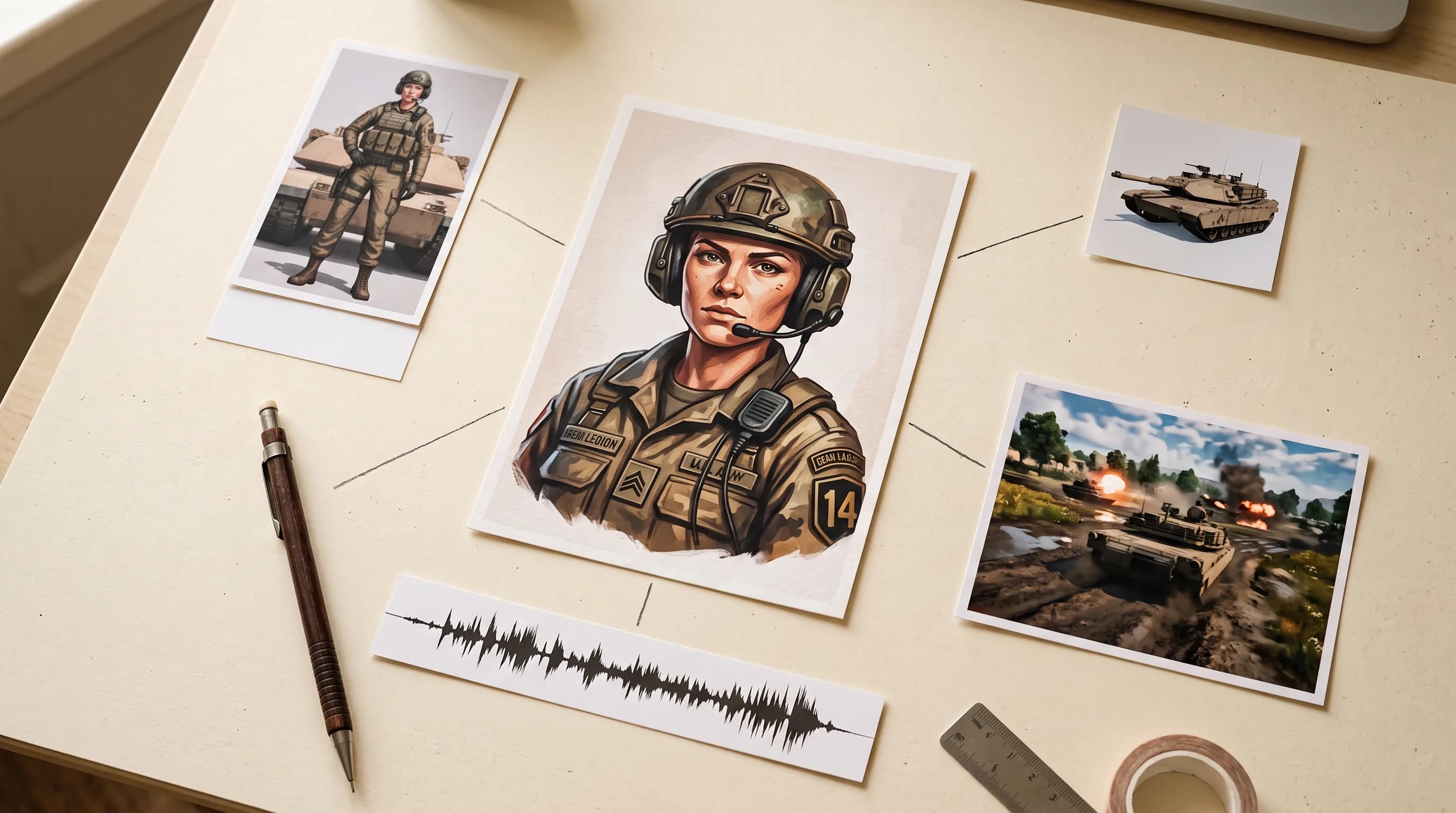
Most AI asset demos stop at the image.
A character portrait that looks great in a grid. A tank render that never gets a collision box. A voice line that never fires at the right moment. Generating the asset is the easy part. What follows is export formats, stable asset IDs, level-of-detail meshes, a roster mapping, and a build that still has to run on somebody's phone.
Low Thunder is a tank combat game you can open in a browser right now. Ten playable tanks, ten commanders, ten battlefields, a ten-operation campaign, Google sign-in and leaderboards. Every commander portrait, 3D body, radio voice and cinematic shot in it came out of Scenario. The 61-second trailer was cut without anyone opening a video editor.
The creative direction came from one person: Emmanuel de Maistre, our co-founder and CEO. The execution came from a coding agent with access to our own model library.
It took four days. Here is exactly how the pieces connected.
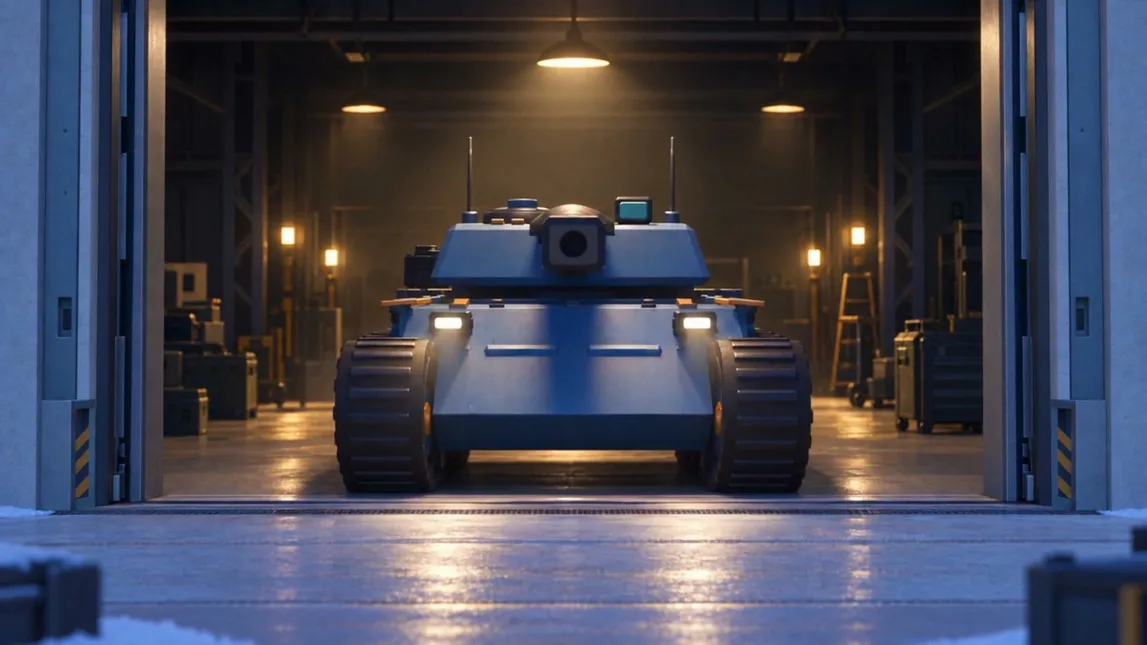
What Low Thunder Actually Is
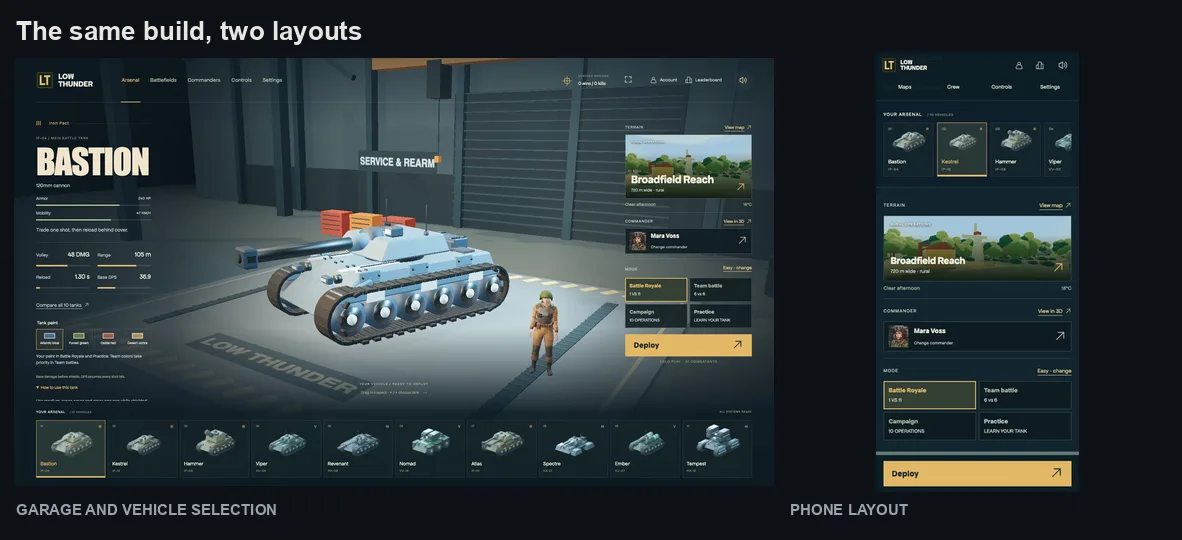
A complete game, not a vertical slice. Ten playable tanks, ten commanders and ten terrains, with a garage, a crew, battlefields and a radio that all belong to the same fictional world.
Four ways to play the same vehicles. Battle Royale, team battles, a ten-operation campaign, and an optional guided Practice mode.
Browser-first. JavaScript and Three.js drive the game, Vite handles builds. The controls are responsive across desktop and phone layouts, and Google sign-in adds history and leaderboards.
Team battles run against local AI opponents. It is not online multiplayer, and we are not going to pretend otherwise.
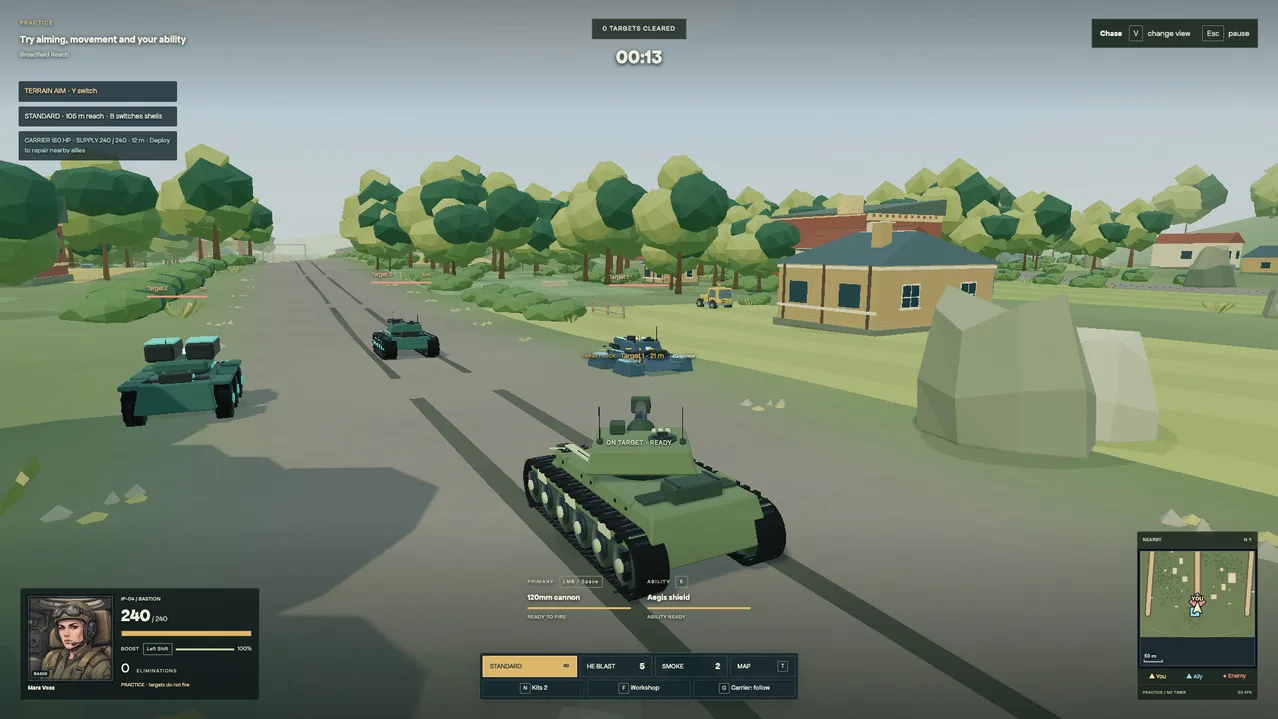
The Loop: Direction, Agent, Models
Three parts, each doing one job.
Human direction. Emmanuel set the goals, reviewed every output and asked for the revisions. Nothing shipped because a model produced it.
GPT-6 Astra, working in Codex. The agent planned the work, called the tools, prepared the exports and tested the integration.
Scenario. Media models produced the candidates. The asset records kept every output traceable back to the job that made it.
The connection between the second and third parts is Scenario MCP. It exposes the platform as callable actions, so the same agent writing the game code can also generate the art that code needs. In practice the agent ran the same four steps every time:
- Find the right tool. Choose a model and read its actual input requirements.
search/recommend/model_schema_get - Generate a candidate. Submit the references and parameters, keep the job ID.
model_run - Inspect the result. Wait for completion, review the output, request a correction if it needs one.
jobs_wait/asset_display - Use and file it. Prepare the runtime file and preserve its source and collection membership.
asset_download/ collections
Ask for the Asset, and the Job It Has to Do
This is the part worth copying. MCP gets useful when the brief includes what the asset is for, because then the agent can carry the references, the format requirements and the review criteria through every step instead of handing back a nice picture.
A real brief from the project:
Use the approved commander reference to create a square radio portrait. Preserve the face, headset and uniform. Show it at HUD size, prepare a 512 px WebP, wire it to the roster and keep every draft.
One instruction, three jobs. Scenario finds the source asset, checks the model requirements, submits the generation and returns the result. Astra prepares the export, updates the roster mapping and runs the game to see the portrait in context. Then a person checks identity, readability and fit, asks for a targeted revision, and picks the version that ships.
Generation and integration end up inside the same task, with an explicit decision at the end about what is actually ready for players.
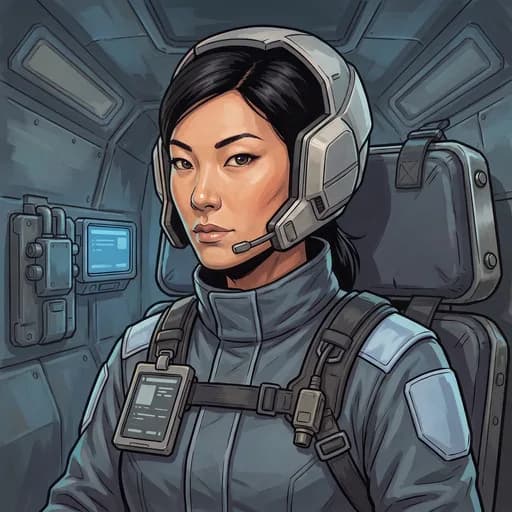
One Commander, Several Connected Assets
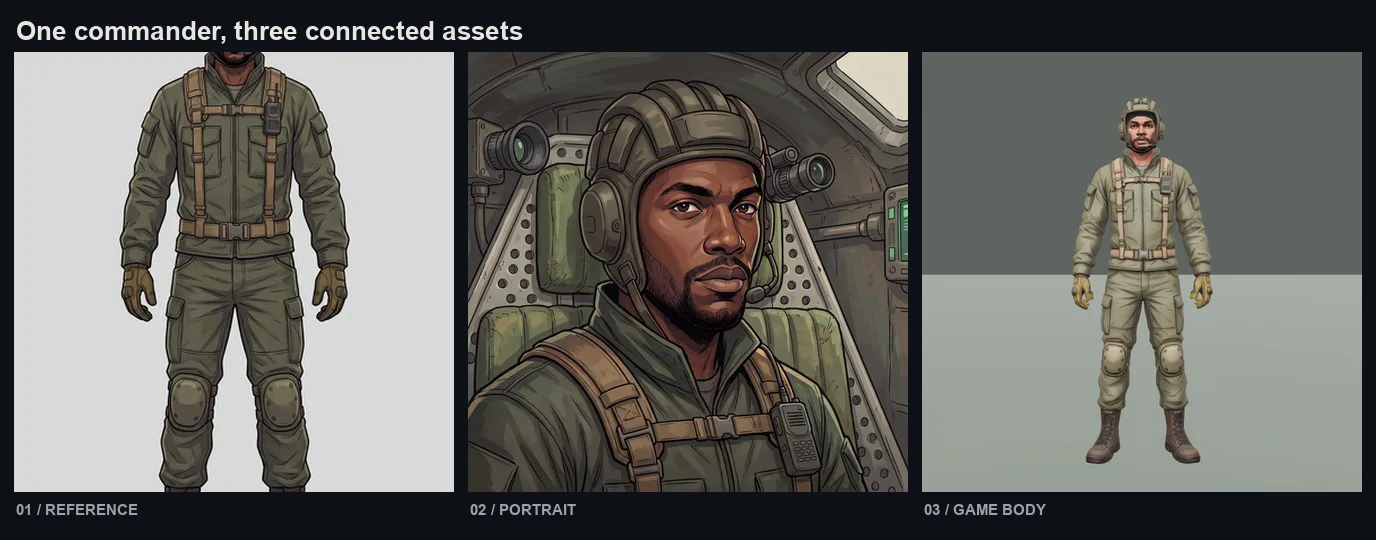
A character identity has to survive the trip from reference image to portrait to 3D body to animated radio. Idris Vale shows the chain.
The reference fixed the face, clothing, equipment and proportions as a full-body anchor.
The portrait carried that identity into a readable illustrated tank interior through image edits.
The game body came out of Tripo P2 as a 3D source, then Blender work fitted the kit, the rig and the export.
Ten commanders went through this. Mara, Idris, Sera, Oskar, Juno, Dante, Nika, Theo, Ada and Rafe, one shared art direction.
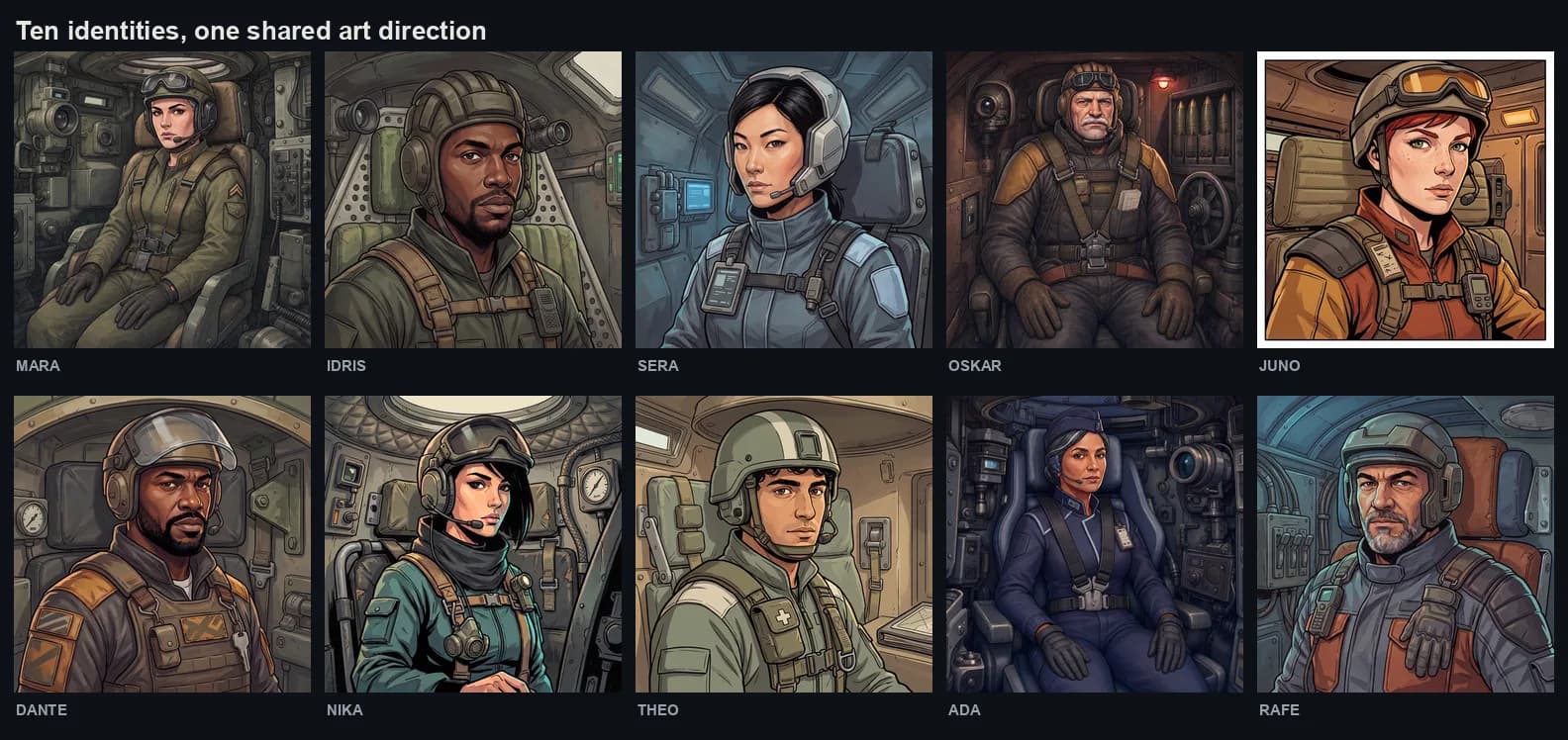
The review loop earned its place. It caught missing identity details, inconsistent framing, and seated poses that were wrong for the interiors. Gemini image editing and GPT Image 2 handled the portrait iterations.
Generated Characters, Authored Geometry
The art direction asked for recognizable silhouettes, grounded materials and readable terrain, because every visual choice had to hold up at normal combat distance. Alpine Pass, Red Quarry, Coastal Battery, Basalt Caldera.
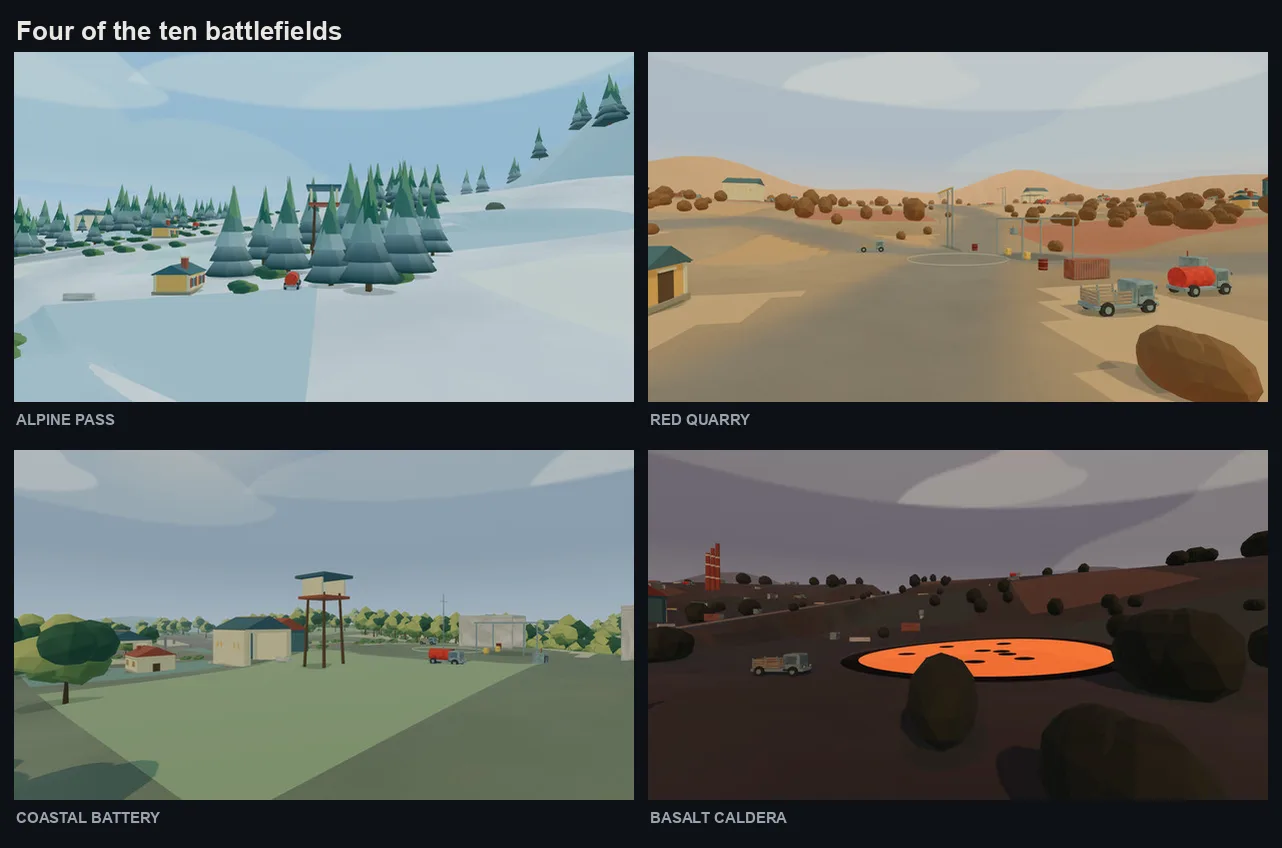
Scenario generated the characters and later organized the retained 3D exports. The vehicle articulation and environmental assets leaned on Blender scripts and procedural code. The integration work added gun pivots, recoil, collision rules and levels of detail, and terrain height, roads, cover and navigation were designed together so the world could actually be driven through.
That split is the honest version of this workflow. Models make the material. Engineering makes it a place you can drive a tank around.
Give Each Commander a Voice
Three systems, one shared clock.
Voices. ElevenLabs TTS. Recorded lines are assigned to gameplay events, with timing, priorities and cooldowns.
Talking portraits. Pruna P Video Avatar turns a portrait and its voice pack into the matching facial performance.
Combat effects. ElevenLabs Sound Effects 2. The v2 library holds 82 selected effects for weapons, impacts, movement, utility and ambience.
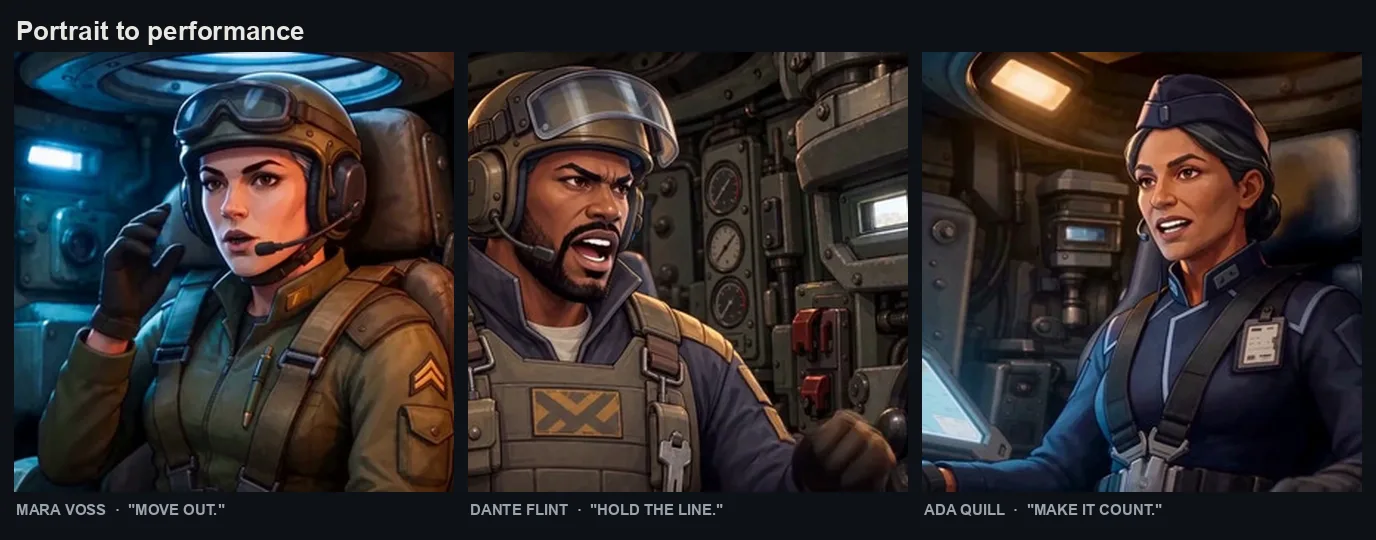
The existing audio stays the source of truth. A silent video seeks to the matching line and follows the audio clock, and when motion is unavailable a still portrait stays on screen instead. A fallback nobody notices is the correct fallback.
Music went a different route. The six-cue in-game score was synthesized in code, and the Scenario music studies stayed in Drafts.
The Part Most Demos Skip
A good output still has to fit the renderer, the interface and the player.
Prepare the runtime asset. GLB bodies with levels of detail, small WebP portraits, compressed and seekable MP4 radio clips.
Bind it to the game. Map stable asset IDs to the roster, the voice events, the animation clips and the gameplay systems.
Verify the real journey. Selection, loading, speech, controls and return-to-garage, tested in the browser.
At the 11 September release: 802 automated tests passing, plus manual browser journey checks.
Keep the Art You Shipped. Keep the Options Too.
The Scenario project turned into a readable production library rather than a folder of exports.
331 assets retained in Final, the ones used in the game. 487 in Drafts, the alternatives and experiments. 1,326 asset records filed in total across 30 named collections, every one of them with a thumbnail.
Sources holds the original masters and reference inputs. Marketing holds the approved key art. History holds prior trailers, music studies and review collections. New experiments land in Drafts and get promoted to Final only after their integration is confirmed.
Nothing was deleted. The alternatives that lost are still there, which is what makes the library worth opening for the next task.
61 Seconds, No Video Editor
The trailer is 1,467 frames. 61.125 seconds, 1080p, 24 fps. It mixes real game capture with generated cinematics, and no desktop video editor was involved at any point.
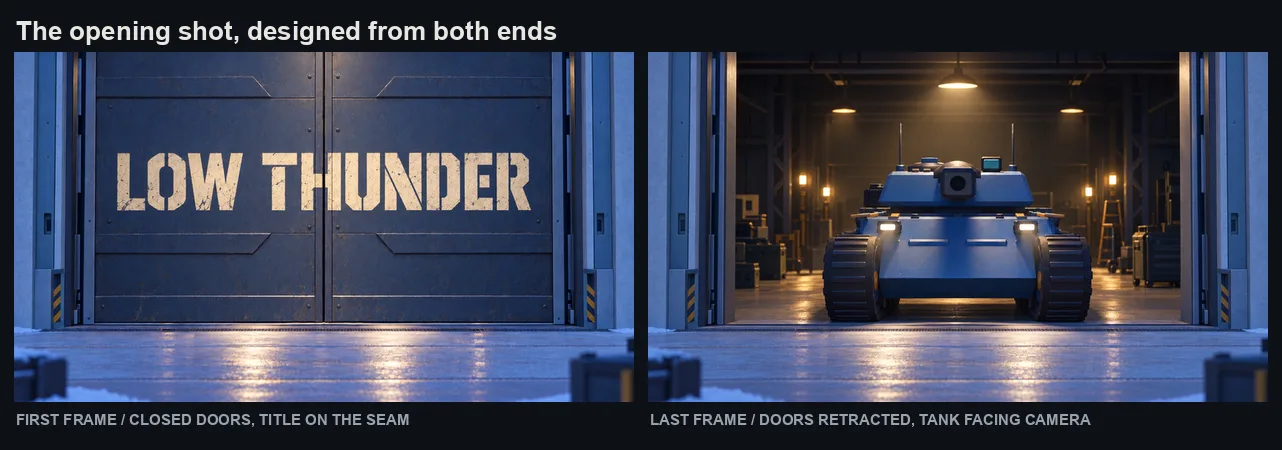
The opening shot was designed from both ends. GPT Image 2.5 made the open-hangar image first, using the tank and architecture references, with a fixed exterior viewpoint and a forward-facing tank so the intended movement was unmistakable. That image then became the reference for an edit that closed two sliding panels and painted the title across them. Same camera, same door frame, same setting. Seedance 2.5 was asked to connect the two states using image plus lastFrameImage, ten seconds, 720p, audio on. In the final cut, that ten-second shot plays in 7.5.
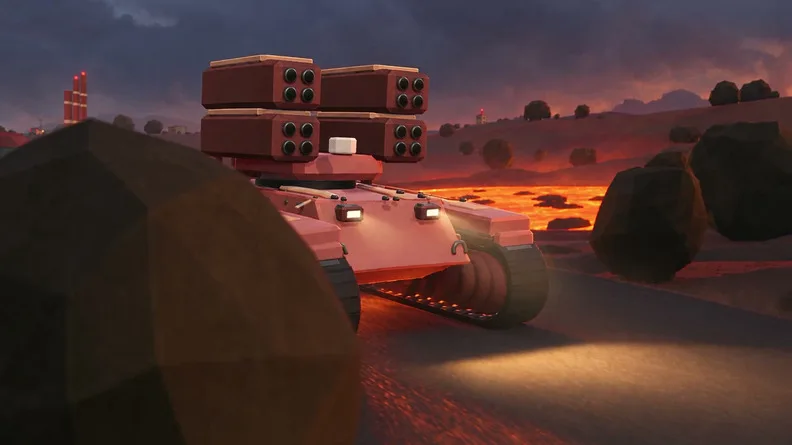
References did the heavy lifting. Prompts gave each input a job, @image1 for the tank design and @video1 for the battlefield, which constrained hulls, weapons, colours and terrain instead of letting the model invent a different game. Candidates ran in parallel and were used selectively. For one machine, only the first three seconds were eligible.
The commanders speak. The final voices and facial motion came from a single MiniMax H3 generation built on three approved cinematic portraits, each in its own tank interior. ElevenLabs Voice Isolator separated the speech from the generated soundtrack, then local processing applied a 280 to 3,600 Hz band limit, compression and level control to make it sound like a radio. Short audio leads across the cuts preserved the beginnings of words.
The score was composed, then respected. A Lyria 3 Pro track, briefed for distorted guitar, a mechanical synth sequence, a 124 BPM pulse and a composed silence. It came back at 61.10 seconds with natural breaths around 24 to 26 and 42 to 44 seconds. Those breaths were kept. No new gaps were cut into the music to make the picture fit.
The sound effects are aligned to what you can see. The game's own cannon, flame, impact and debris files were trimmed and measured against checked action frames. A boom sitting at 50.120 seconds was moved to 49.458, where the first impact flash actually is.
The edit was a program. At Emmanuel's request, Codex cut the existing files with Python and FFmpeg. It wrote the trim points, speed changes, overlays, audio filters and export commands against a JSON timeline with separate audio stems. A Premiere interchange XML was generated as an option and never used. Because the edit is code, V4.1 through V4.5 could extend the gameplay, fix the sound attacks, preserve the full music tail and replace four terrain slots without ever rebuilding a timeline by hand.
Prove It on One Asset
You do not need a game to try this. Start with one commander: a portrait, a voice cue, one moment in the game.
- Define the asset and its identity. Set its purpose, visual references and target size. Write down what has to stay consistent across revisions.
- Connect Scenario MCP. The server lives at
https://mcp.scenario.com/mcp. In Claude Code that is one line:Cursor, VS Code, Windsurf, Zed, Warp, Codex, Gemini CLI and Claude Desktop all connect to the same endpoint. There is no config file to fill in: OAuth opens a browser tab on your first request. Then pick the team and project the work belongs to. Full setup in the MCP docs. - Make one proof asset. Inspect the model schema, generate a candidate, and review it at the size and distance players will actually see it.
- Integrate and test. Export the required formats, connect the asset to a real game event, and check it in the running build.
- Preserve the decision. File the retained export in Final, keep the masters in Sources, leave the alternatives in Drafts.
Then measure the thing that matters: review rounds, hands-on time and generation credits per retained asset. That evidence tells you where expanding is worth it.
One Workflow, From Reference to Running Build
Characters, 3D bodies, voices, sound effects, cinematics and a finished trailer, all generated through one platform and pulled into a working game by the same agent that wrote the code. Every retained asset traceable to the job that made it, with the alternatives still on the shelf. Four days from brief to a build that passes 802 tests and runs on a phone.
The connective tissue is MCP. Everything else is craft, review and the willingness to say no to a take.
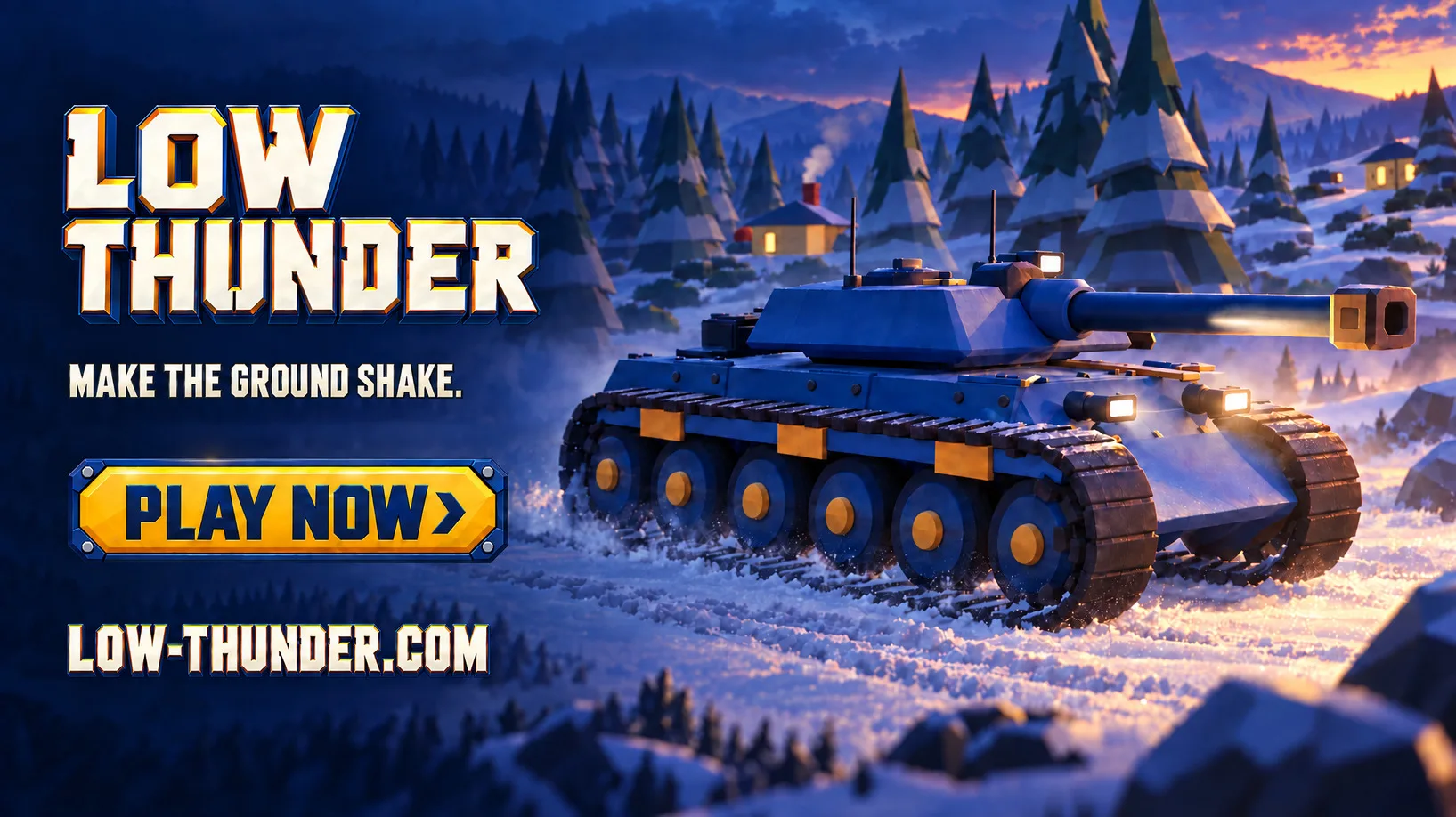
Play Low Thunder · Set up Scenario MCP
FAQ
Is Low Thunder a real game or a demo?
It is a real, playable browser game with ten tanks, ten commanders, ten terrains, a ten-operation campaign, sign-in and leaderboards. Team battles use local AI opponents, so it is not online multiplayer.
How long did it take?
Four days. The game and release records run from 8 to 11 September 2026, and the trailer was made on 10 and 11 September. The speed came from an existing asset library, parallel generation and small targeted revisions rather than from skipping review.
What is Scenario MCP?
Model Context Protocol is a standard that exposes an application as callable actions for an AI agent. Scenario MCP lets a coding agent search models, read their input schemas, run generations, inspect the results and file the outputs in your shared asset library. The server is at https://mcp.scenario.com/mcp, and the setup docs cover every supported client. That endpoint is a JSON-RPC server for agents, not a web page, so paste it into your agent rather than into a browser.
Which models were used?
GPT Image 2.5 and Gemini image editing for stills and portrait iterations, Tripo P2 for 3D sources, Seedance 2.5 for the cinematic shots, MiniMax H3 for the commander performances, ElevenLabs TTS and Sound Effects 2 for voice and sound, and Lyria 3 Pro for the trailer score. The point is that the agent picked the model per task rather than forcing one model to do everything.
Was the game itself generated?
No. The game code, the vehicle articulation, the terrain systems and the integration work were engineered. Scenario generated the media and held the library. The trailer edit was written as code and executed by FFmpeg.
Do I need a game to use this workflow?
No. The loop is the same for any asset with a job to do: brief it with its purpose and references, generate, review at real size, integrate, and file the decision. Start with one asset before you plan a roster.