
Your Video Has a Soundtrack Now: Sonilo V1.1 Generates Original Licensed Music on Scenario
Getting original music into a video has always been the awkward last step. Sonilo V1.1 on Scenario handles it two ways: describe what you want and get an original track, or upload your video and let the model compose a soundtrack matched to the footage automatically.
Music is the part of video production that most people solve last and least well.
The footage is edited. The pacing is right. The visuals are exactly what you wanted. And then you spend an hour in a stock library scrolling through tracks that almost fit, or you pay for a license that does not quite match the mood, or you just ship it without music because nothing felt right and the deadline was real.
The problem is not taste. Most people know what they want the music to feel like. The problem is production: getting from "I want something cinematic and tense with strings" to an actual track that fits the video at the right length, in the right key, with the right energy, has always meant either paying a composer, licensing something generic, or settling.
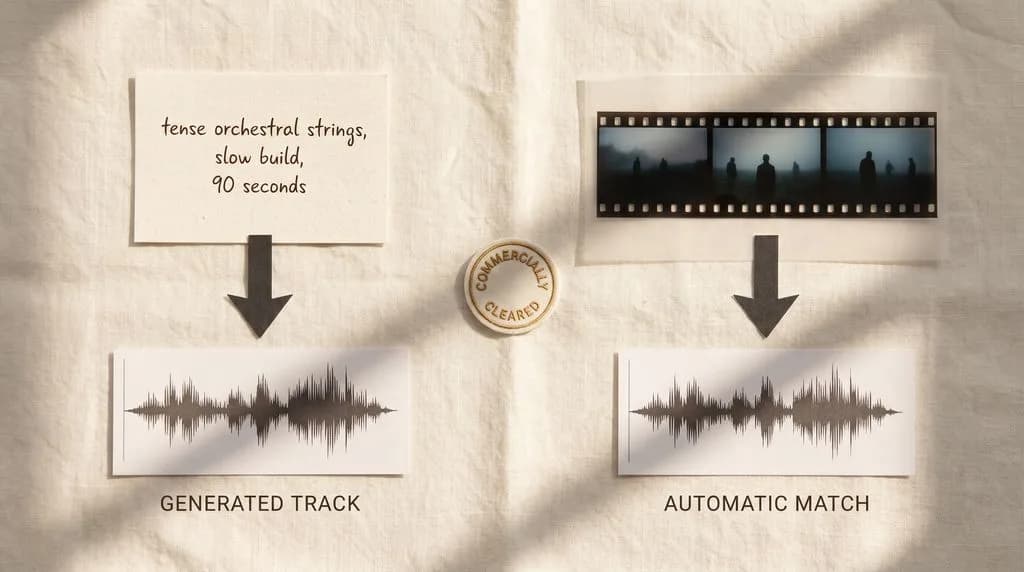
Sonilo V1.1 is now on Scenario in two models. One generates original music from a text description. The other analyzes your video and composes a soundtrack matched to the footage automatically. Both are trained on a professionally licensed catalog and cleared for commercial use.
Sonilo V1.1 Text to Music: Describe It, Get a Track
Text to Music generates original instrumental music from a text description. Describe the genre, the mood, the tempo, the instrumentation, and the model generates a track between 1 and 600 seconds long (based on the duration you specify in the prompt).
Up to three variations per prompt, so you are not locked into one interpretation of your description. Generate three takes, pick the one that fits, move on.
The 600-second ceiling covers most production use cases. A 90-second social video. A 3-minute game trailer. A 5-minute short film. A 10-minute ambient background loop for a game environment. Describe it at the length you need and the track is built to that duration rather than being a looped clip.
What makes good prompts here is specificity about all four dimensions at once: genre, mood, tempo, and instruments. Vague prompts produce vague tracks.
Every output is trained on a professionally licensed catalog and commercially cleared, which matters the moment you are putting this music anywhere public: a game, a YouTube video, a client presentation, a social ad.
Sonilo V1.1 Video to Music: Upload the Video, Get the Soundtrack
Video to Music does something different. Upload your video and the model analyzes the pacing, motion, and mood of the footage to compose an original soundtrack that matches it automatically.
No manual timing required. The model reads the rhythm of the edit, the energy of the motion, and the visual mood of the footage and composes music that fits. A fast-cut action sequence gets something with energy and momentum. A slow, atmospheric landscape shot gets something spacious and ambient. The model is making compositional decisions based on what it sees in the footage rather than what you describe in a prompt.
An optional style prompt lets you steer the direction when you have a specific genre or mood in mind. Upload the video, add "cinematic score, no vocals" or "upbeat electronic, modern" and the model composes within that direction while staying matched to the footage timing.
Generate up to three variations to compare. Score specific segments using start offset and duration controls when you only need music for part of the clip. Videos up to 360 seconds.
The use cases where this is most useful: social video where the edit is already locked and you need music that fits without manual sync work, short films and trailers where the pacing of the music should match the pacing of the cut, marketing content where the visual mood should drive the musical direction.
Commercially Cleared. Actually.
Both models are trained on a professionally licensed music catalog. Every output is cleared for commercial use.
This is the detail that matters most for anyone putting AI-generated music into anything that earns money or reaches a public audience. A game. A YouTube channel with monetization. A client campaign. A social ad. Stock music licensing is expensive and complicated. AI music that is not properly licensed creates liability the moment it goes public. Sonilo's training catalog is professionally licensed, which means the outputs carry commercial clearance rather than the legal ambiguity that comes with models trained on scraped audio.
How They Fit Into a Game Dev and Content Pipeline
For game developers, the two models cover different parts of the audio production workflow.
Text to Music is the tool for intentional scoring: you know the mood of the scene, you know the instrumentation you want, you describe it and generate until you have something that fits. Ambient environment loops, menu music, combat themes, cutscene scores: anything where you are composing to a brief rather than to specific footage.
Video to Music is the tool for trailer and cinematic work: footage-first production where the edit already exists and the music needs to follow it. Upload the trailer cut, generate three variations, pick the one that fits the energy of the edit.
For content creators and marketing teams, Text to Music covers social and campaign content where you need original music matched to a specific mood without a production budget. Video to Music covers any situation where the footage exists first and the music needs to feel like it was made for it.
Try Sonilo V1.1 Text to Music - Try Sonilo V1.1 Video to Music
FAQ
What is the maximum track length for Text to Music?
600 seconds. Minimum is 1 second. Generate at any duration between those two points.
How many variations can I generate per prompt?
Up to three per prompt on both models.
Does Video to Music require a style prompt?
No. The model analyzes the footage and composes automatically. The style prompt is optional for when you want to steer the genre or mood direction.
What is the maximum video length for Video to Music?
360 seconds.
Are the outputs commercially cleared?
Yes. Both models are trained on a professionally licensed music catalog. Every output is cleared for commercial use.
Can I score only part of a video with Video to Music?
Yes. Start offset and duration controls let you score specific segments rather than the full clip.
What types of music does Text to Music handle well?
Any genre, mood, tempo, or instrumentation you can describe. The more specific the description across all four dimensions, the more accurate the output.
Related models
Sonilo V1.1 Text to SFX
Generate commercial-use sound effects from a text prompt. Describe any sound, choose an exact length from 1 to 180 seconds, and export as AAC, MP3, WAV, or FLAC.
Sonilo V1.1 Video to SFX
Generate synchronized, royalty-free sound effects for any video and get back the audio track. Auto-detects scenes, or steer with a prompt or per-range segments.
Sonilo V1.1 Video to Video Music
Score any video with an original, commercially licensed soundtrack matched to its pacing and mood. Optionally keep the original speech while replacing the music.