Stop Reshooting. P-Video Edit Changes Any Element of Your Footage From a Text Prompt.
Wrong color. Wrong material. Wrong object in the background. P-Video Edit edits the one thing that needs changing and leaves the rest of the footage exactly as it was.
Reshooting is expensive. Regenerating from scratch when one element is wrong is frustrating. Most of the time the footage is fine and one specific thing needs to change: the color of a product, the fabric on a coat, an object in the background, a wardrobe detail that did not make it to set.
P-Video Edit by Pruna AI edits existing footage from a text prompt. Upload a clip up to 15 seconds, describe what you want to change, and the model applies the edit while preserving everything outside it: identity, motion, camera movement, timing, and audio. The shot stays. The wrong thing changes.
Up to four reference images guide edits where the replacement needs to match a specific identity or style. Draft mode renders fast, low-cost previews before committing to a full-quality run.
What It Edits
Color and material changes
Change a paint color, a fabric, a surface finish, or a product attribute without touching anything around it. The geometry, reflections, shadows, and lighting stay consistent with the original.
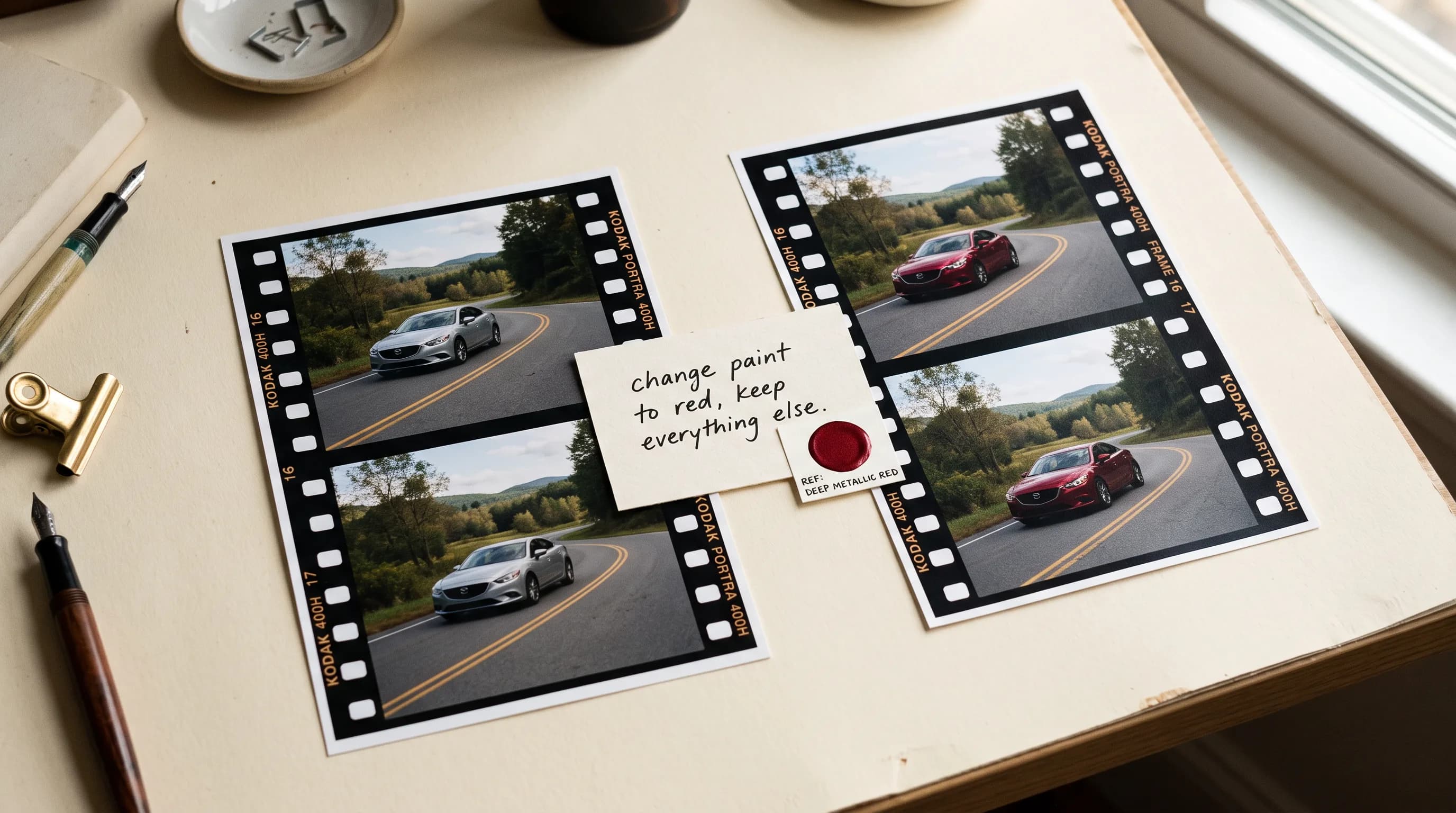
A car body repainted in deep metallic red while the glass, trim, headlights, and road reflections stay exactly as shot. A sofa reupholstered in deep teal while the room, lighting, and camera move stay untouched. A lip gloss changed from pale pink to rich red across a beauty close-up, consistently from the first frame to the last.
Object and accessory edits
Add, remove, or replace specific objects in the scene. For additions guided by a reference image, upload up to four stills of the item you want placed into the footage.
A roof cargo box added to an SUV from a reference image, rigidly attached and correctly aligned through the full camera movement. A turntable removed from under a sneaker product shot, leaving the sneaker, rotation, background, and lighting exactly as they were.
Environment and atmosphere edits
Change the setting, lighting mood, or environment style while keeping the subject, camera, and action intact.
A campaign video environment shifted to a snowy alpine road at daylight. A beauty video relit from neutral to vibrant hot pink, cherry red, and electric coral with punchier contrast and rhythmic light pulses. A game environment restyled from a grey city into a candy world with towers, lollipops, and cotton-candy clouds while the character, gameplay mechanics, and camera timing stay exactly as they were.
Text and Wardrobe edits
Change a clothing color or material on a specific person in the frame without affecting anyone or anything else around them.
Reference-Guided Edits
For edits where the replacement needs to match a specific product, accessory, or visual reference, upload up to four still images alongside the prompt. The model uses the references to guide identity and style matching.
A sneaker swap where the replacement matches a specific colorway from a reference photo. A handbag added to a fashion clip matched to a specific model from a reference image. A product colorway changed to match reference photography from a different shoot.
Reference images are most useful when the edit involves something specific that cannot be fully described in text: a particular product shape, a branded item, an accessory with distinctive material detail.
Prompting for Best Results
Be specific about what to change and explicit about what to preserve. The model follows the instruction precisely, which means vague instructions produce vague results and precise instructions produce precise edits.
A few principles that consistently produce clean results:
Name the specific element to change. "Change only the body paint" rather than "change the car." The more specific the target, the cleaner the edit.
List what to preserve. "Keep the geometry, glass, trim, reflections, shadows, environment, lighting, and camera movement unchanged." Listing what should not change gives the model explicit constraints to work within.
Describe target materials concretely. "Deep metallic red" or "light-gray suede" rather than "a different color."
For reference-guided edits, describe the reference in the prompt as well. "Match the frame shape, black acetate material, dark lenses, and gold details from the reference image."
FAQ
What is P-Video Edit? A video editing model by Pruna AI that applies targeted text-prompt edits to existing footage up to 15 seconds. Change colors, materials, objects, environments, and wardrobe details while leaving the rest of the clip intact.
What is the maximum clip length? 15 seconds.
What are reference images for? Up to four still images guide edits where the replacement needs to match a specific identity or style. Useful for product swaps, accessory additions, and any edit involving an item with distinctive shape or material detail.
What does it preserve through an edit? Everything outside the specified edit: identity, motion, camera movement, timing, audio, and all elements not mentioned in the instruction.
What kinds of edits does it handle well? Color and material changes, object addition and removal, reference-guided product and accessory swaps, environment and atmosphere edits, and wardrobe changes.
What is draft mode? A faster, lower-cost preview pass. Use it to check that an edit lands where you want it before running at full quality.