Everything You Wished Image Generation Could Do. GPT Image 2 Does It.
GPT Image 2 is now on Scenario. Accurate text rendering, precise editing, multilingual support, and stylistic fidelity that actually holds up. Here is what it can do.

If you've been generating images for any length of time, you already know the things that reliably break the workflow. Text comes out looking like someone sneezed on a keyboard. You try to edit one part of a composition and the rest quietly falls apart. You ask for a specific visual style and get something that vaguely gestures at it. You need multilingual copy inside a design and what comes back is either wrong, unreadable, or both.
GPT Image 2 is now on Scenario, and it handles it all.
What it does
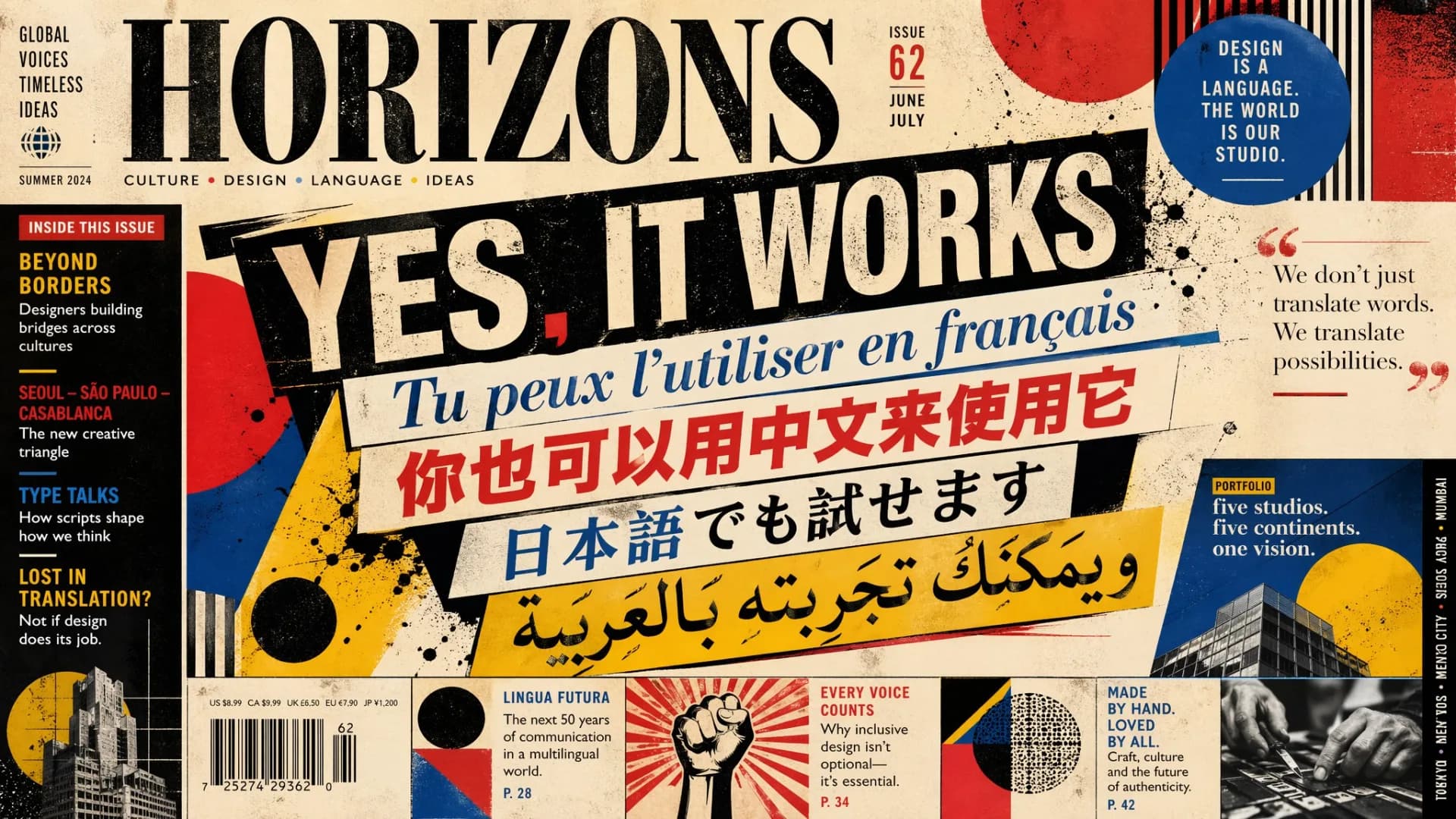
Text rendering is one of the headline features and it genuinely delivers. Where previous models struggled beyond English and Latin scripts, GPT Image 2 brings real multilingual support with meaningful gains in Japanese, Korean, Chinese, Hindi, Bengali, and more. Not just a translated label dropped into a corner, but language that flows coherently as part of the design itself, whether that's a poster, a diagram, or a comic panel.
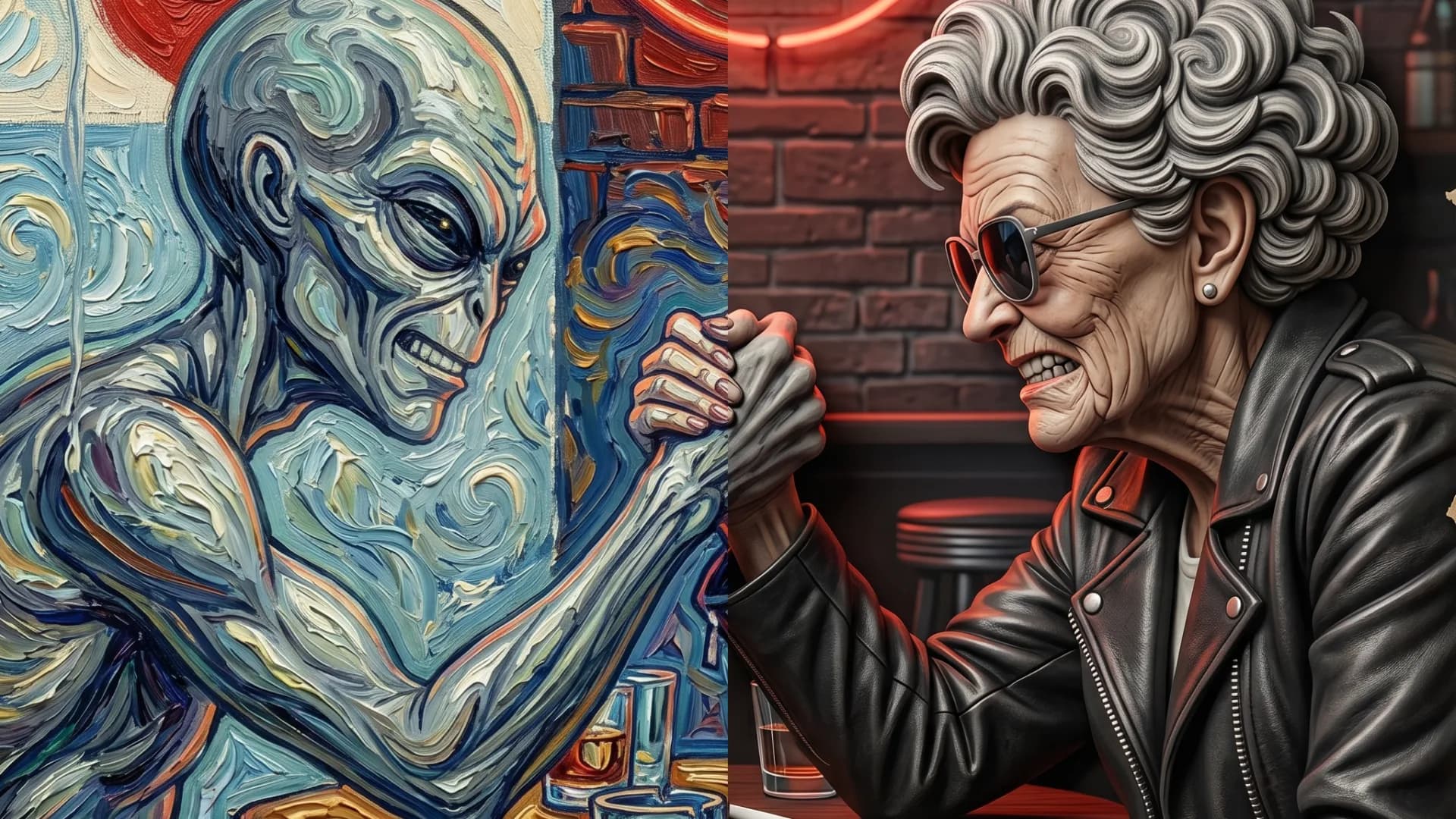
The stylistic range is just as notable. The model captures the defining characteristics of photos including the small imperfections that make them feel real, alongside cinematic stills, pixel art, manga, and other visual styles with greater consistency in texture, lighting, and fine detail. The result is outputs that actually reflect the style you asked for rather than approximating it, which makes it genuinely useful for game prototyping and marketing creative.

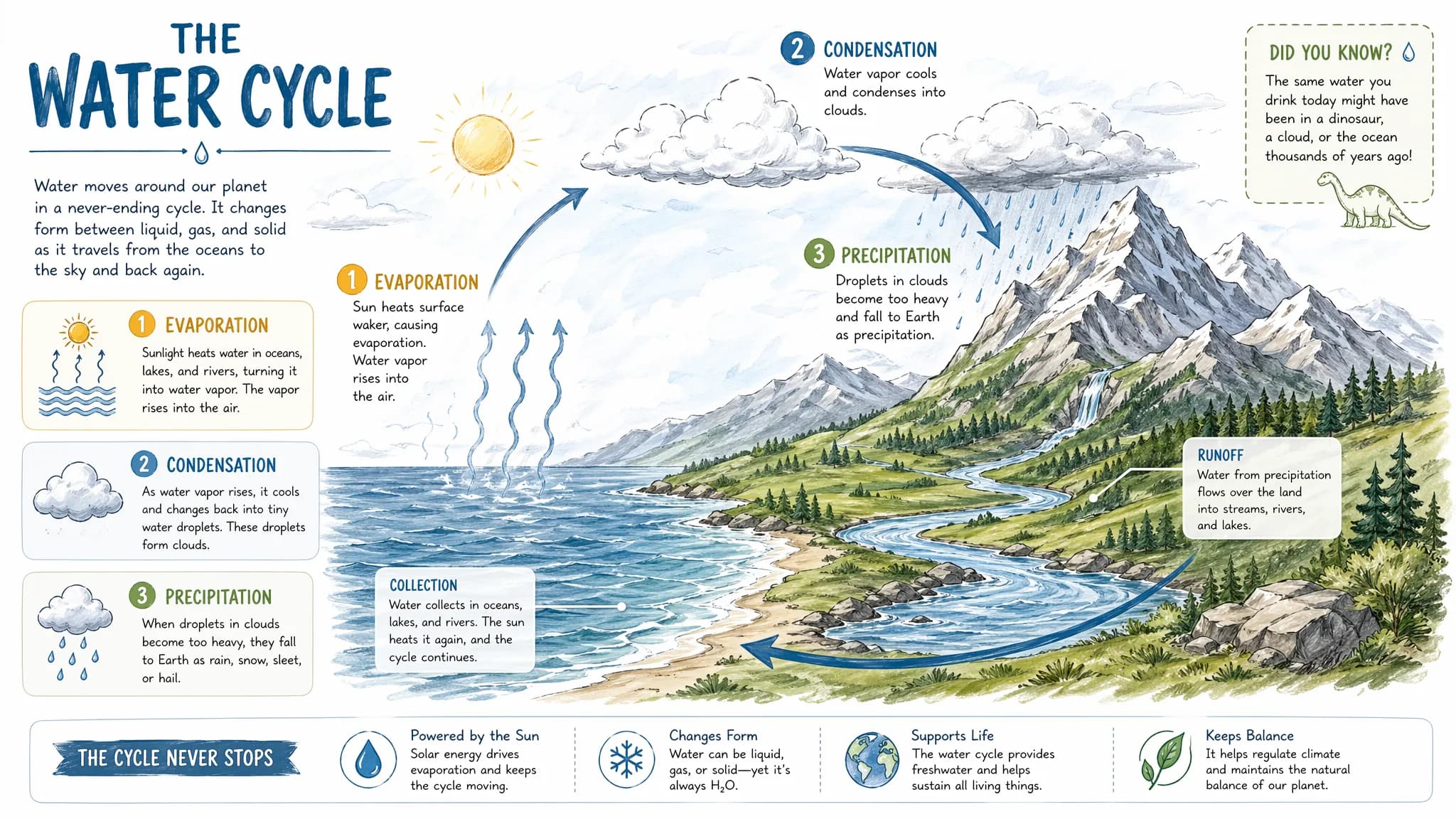
Then there's the intelligence side. GPT Image 2 brings an updated understanding of the world into the generation process, which matters most for explainers, educational graphics, maps, and visual summaries where correctness is just as important as aesthetics. It can synthesize information, handle copy, and visualize it in a clean and organized way with real design sensibility.
The editing controls hold up too. Swap a background, adjust lighting, or recompose a scene and faces, clothing, and branded elements stay intact. It handles UI mockups and dashboards with actual readable content inside them, and supports multi-reference compositing so you can blend styles, subjects, or environments into a single coherent output.
How to use it on Scenario
Head to the GPT Image 2 model page and start generating. Write a text prompt from scratch, upload an existing image and describe your edit, or pass in multiple references for compositing or style transfer. Output quality is adjustable depending on whether you need speed or fidelity, and aspect ratio options cover 1:1, 16:9, 9:16, 3:2, 4:3, and more.
Go try it
Accurate multilingual text, stylistic fidelity across a wide range of visual languages, precise editing that respects your composition, and real-world intelligence that makes complex visual tasks actually tractable.