
First Frame. Last Frame. Everything in Between. P-Video 2 Pro Is on Scenario.
P-Video 2 Pro is Pruna AI's higher-end video generation model on Scenario. Tell it where the clip starts, where it ends, and it handles everything in between. Audio included. Here is what it does.
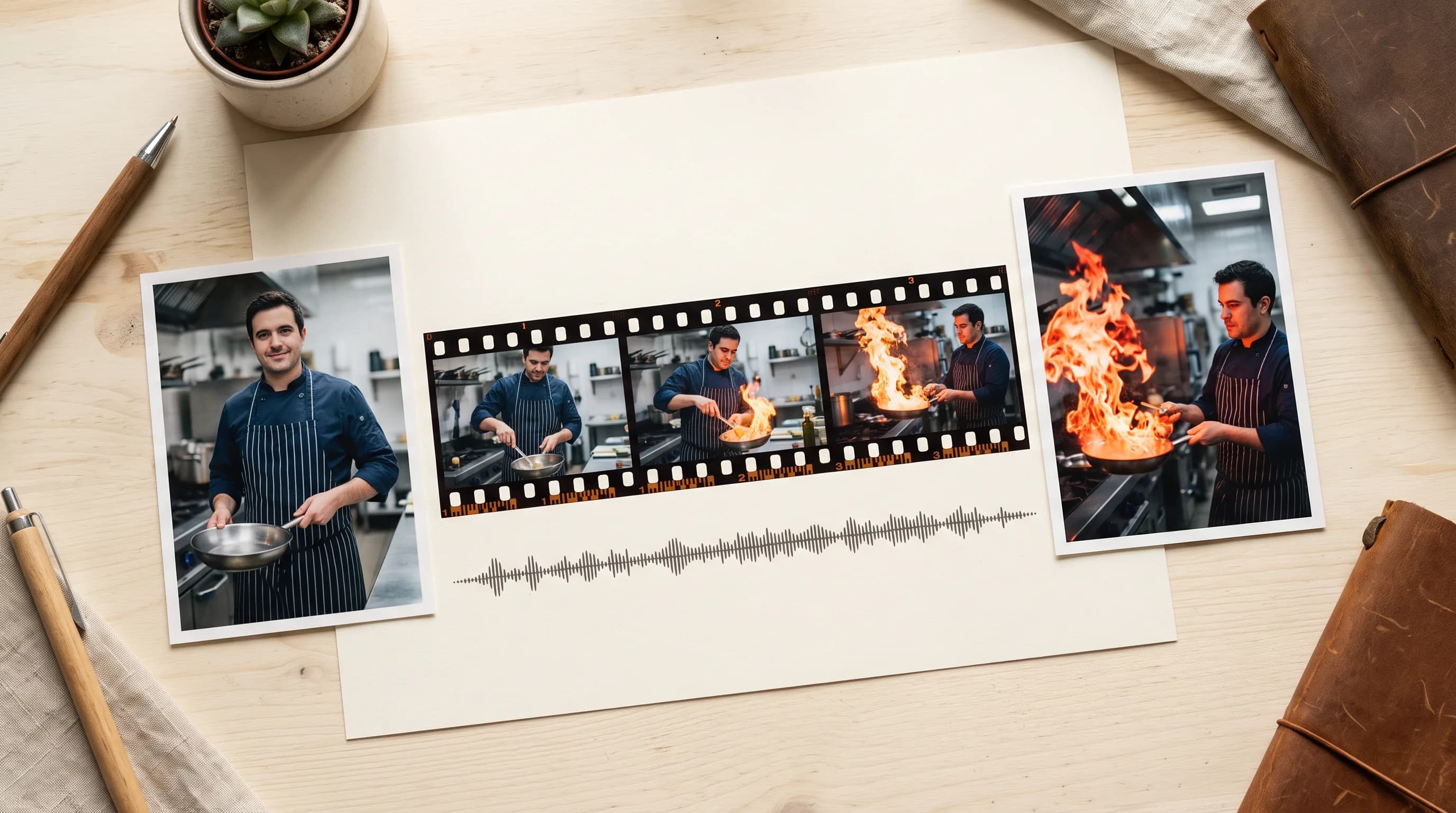
AI video generation does not have to feel like a negotiation where you describe what you want, the model does something adjacent, and you iterate until it is close enough. P-Video 2 Pro gives you actual endpoints to work from.
It is Pruna AI's higher-end video generation model, and it is on Scenario now. Generated audio in every clip. Speed mode for faster runs. Three levels of prompt upsampling. 5 to 15 seconds at 480p or 768p. Here is what each of those things actually means.
Three Ways to Generate
Text to video is the most open mode. Describe the scene: subject, action, environment, camera, mood. The model generates the clip. No reference image needed, no starting point other than the words.
"A chef flames a pan in a dark restaurant kitchen, close-up on the burst of fire, slow motion, warm amber light."
That is a prompt. That is a clip.
First frame conditioning locks the opening. Upload a reference image and the model treats it as the exact first frame of the clip, generating forward from that moment. The character looks like the reference. The environment matches. The camera starts from that composition and moves from there.
This is the mode for anyone who has a specific starting image and wants to see it come to life. A product shot that becomes a moving campaign video. A character concept that starts walking. A location photo that becomes an establishing shot.
First and last frame conditioning is the most directed mode and the one worth paying the most attention to. Upload both a first and a last frame and the model generates the motion in between. You define where the clip opens and where it closes. The model figures out what happens in the middle.
A product closed, then open. A character standing still, then mid-stride. A room empty, then occupied. The two images are the brief. Everything between them is the generation.
This is where AI video stops feeling like a lottery and starts feeling like direction.
Audio in Every Clip
Generated audio is included in every P-Video 2 Pro generation.
The audio follows what is happening in the frame. A rain-soaked street gets the right ambient texture. A product reveal gets a clean minimal soundscape. A character in motion gets footsteps and environment that match the setting.
For anyone who has spent time manually sourcing, syncing, and layering audio onto AI-generated clips, having it arrive already done changes the production workflow at every generation.
Mode and Prompt Upsampling
Two independent controls that let you dial in the speed and quality tradeoff.
Mode selects the generation recipe. Speed is the faster of the two. Quality doubles the generation budget and gives you the stronger result. Use Speed while you are still working out the shot, Quality once the prompt is settled.
Prompt upsampling controls how much the model expands the prompt before generating, and it works independently of mode. Three levels:
Off: the model generates from the prompt exactly as written. Use this when the prompt is already precise and fully detailed.
Turbo: light enrichment. The model adds detail and expands slightly without significantly changing the intent. Good for most generations.
Max: full expansion. The model rewrites the prompt with significantly more detail and creative direction. Best for short or sparse prompts where more context produces a noticeably stronger clip.
The practical workflow: draft in Speed with upsampling at Turbo. Final generation in Quality with upsampling at Max.
Where It Fits in the Pruna Suite
P-Video 2 Pro is the generation model. It is where a clip starts.
Once you have footage, the rest of the Pruna suite on Scenario handles what comes next. P-Video Edit changes specific elements from a text prompt. P-Video Replace swaps subjects in existing clips. P-Video Animate transfers motion from reference footage onto a still character. P-Video Avatar drives lip sync and facial animation from audio.
Generate with P-Video 2 Pro. Do everything else with the rest of the suite. All of it on Scenario.
Try P-Video 2 Pro on Scenario.
FAQ
What is P-Video 2 Pro?
Pruna AI's higher-end video generation model built on H3. Text to video and first and last frame conditioning with generated audio, speed mode, and three levels of prompt upsampling.
What is first and last frame conditioning?
Upload a reference image as the opening frame, the closing frame, or both. The model generates the motion between them. You define where the clip starts and ends.
Does it include audio?
Yes. Generated audio is included in every generation in the same pass as the video.
What resolution and duration are available?
480p or 768p. 5 to 15 seconds. 24fps.