The AI Model Game Studios and Marketing Teams Have Been Waiting For: Seedream 5.0 Pro
Most AI image generators make their best guess at a prompt and render immediately. Seedream 5.0 Pro reasons through the scene first. The difference shows up most in text rendering, complex layouts, and anything where placement and detail need to be exactly right.
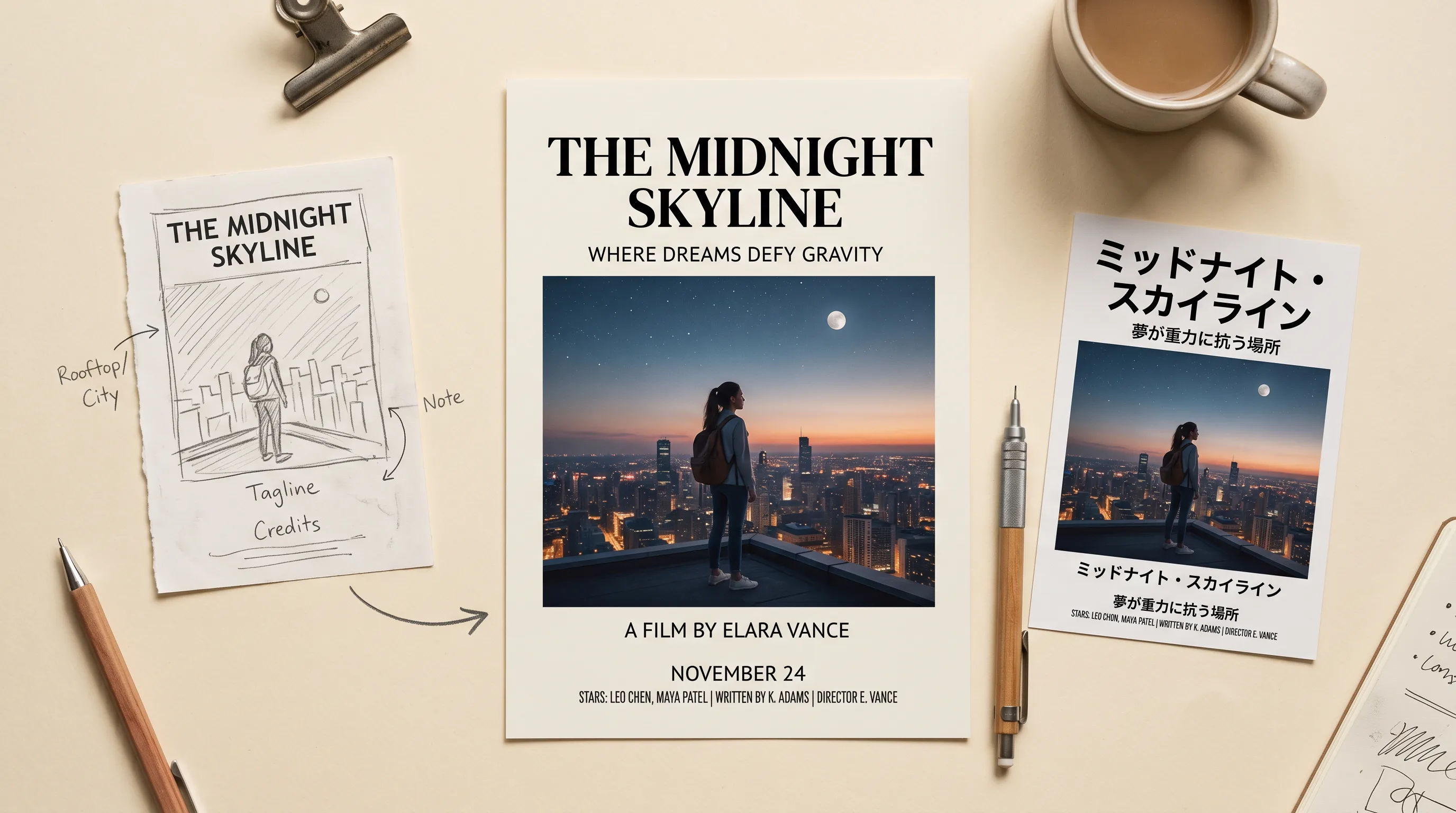
Most AI image generators have the same relationship with your prompt. You describe what you want, the model makes its best guess, and you look at the result and figure out what to change. Placement drifts. Text comes out garbled. Complex layouts collapse into visual noise. The more elements you ask for, the more the output diverges from the description.
Seedream 5.0 Pro by ByteDance works differently. It reasons through the scene before rendering it: working out what you described, where each element should sit, how light falls, what the text actually says, how the layout holds together. The generation happens after the reasoning, not instead of it.
The practical difference shows up most clearly in three areas where other models consistently fail: text in images, complex multi-element layouts, and production design work that needs to look finished rather than generated. Here is what it does and why it matters.
Text That Actually Says What You Asked
In-image text rendering is the most reliable indicator of how well a model understands a prompt. Generating readable, correctly spelled, properly placed text inside an image requires the model to actually comprehend what it is constructing rather than pattern-matching to training data.
Seedream 5.0 Pro generates flawless in-image text, correctly spelled, including multi-line layouts. It prompts and generates natively in 14 languages, including non-Latin scripts: Chinese, Japanese, Korean, Arabic, and others. The text is not an afterthought applied on top of the image. It is generated as part of the composition.
"Product packaging for a premium Japanese green tea. Brand name: 抹茶源. Clean minimalist white box, gold foil typography, botanical illustration of tea leaves, 4-color print format."
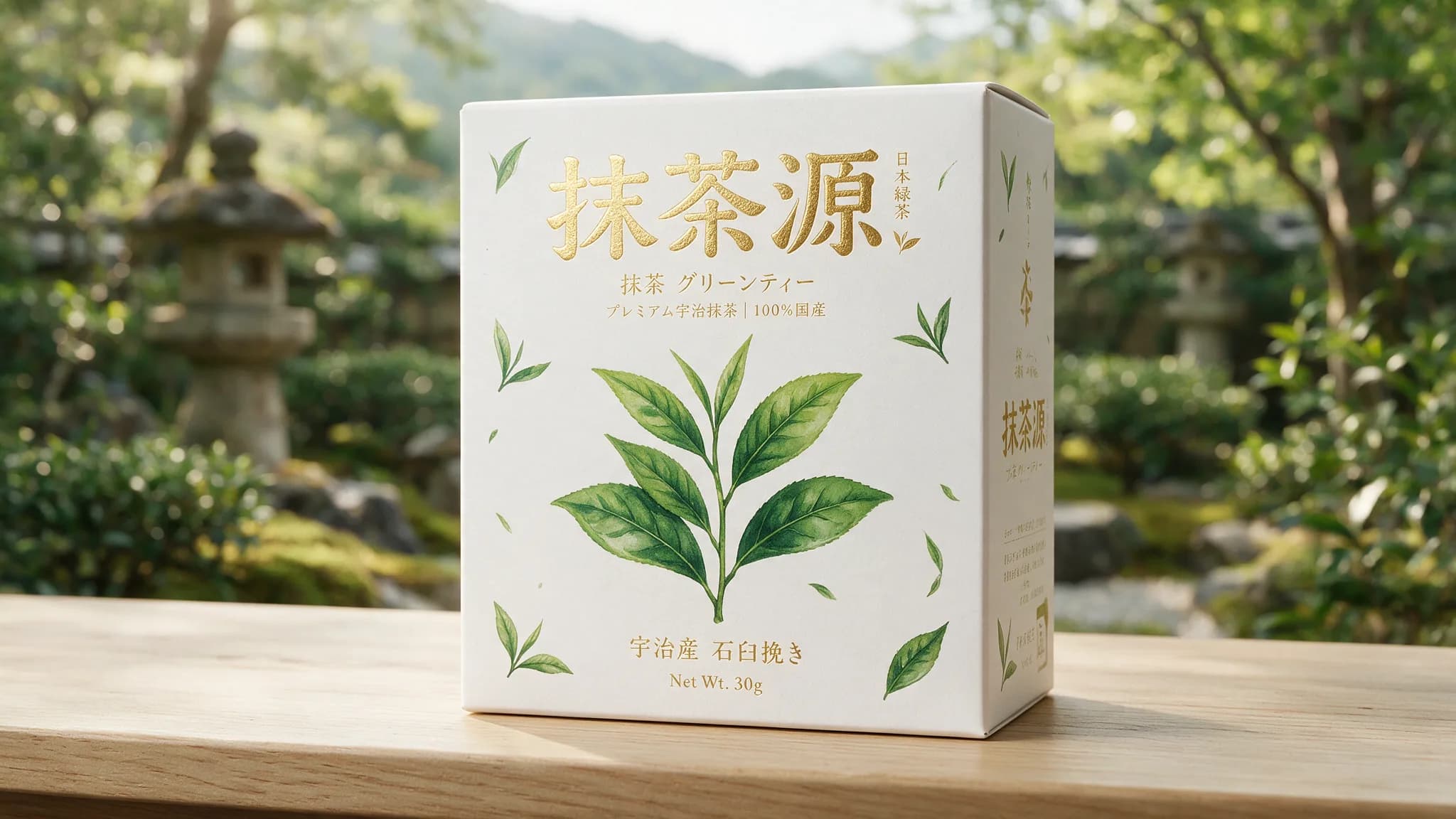
What this unlocks in practice: posters with readable headlines. Packaging with accurate product copy. UI mockups with real interface text. Infographics with labeled data. Marketing key art with a tagline that actually says what the brief asked for. These are the outputs that currently require either manual text addition in post or very expensive prompting gymnastics with most other models. Seedream 5.0 Pro handles them natively.
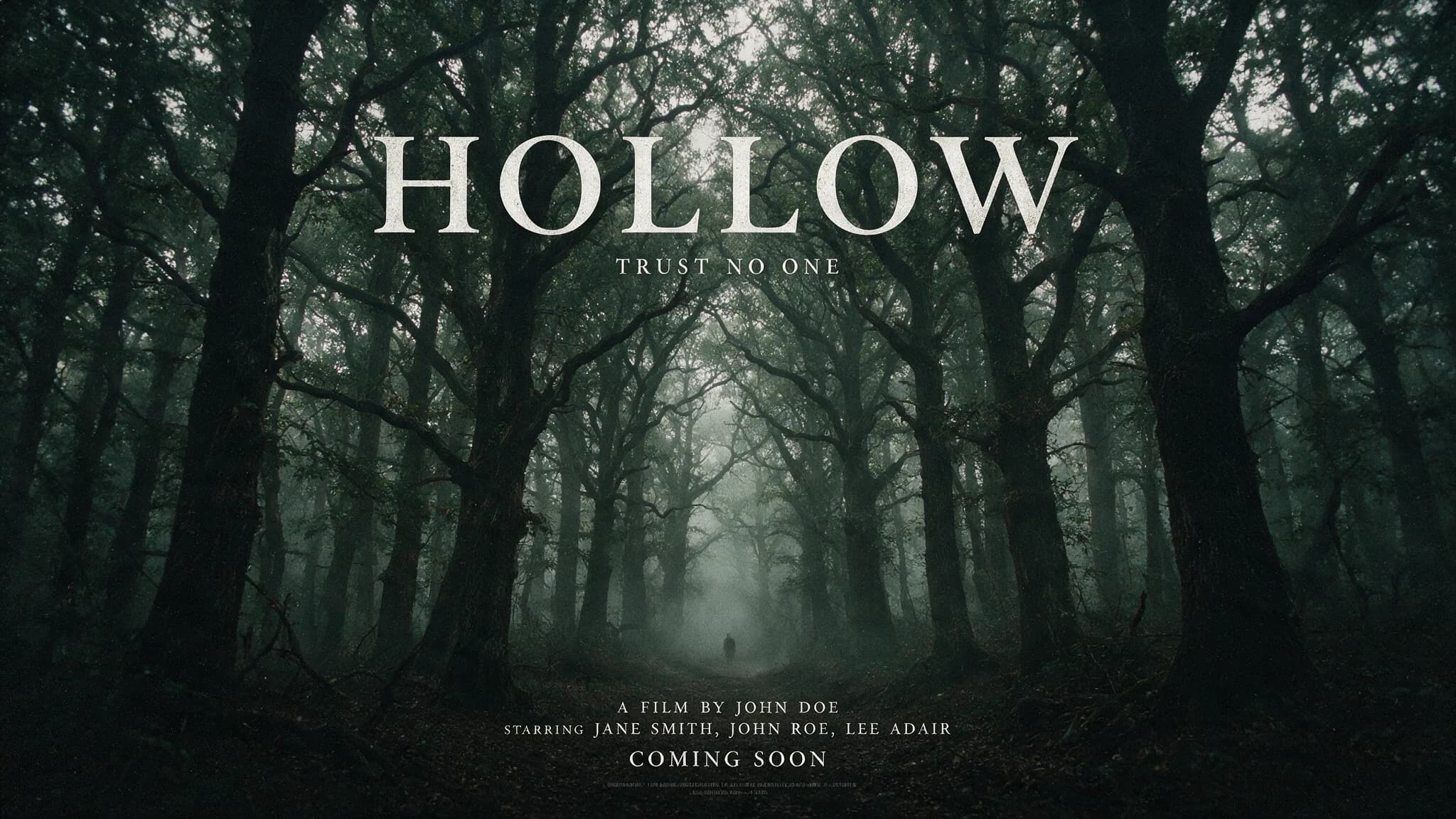
"Movie poster for a psychological thriller. Title reads HOLLOW in bold white serif centered at the top. Tagline reads TRUST NO ONE in small caps below. Dark forest background, lone figure in the distance, film grain."
Complex Layouts That Hold Together
The reasoning-first architecture is most visible on prompts that ask for multiple elements to coexist correctly in the same frame. A poster with a hero image, a title, a subtitle, a logo, and a background texture. A packaging design with product photography, brand typography, nutritional information, and a color band. A UI mockup with navigation elements, cards, buttons, and placeholder content.
These are the prompts that break most models. The elements appear but placement is wrong, proportions are off, text overlaps visuals, the hierarchy collapses. The model renders what it can see in its training data rather than what the specific layout requires.
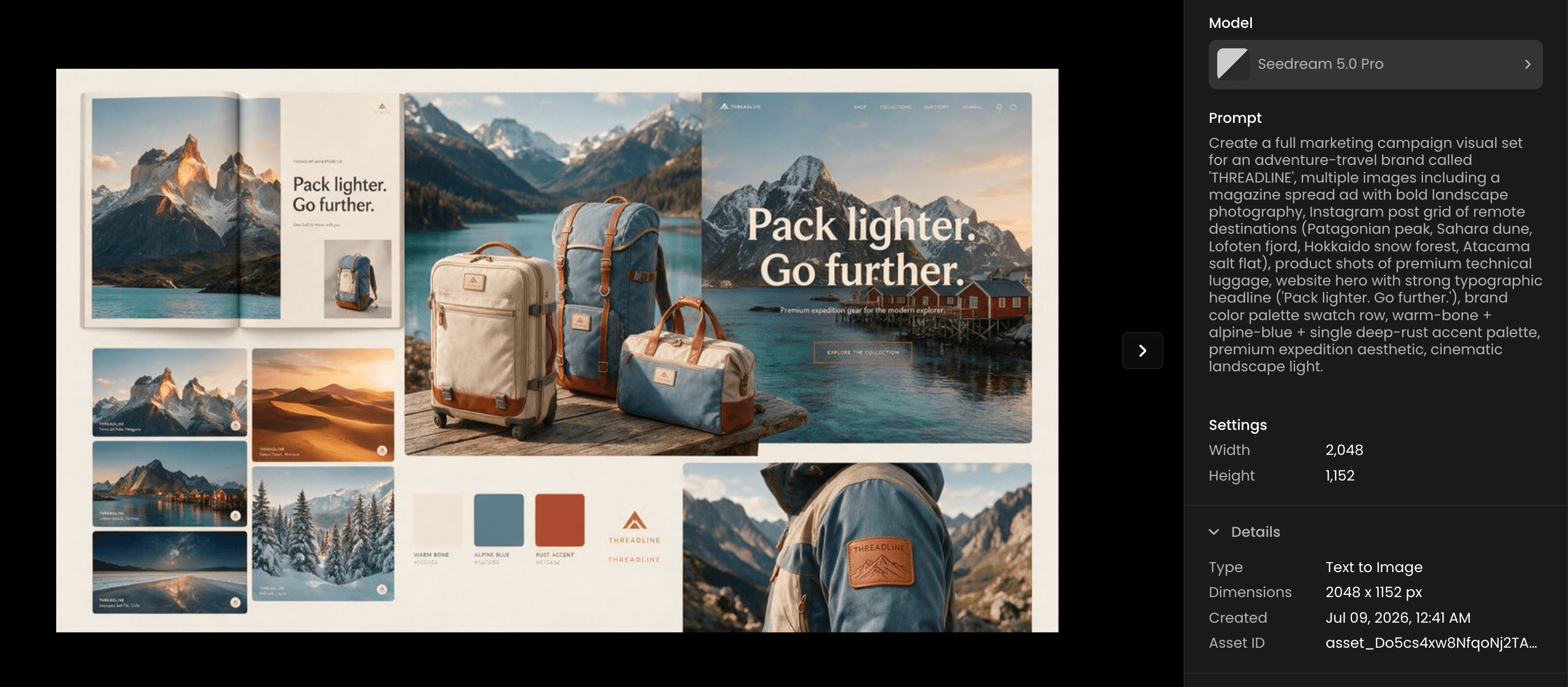
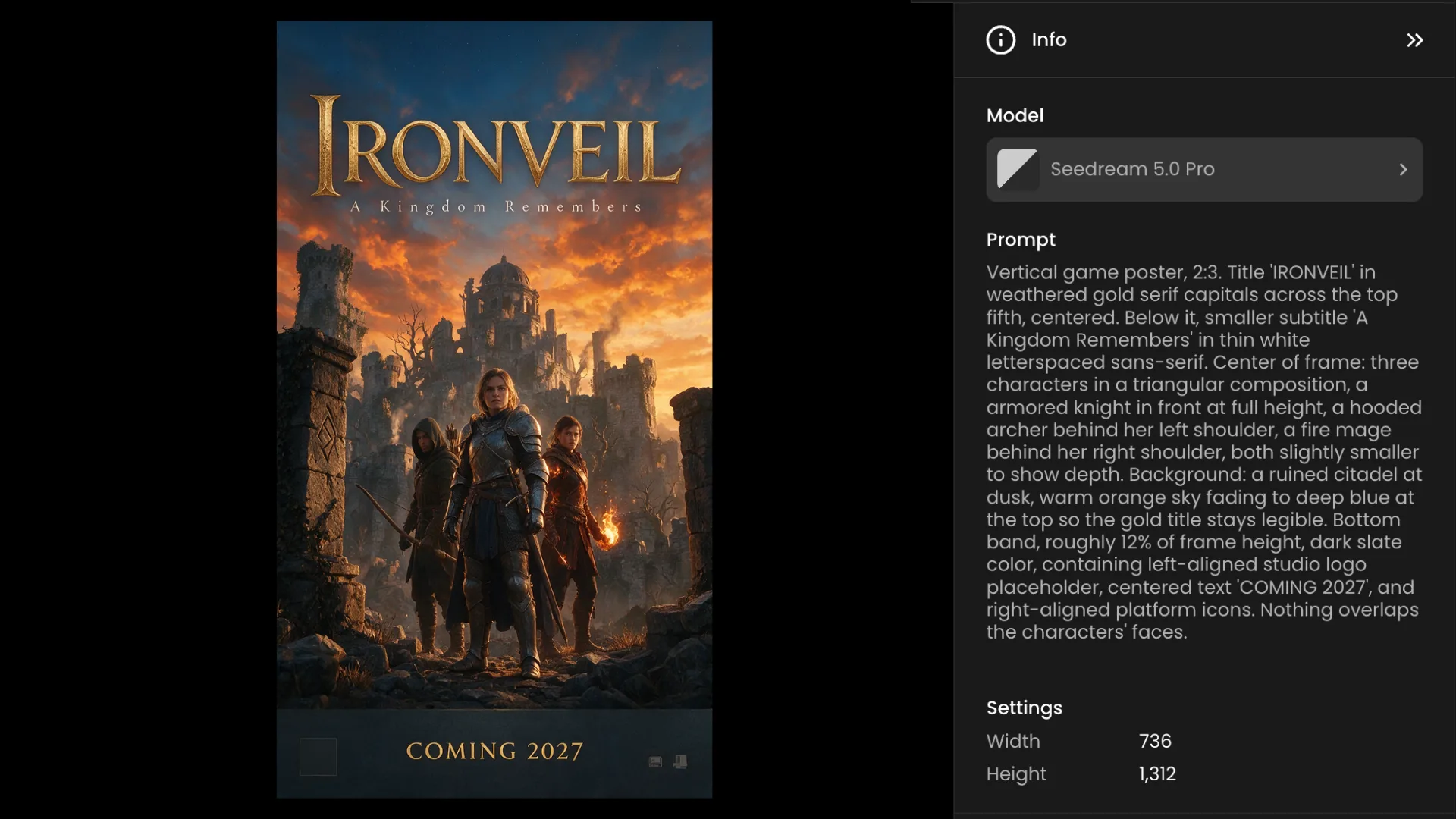
Seedream 5.0 Pro handles dense, multi-element designs: posters, infographics, packaging, UI-style layouts, and charts. The reasoning pass before rendering means the model works out the spatial relationships between elements before committing them to pixels. Placement is where you described it. Hierarchy reads correctly. The composition holds.
For game developers: key art with multiple characters, titles, and visual elements. For marketing teams: campaign visuals with brand elements, product imagery, and copy placed correctly. For designers: high-fidelity mockups that look like finished work rather than AI approximations of it.
Character Consistency and Region Editing
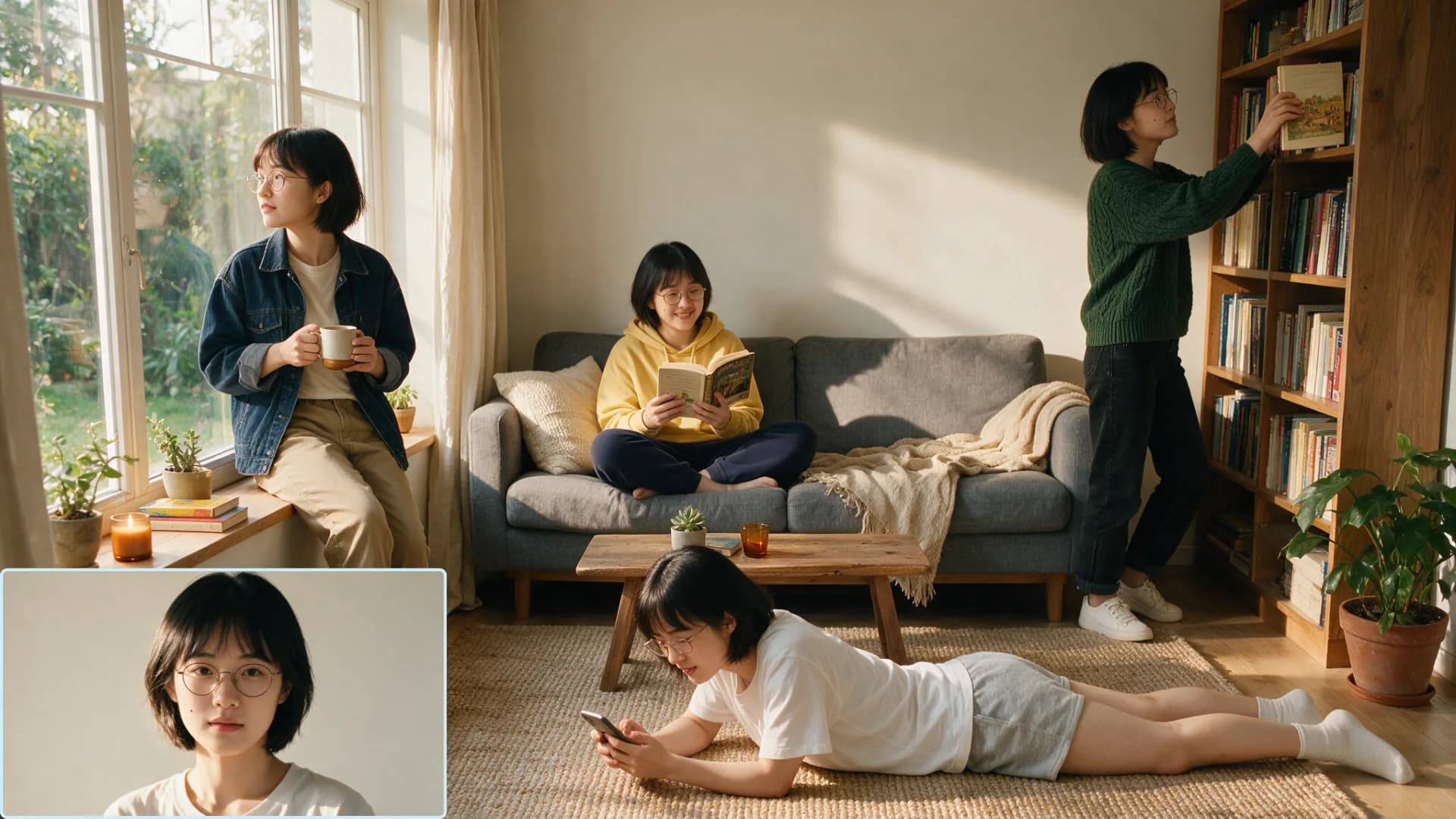
Up to 10 reference images
Upload up to ten reference images to lock character identity or maintain visual consistency across a product series. One reference for each character, multiple references for different angles of the same character, a full reference set for a product line where every image needs to show the same object consistently. The model uses all ten simultaneously rather than averaging them.
For game development: a full character sheet with multiple angle and expression references feeding into a single generation. For marketing: a product series where every image needs to show the same SKU from different angles in different contexts.
Region-precise editing
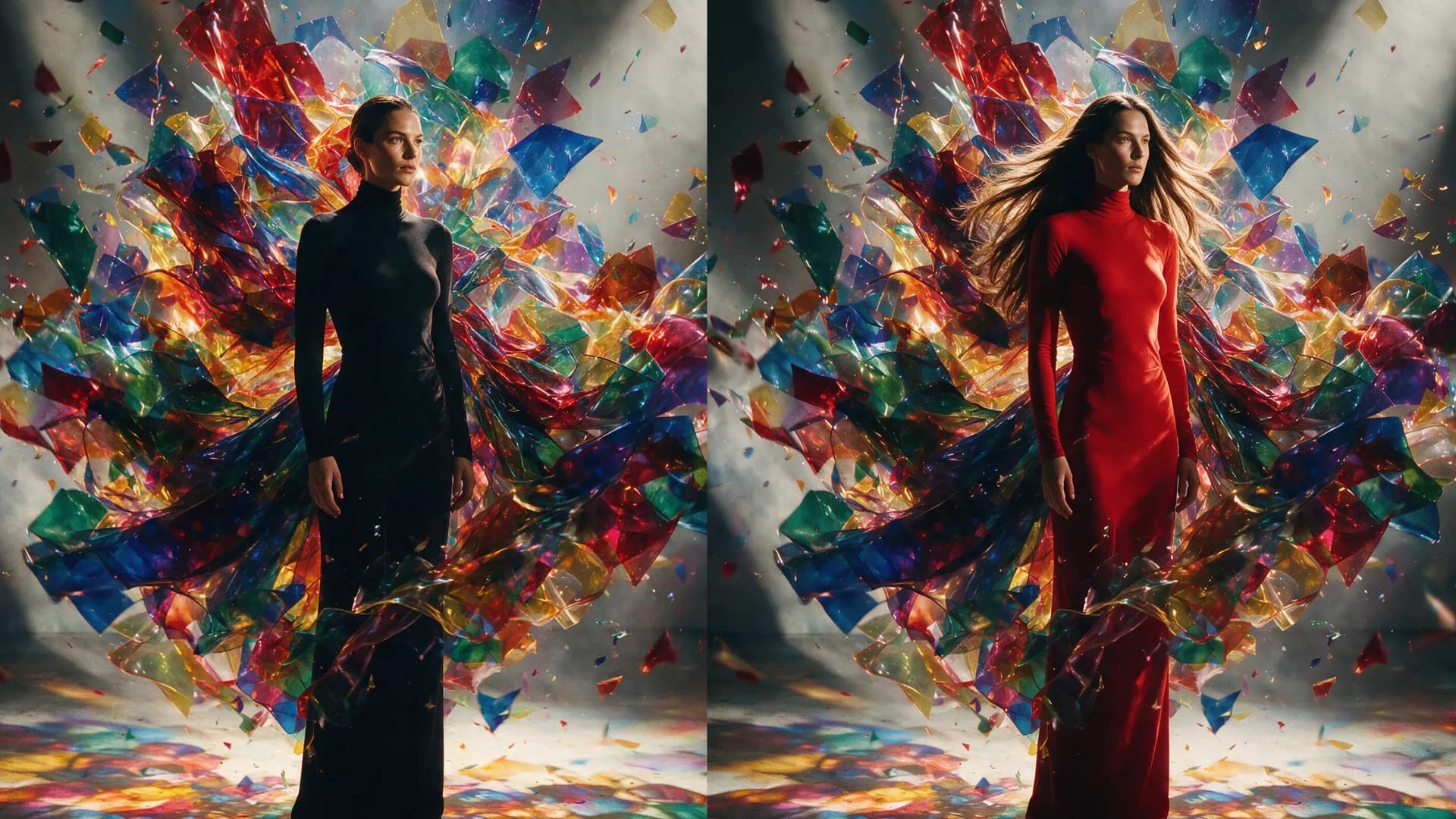
Seedream 5.0 Pro changes one element and leaves the rest untouched. This is the editing workflow that actually fits production: you have an image that is mostly right and one thing needs to change. The background color. The product label. The character's expression. The text in a specific zone.
Most editing models touch more than they should. Region-precise editing keeps the rest of the image intact while targeting exactly what you specified. For iterating toward a final output without regenerating everything from scratch every time, this matters.
Prompt length and output resolution
Prompts up to 3,500 characters. For complex briefs with multiple elements, specific placement requirements, character descriptions, and style directions, 3,500 characters gives you room to be genuinely precise. Output up to 3136px: production-ready resolution for print, large format display, and high-fidelity digital delivery.
What It Is Best For
The model description is direct about the use cases: posters, packaging, UI mockups, storyboards, and marketing key art. Basically production-ready design work, not just concepts.
The distinction is worth sitting with. Most AI image generation is useful at the concept stage: fast exploration, directional visuals, rough references for a brief. The output usually needs significant polish before it is production-ready. Seedream 5.0 Pro is built to close that gap. The reasoning-first architecture, the text rendering, the layout handling, the 3136px output: all of it is oriented toward an output that can go further in the production pipeline without being rebuilt.
It also runs faster and at lower cost than comparable quality-tier models, which matters when you are iterating through multiple design directions before committing to a final.
For game studios: key art, loading screens, event posters, UI mockups that read clearly at target resolution. For marketing teams: campaign visuals, ad creatives, event materials with correct copy and brand-consistent layouts. For designers using AI in a production workflow: a model that understands the brief well enough to produce something closer to a finished comp than a starting point.
Try Seedream 5.0 Pro on Scenario
FAQ
What makes Seedream 5.0 Pro different from other image generation models?
It reasons through the scene before rendering. Most models generate immediately from a prompt. Seedream 5.0 Pro works through placement, layout, text content, and spatial relationships first, which produces more coherent results on complex prompts, especially those involving text or multi-element layouts.
Does it generate accurate text in images?
Yes. Flawless, correctly spelled in-image text including multi-line layouts. It prompts and generates natively in 14 languages including non-Latin scripts like Chinese, Japanese, Korean, and Arabic.
How many reference images can I use?
Up to 10 reference images per generation for locking character identity or maintaining visual consistency across a product or character series.
What is the maximum output resolution?
3136px. Suitable for print, large format display, and high-fidelity digital delivery.
What is the maximum prompt length?
3,500 characters. Enough for detailed briefs with multiple elements, specific placement requirements, and character or style descriptions.
What use cases is it best for?
Posters, packaging, UI mockups, storyboards, and marketing key art. Any production design work where text rendering, complex layout handling, and output resolution matter.
Does region-precise editing preserve the rest of the image?
Yes. The editing mode targets a specified element while leaving the rest of the image intact. Useful for iterating on a specific part of a composition without regenerating everything.