
This Is What Using AI for 3D Character Animation Actually Looks Like
Creating 3D character animation used to require a full studio and a budget most teams do not have. Uthana on Scenario changes that. Drop in a video or a prompt, upload your 3D character, get a retargeted animation back.
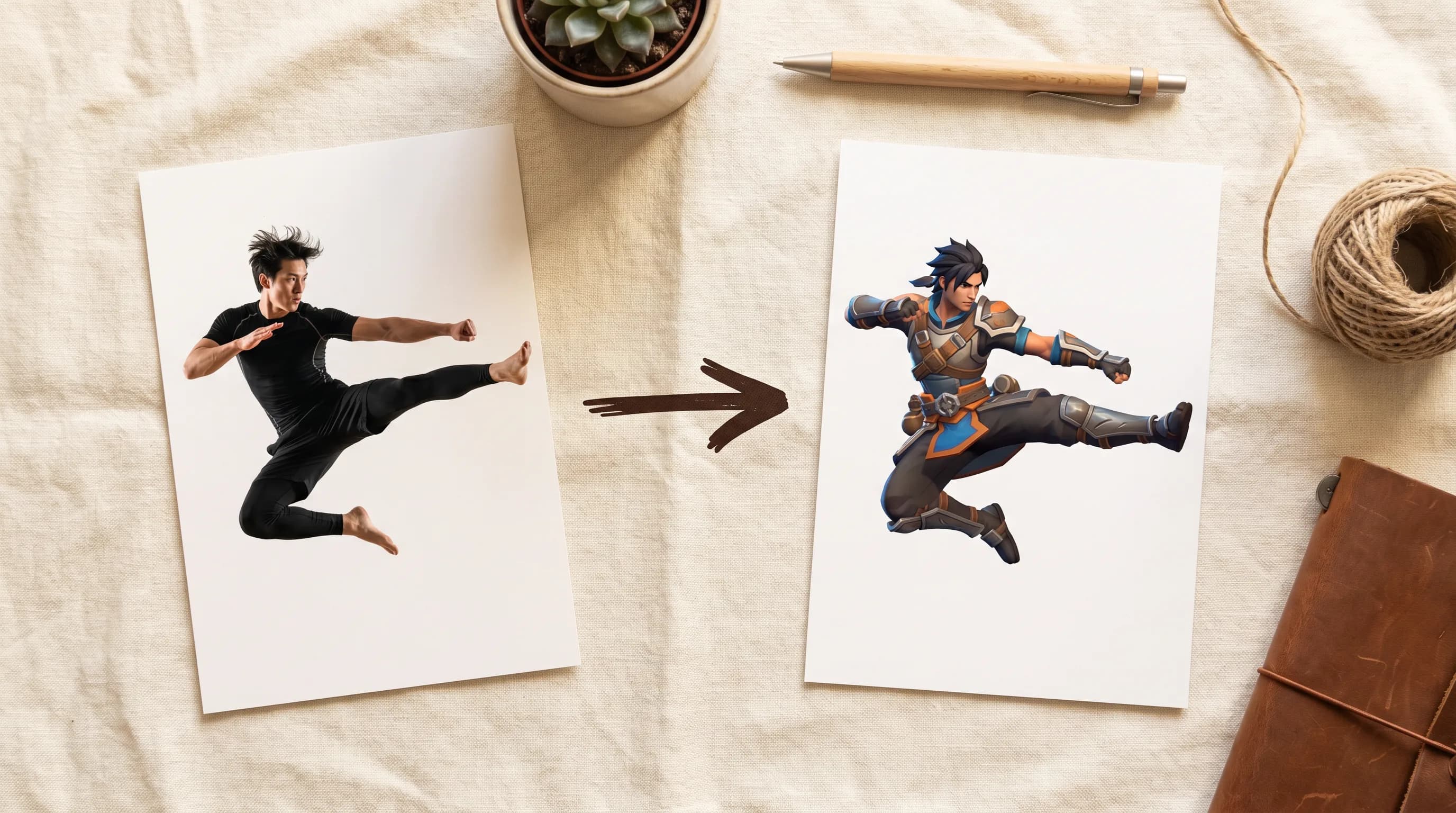
Professional mocap has always been the gold standard for 3D character animation. It is also always been expensive, slow to set up, and completely out of reach for most indie developers and small studios.
Uthana is now on Scenario and it quietly makes that problem irrelevant.
Two models. One that generates animation from a text prompt. One that extracts it from a reference video. Both accurately retarget the output directly to your 3D character.
Video-to-Motion: Two Inputs, One Animation
The Uthana Video-to-Motion model is exactly as cool as it looks.
You upload two things: a reference video of a person performing the movement you want, and your 3D character model. Hit Generate, and Uthana extracts the motion from the footage and applies it to your character automatically.
The input video can be anything: a martial arts sequence, a walk cycle, a combat combo, a jump. One person in frame, static camera, full body visible. That is the only requirement.
Uthana's retargeting figures out the joint mapping itself regardless of skeleton structure, so there is no manual setup step on your end.
Text-to-Motion: No Footage Needed
Uthana Text-to-Motion follows the same logic with one difference: instead of a video, you write a prompt.
Describe the movement, upload your character, generate. No reference footage required.
This is the right tool for animation states that are easier to describe than film: idles, transitions, crowd behaviors, emotes. Anything in your motion library that follows a predictable pattern.
The Full Workflow on Scenario
No external tools. No file juggling between platforms. The entire pipeline from character concept to animated 3D model runs inside Scenario.
Step 1: Generate your character Start with an image. Use GPT Image 2 or any model in Scenario's library to generate your character concept. Get the look right before anything goes into 3D.
Step 2: Create your 3D character model Take your character into 3D using Scenario's wide range of 3D generation models depending on the style and fidelity you need. Hunyuan 3D 3.1 PRO is a great option to turn your image into a full 3D mesh.
Step 3: Create your movement video This is your motion reference. Generate one using Seedance 2.0 or other video models directly in Scenario: use your character image as the first frame and prompt the movement you want.
Step 4: Open Uthana Video-to-Motion Go to Uthana Video-to-Motion in Scenario. Upload your movement video as the input. Upload your 3D character model. Hit Generate.
Character concept to animated game-ready model. One platform. No studio required.
What This Changes
The immediate win is obvious: every animation state your character needs can now come from a reference clip or a text description instead of weeks of manual keyframing.
The bigger win is iteration. Want to compare three different combat styles before committing to one? Generate all three in an afternoon. Want to animate a full roster of characters from a shared motion set? Run batch retargeting via the API and apply every motion to every character in one pipeline pass.
For developers this means shipping characters that move well without a huge mocap budget. For larger studios it means compressing the iteration phase before committing to full performance capture.
Try Uthana on scenario today.
FAQ
What video works best for Video-to-Motion? One person in frame, static camera, full body visible throughout the action. Clean lighting and a clear background improve accuracy but are not mandatory.
What is the difference between Video-to-Motion and Text-to-Motion? Video-to-Motion extracts motion from a reference clip. Text-to-Motion generates it from a written description. Both retarget to your character.
What engines does the output work with? Unity, Unreal Engine, Blender, Maya, Roblox, and any pipeline that accepts FBX or GLB.