
Meet Wan 3.0: One of the Most Anticipated Video Model Releases of the Year
Wan 3.0 is Alibaba's open-weight video model and it does things that matter in a production pipeline: 30-second clips, native audio in one pass, multi-shot scene structure from a single pro
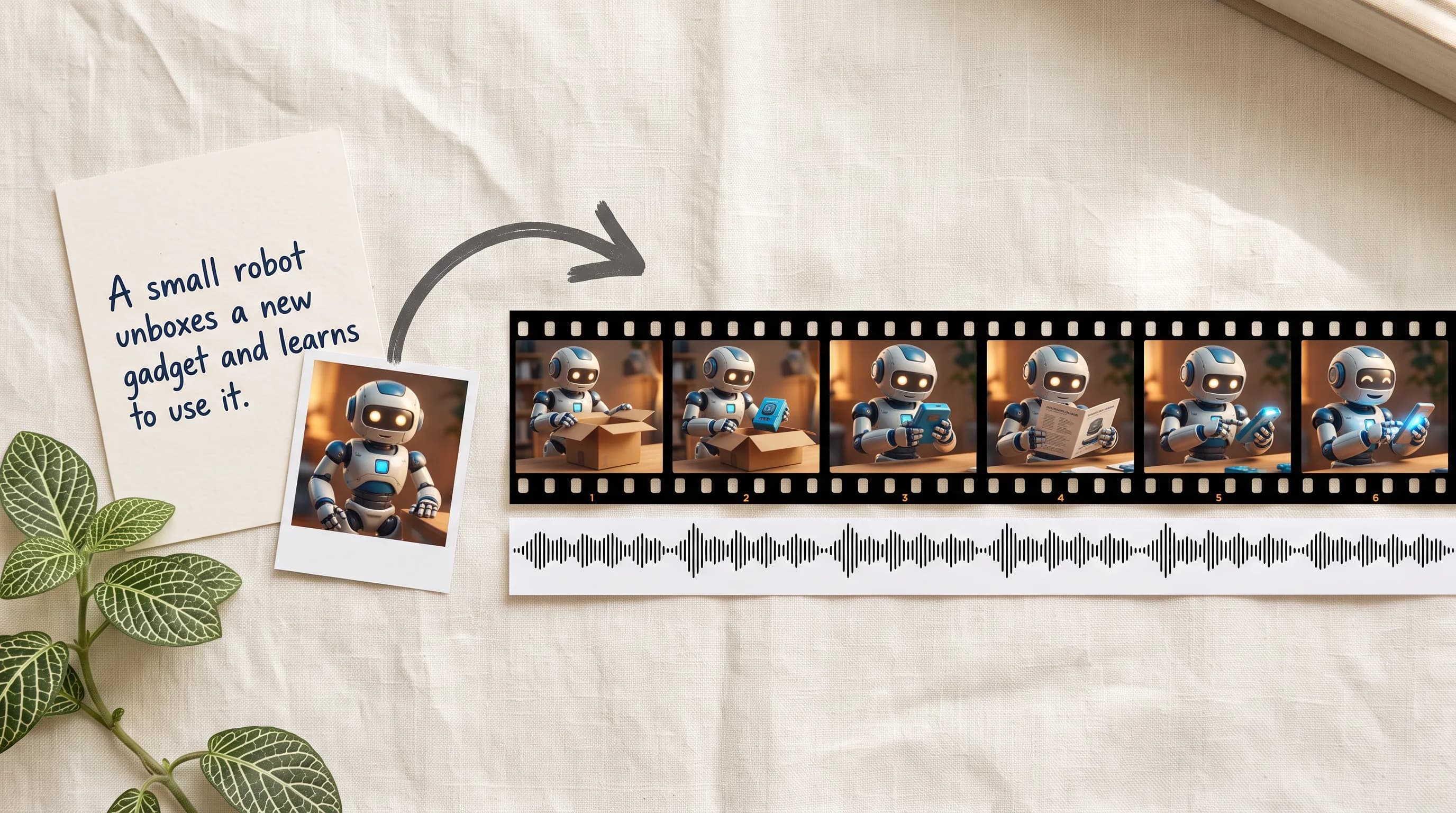
Wan 3.0 has been one of the most anticipated model releases of the year, and it earns the anticipation. Thirty-second clips in a single generation pass. Native audio generated with the visuals instead of synced in post. Multi-shot sequences from one prompt, with characters that hold from cut to cut. A reference system that reads text, images, video, audio, and documents together before generating a single frame.
Most video models get one of these right. Wan 3.0 ships all of them at once.
It is now on Scenario, and here is what it does.
Up to 30 Seconds in One Pass
Most video models cap at 10 to 15 seconds. Getting anything longer means generating multiple clips and editing them together, which introduces the consistency problems every AI video producer knows: lighting shifts between clips, characters drift, camera logic breaks at every cut.
Wan 3.0 supports up to 30-second clips in a single generation pass. Duration is set manually from 2 to 30 seconds, or left on smart duration and the model determines the right length for the content. The temporal consistency holds across the full clip because it is one generation rather than several edited together.
A 30-second e-commerce product video with a narrative arc. A game cinematic intro that sets the scene properly. A social ad that builds and pays off without cutting to a new generation midway. A short film scene with setup and resolution. All of these work as single generations rather than post-production puzzles.
Multi-Shot Storytelling From One Prompt
A single prompt produces a multi-shot sequence with natural cuts, logical transitions, and consistent characters across shots. It can take one description and divide it into consecutive shots with coherent camera logic and character continuity throughout.
Multi-shot consistency has been one of the hardest problems in AI video production. Getting a character to look the same from shot to shot, with matching lighting and camera logic between cuts, requires significant prompt engineering and multiple generation attempts with most models. Wan 3.0 handles it natively from a single prompt.
A product being unboxed, examined, and used across three different settings. It produces all three shots in sequence with the product looking identical across every cut.
For filmmakers and studios producing short-form narrative content, this removes the most time-consuming part of AI video production. For marketing teams: describe the narrative, get the shots.
Native Audio in One Pass
Every Wan 3.0 generation includes a Generate Audio toggle, on by default. Environmental soundscapes, sound effects, and cross-lingual lip sync all generated alongside the video in the same pass. No external audio pipeline required.
The audio is not added after the fact. It is generated with awareness of what is happening visually in each frame. Footsteps land when feet hit the ground. Ambient sound matches the environment. Lip sync follows the dialogue and works across languages.
A game cinematic where the character speaks and the mouth moves correctly. A product video where audio design belongs to the footage rather than being layered on afterward. A social video where sound and visual rhythm are designed together rather than synced in post. For anyone who has spent time manually syncing audio to AI-generated video, having it arrive already synchronized changes the production workflow at every generation.
Quad-Modal References for Consistency
Text, images, video, and audio as simultaneous inputs, all read together as unified context before generation begins. The UI exposes each input type as a separate slot: First Frame, Last Frame, Reference Images, Reference Videos, Reference Audio, and Text Document.
Images lock character identity, visual style, or environment. Reference videos transfer camera movement or edit rhythm. Audio clips drive pacing or carry dialogue for lip sync. The Text Document slot accepts up to 100MB or 50 pages and turns on thinking mode automatically for richer results, useful for long-form briefs, storyboards, or any generation that needs more context than a prompt can hold.
The application that demonstrates this best is product and character consistency. Upload multiple images of the same product from different angles. The model maintains identical physical details, materials, and proportions across the video. For brand production where a product needs to look the same across multiple pieces of content, this is what makes AI video reliable rather than approximate.
Generate From a URL
Wan 3.0 on Scenario has a Public Link input: paste any public URL and the model generates a video from the webpage content. It turns on thinking mode automatically to process the page context. Useful for generating video from product pages, editorial articles, landing pages, or any publicly accessible content without manually summarizing it into a prompt first.
The Full Picture
Thirty seconds. Native audio. Multi-shot scenes from one prompt. A full reference system that takes images, videos, audio, documents, and URLs all into a single generation. And Apache 2.0 licensing that means every frame you generate is yours to use commercially, no fees, no questions.
It is one of the most anticipated open-weight video model releases of the year. Now you can try it.
FAQ
What makes Wan 3.0 different from previous Wan models?
Up to 30-second single-pass generation, 6-shot AI Director mode for multi-shot sequences from a single prompt, native audio generated with the video, quad-modal reference inputs including Text Document and Public Link, and Apache 2.0 commercial licensing.
Is it free to use commercially?
Yes. Apache 2.0 license means free commercial use with no licensing fees or per-clip charges.
Does every generation include audio?
Generate Audio is on by default. Every generation includes environmental sound, effects, and lip sync generated with awareness of the visual content. Toggle it off for silent output.
What is the Public Link input for?
Paste any public URL and the model generates video from the webpage content. Turns on thinking mode automatically.
What is the Text Document input for?
Upload a document up to 100MB or 50 pages as generation context. Turns on thinking mode automatically for richer results.
What resolution and clip length is available on Scenario?
480P, 720P, and 1080P. Clips from 2 to 30 seconds with smart duration or manual control.