AI Marketing Visuals Without the Photo Shoot: Scenario Apps for Marketers
Product photos, branded mockups, UGC-style social content, virtual try-on: marketing teams spend a lot of budget on visuals that AI can now produce in minutes. Scenario Apps are pre-configured one-click tools built for exactly this. Here are the ones worth knowing.
Marketing teams burn a significant amount of budget on visuals. Product photography. Background variations for different markets. Branded mockups for new merchandise. UGC-style content that looks authentic on social. Virtual try-on assets for fashion campaigns. Each of these used to mean a shoot, a brief, a turnaround time, and an invoice.
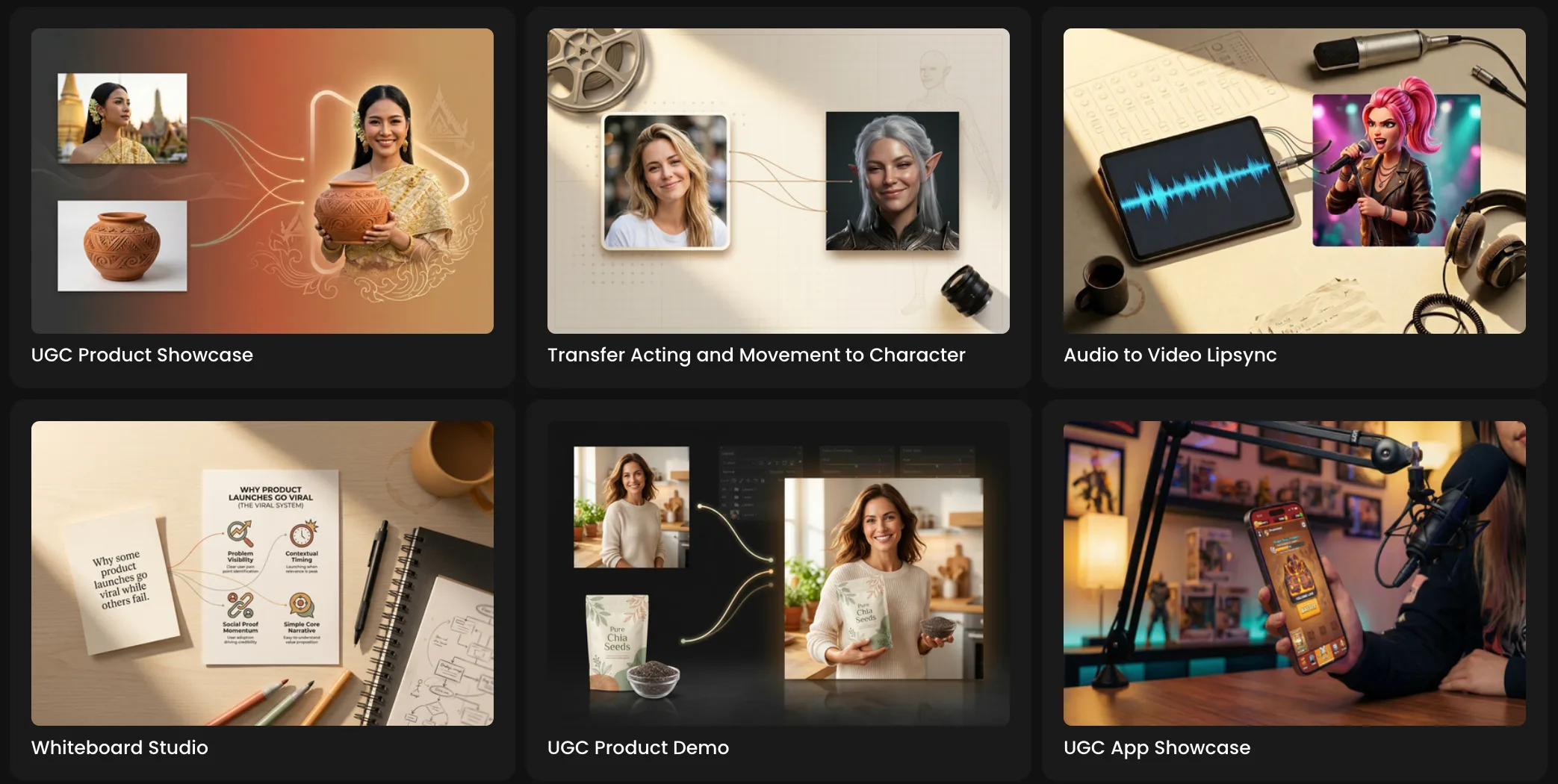
Scenario Apps are pre-configured one-click tools that handle all of it. Upload an image, describe what you want, hit generate. The technical setup, the model selection, the workflow configuration: all handled in the background. Here are the ones worth knowing for marketing teams right now.
Product Studio: Catalog-Ready Product Photography
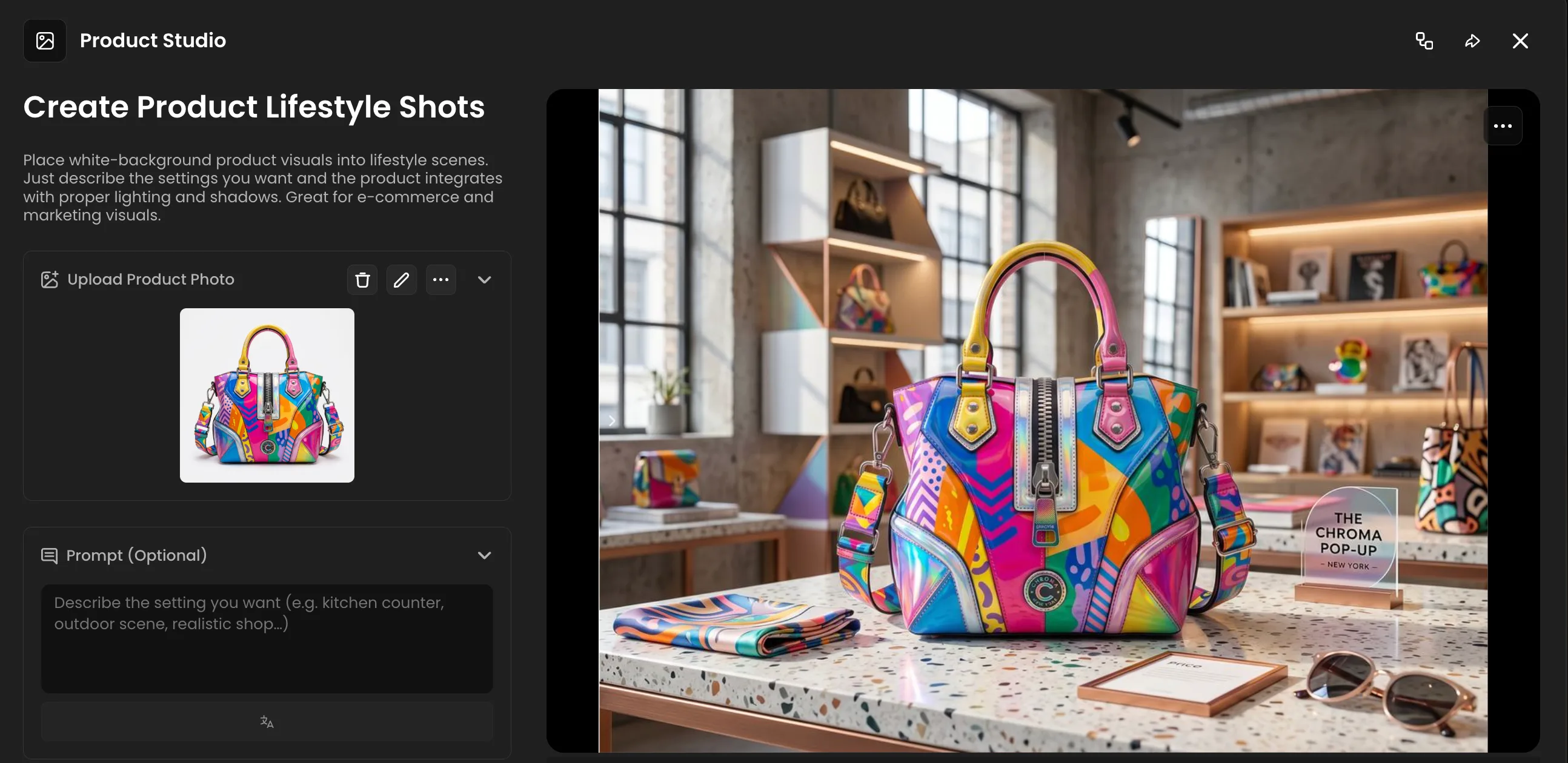
Product Studio creates professional product photos with preset lighting and backgrounds. The kind of consistent, polished output that catalog pages and promotional materials need without the lighting rig, the photographer, or the post-production.
Upload your product image. The app applies professional lighting and backgrounds automatically. Every output looks like it came from the same controlled studio environment, which matters when you are building a product catalog where visual consistency across fifty SKUs is a hard requirement.
The practical use case: a new product arrives, you photograph it on a phone against a white wall, run it through Product Studio, and it looks like a proper commercial shoot. For DTC brands, e-commerce sellers, and marketing teams that need to move fast on new inventory, this compresses the time between product arriving and product going live significantly.
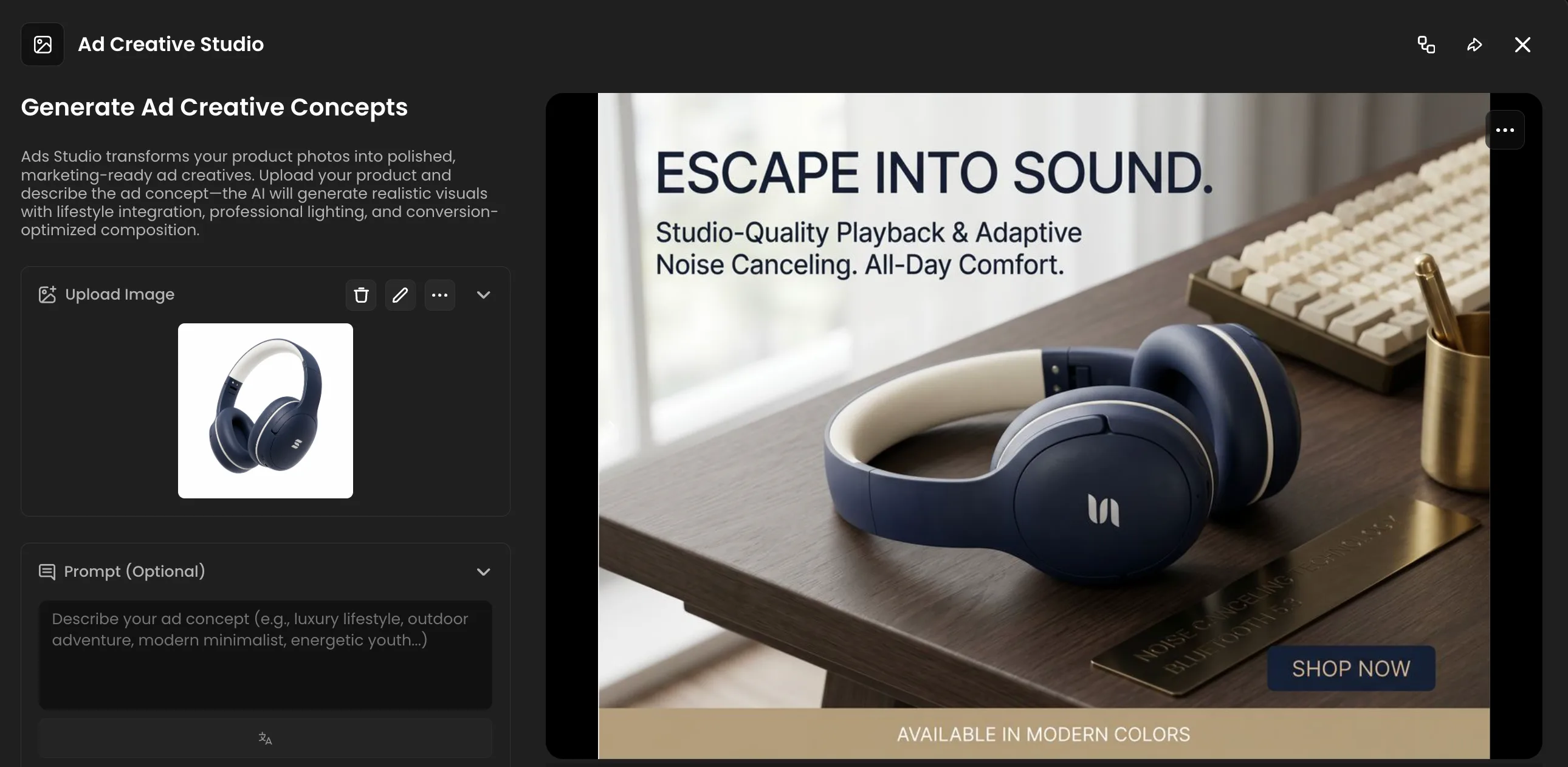
Ad Creative Studio: Product Photos Into Campaign-Ready Ads
Ad Creative Studio transforms product photos into polished, marketing-ready ad creatives. Upload your product image, describe the concept, and the app generates a finished visual with lifestyle integration and composition built around conversion.
The gap this closes is significant. Taking a product photo and turning it into a campaign-ready ad normally means a brief to a designer, a round of revisions, and a turnaround that does not fit the pace most marketing teams actually work at. Product drops, flash sales, seasonal pushes, paid social tests: the visual production bottleneck slows all of it down.
For teams running multiple campaigns simultaneously, or testing different creative directions before committing to a full production shoot, Ad Creative Studio is the tool that removes the step between the idea and the visual.
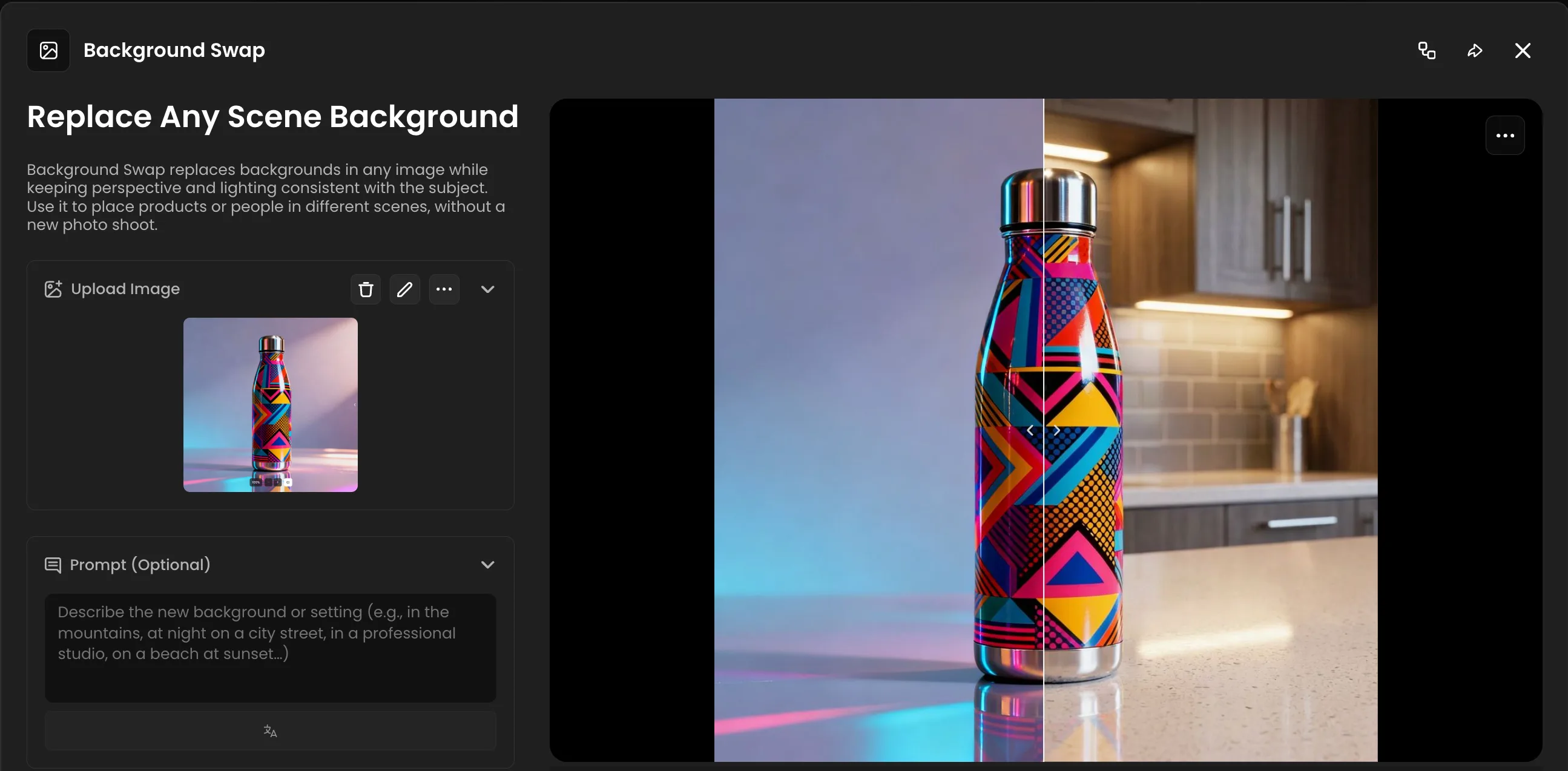
Background Swap: One Product, Every Context
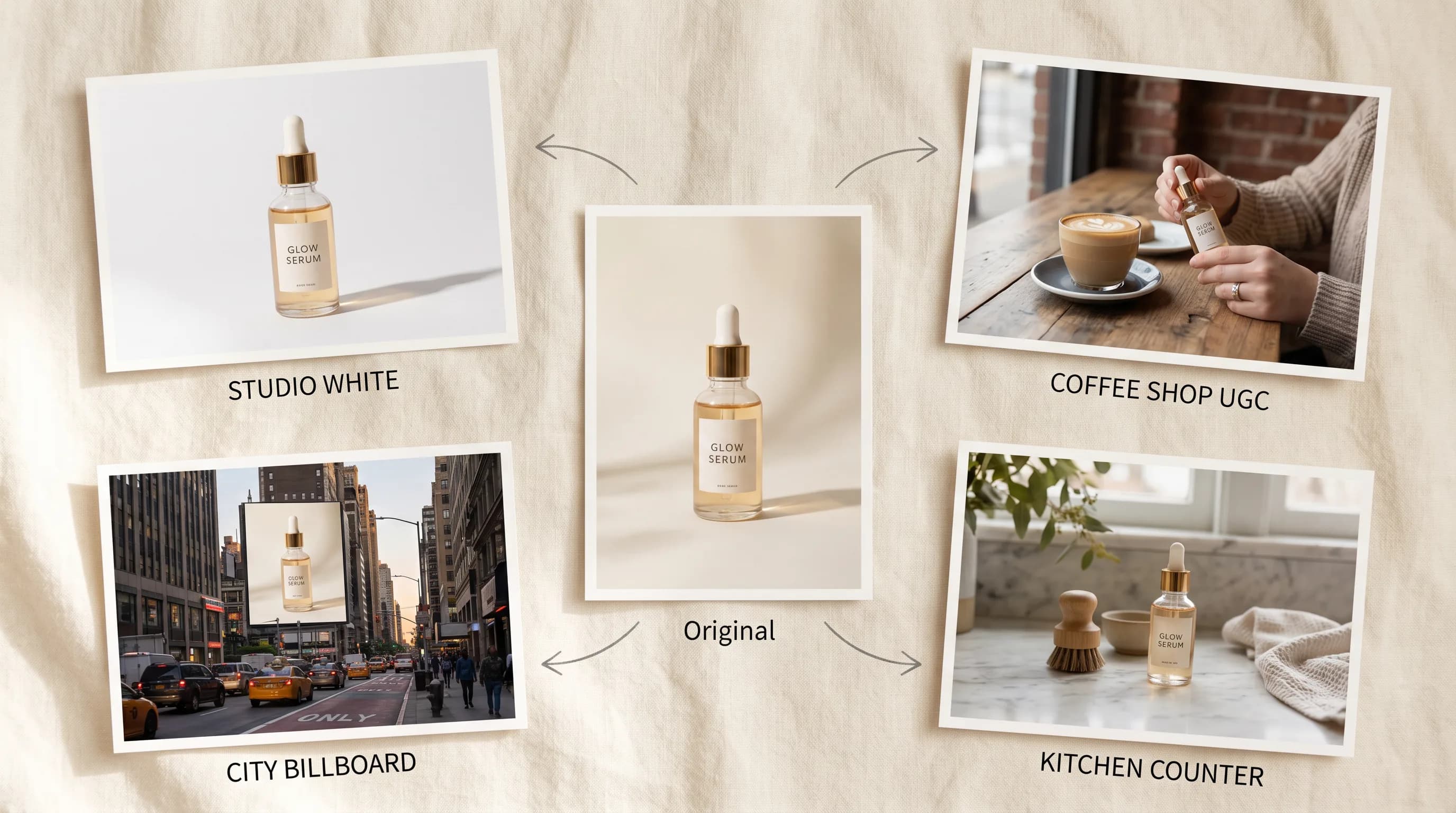
Background Swap replaces backgrounds in any image while keeping perspective and lighting consistent with the subject. The result is the same product or person in a completely different scene, with lighting and shadows that actually match.
The marketing use case is straightforward: take one product photo and place it in every context your audience lives in. The same jar, bottle, cap or anything else in a minimalist kitchen, a cozy farmhouse, a modern office, a hotel room. One original image, infinite lifestyle contexts, infinite different audience segments.
The same logic applies to people. A headshot taken in one environment can be placed in a dozen different scenes. Consistent team photos across different office locations, different markets, different campaign aesthetics, all from the same original photographs.
For campaigns targeting different demographics or regional markets, Background Swap means one production budget covers every variation instead of one.
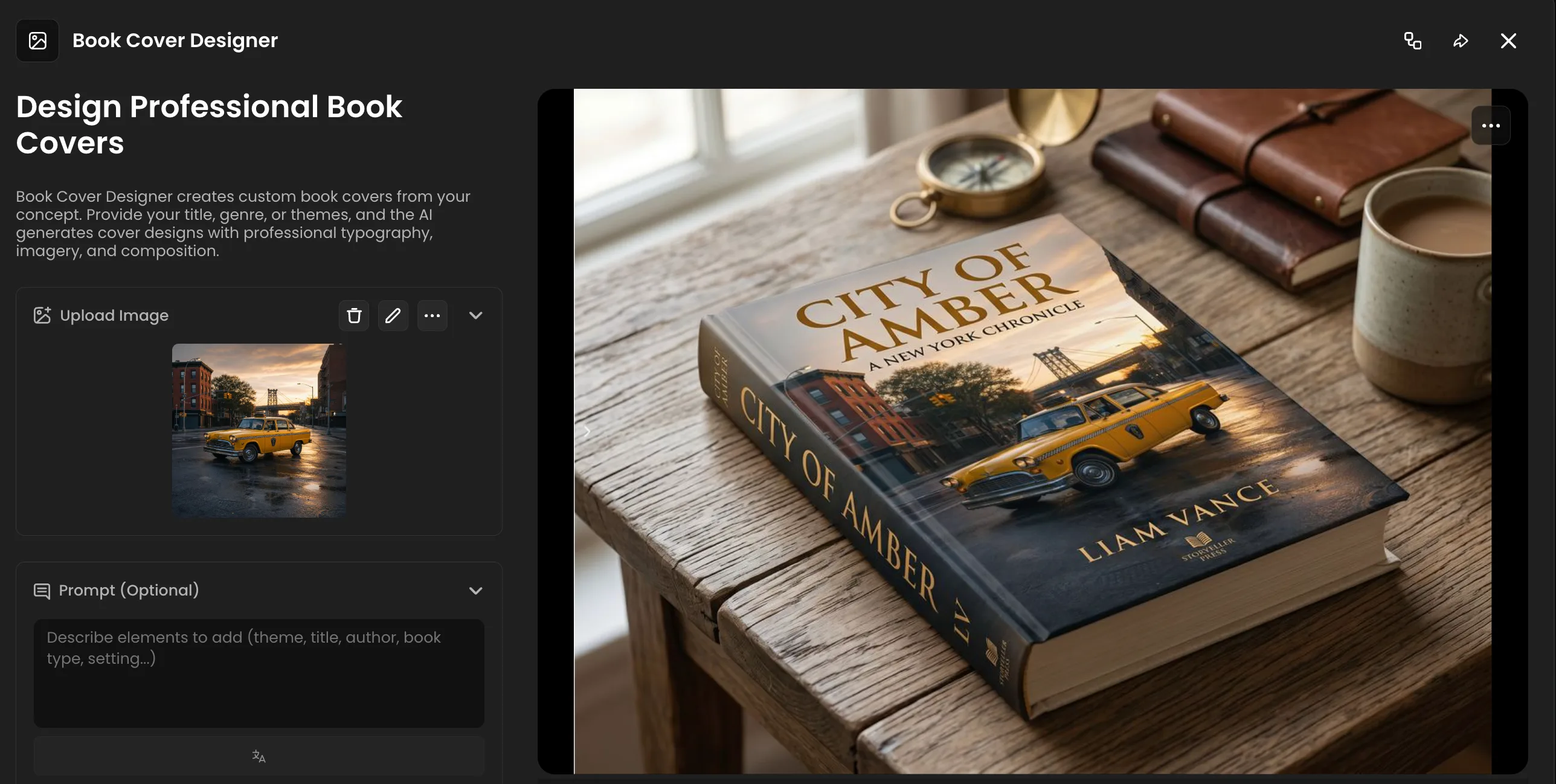
Book Cover Designer: From Concept to Professional Cover
Book Cover Designer generates custom book covers from a concept. Drop in your title, genre, and themes and the app produces a finished cover with professional typography and composition that holds up against anything coming out of a traditional design brief.
The publishing and content marketing use case is obvious but the broader marketing application is worth noting too. Anyone producing lead magnets, ebooks, whitepapers, or branded content guides knows the cover is the thing that determines whether the asset looks worth reading. A generic template cover kills credibility before anyone opens the document. A proper designed cover does the opposite.
For marketing teams producing high-volume content, being able to generate ten ebook cover directions in one session before committing to a design direction saves a significant amount of back-and-forth with a designer. For independent authors and publishers, it removes the production cost of a cover entirely for early-stage drafts and testing.
The Full App Library
The apps above cover the most common marketing production needs but Scenario's full app library goes significantly further.
Logo Placer Pro puts your logo onto any product, matching perspective, lighting, and surface materials for a realistic branded mockup. Generate an entire merchandise catalog from a single logo file.
Product Billboard places your product on outdoor billboards in urban and rural environments. Useful for campaign previsualization and social content that shows scale and placement in real-world settings.
Virtual Try On dresses any character in any clothing item with realistic fit and draping. Upload a model photo and a clothing image and the app handles the rest, on a white background, the original background, or a custom scene.
UGC App Showcase produces visuals of people using your app or digital product on a phone in real environments. For SaaS companies and mobile apps, the equivalent of a UGC shoot without the logistics.
All of it through the same one-click interface. Upload, prompt, generate.
Explore all Scenario Apps for marketing.
FAQ
What are Scenario Apps? Pre-configured one-click AI tools for specific creative tasks. Each app runs a preset workflow optimized for its use case. Upload an image, add an optional prompt, hit generate.
Do I need design or technical experience to use them? No. The model selection, workflow configuration, and technical settings are all handled in the background. The interface is built around an upload area, an optional prompt field, and a generate button.
Related models
GPT-6 Astra 3D
Reconstructs a hard-surface prop from 1 to 8 reference photos into an editable 3D object with named parts, clean topology, and per-part PBR materials, polycount up to 2M.
GPT Image 2.5 Flare
OpenAI GPT Image 2.5 Flare: fast, high-quality text-to-image generation and editing for everyday content, from social posts to product shots and quick creative concepts.
GPT Image 2.5 Sunburst
OpenAI GPT Image 2.5 Sunburst: the most capable GPT Image model, built for precise generation and editing across complex scenes, dense text, and fine detail work.