
Available now
Scenario is now inside Blender
Brings Scenario's generation models into Blender, starting from a prompt, reference files, a viewport capture, the scene camera or a selected mesh.
The extension is experimental: check its known limitations before you rely on a feature.
- Image
- Video
- 3D
- Materials
- Audio
- 360 World
- AI agents (MCP)
How it works
Install
In Edit › Preferences › Get Extensions › Repositories, add the remote repository https://blender.scenario.com/repo/index.json, then install Scenario.
Connect
Choose Sign in with Scenario, or paste an API key and secret in the add-on's preferences and press Test connection.
Generate
Pick a lane, start from a prompt or your scene, and check the price in Creative Units on the Generate button before you spend anything.
The launch film about 4 minutes
What it does
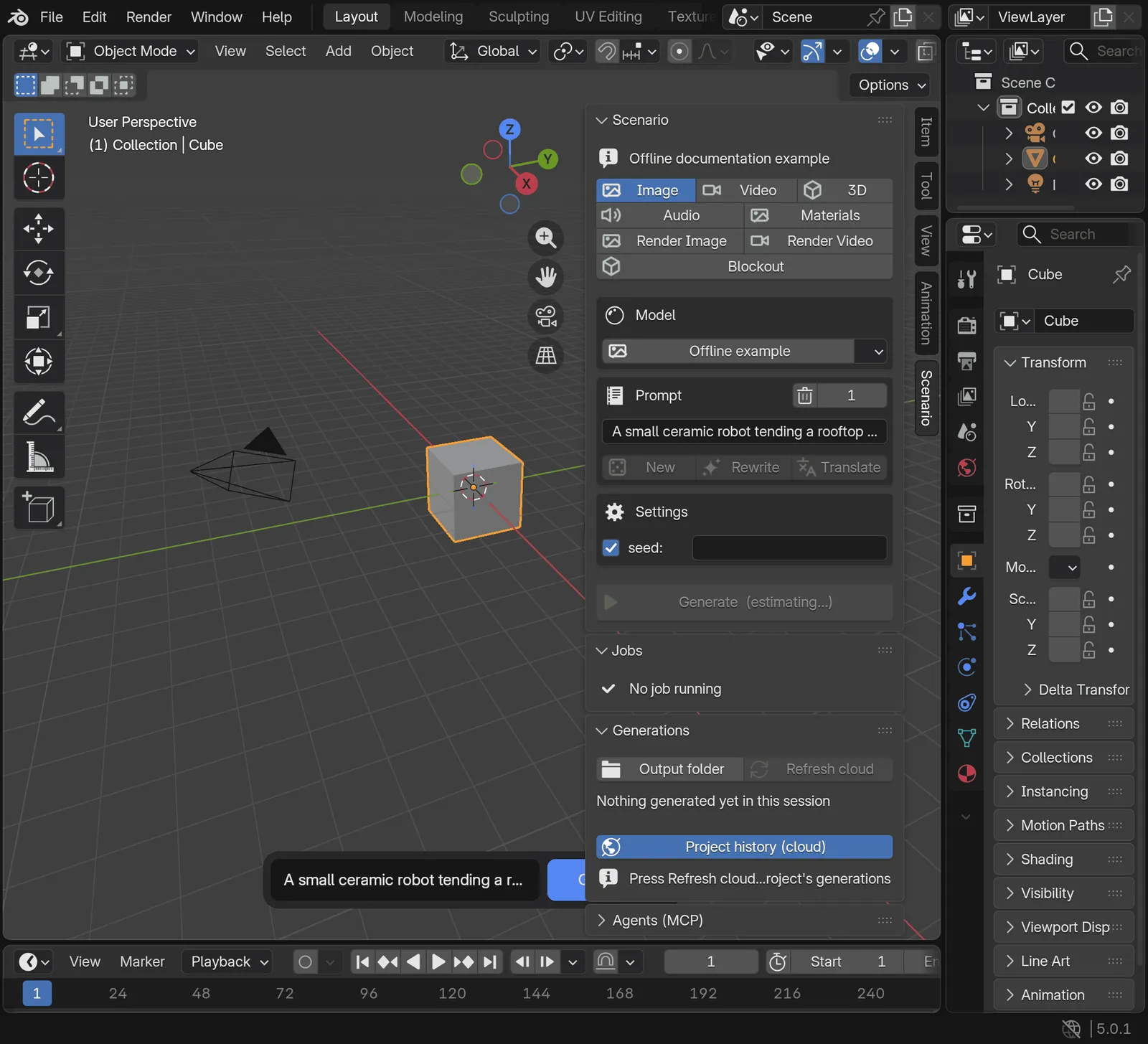
Nine lanes in one tab
Image, Video, 3D, Materials, Audio, Render Image, Render Video, Blockout and Environment, each with its own form in the sidebar.
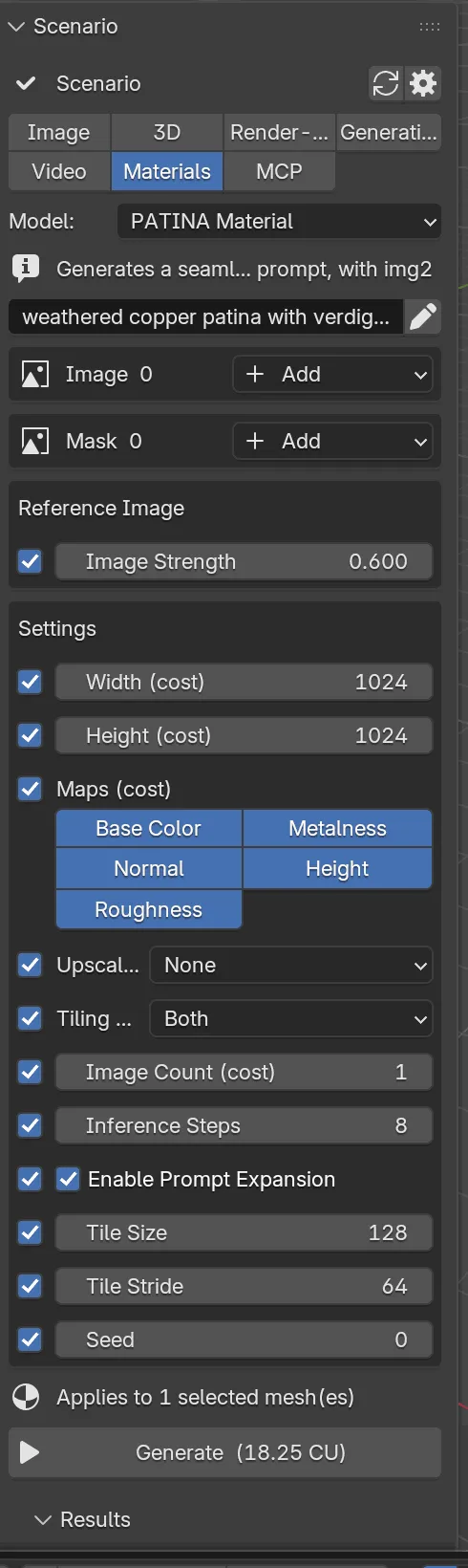
Seamless PBR materials
PATINA turns a prompt or a photo into a seamless PBR set, base color, normal, roughness, metalness and height, that you apply to a material slot.
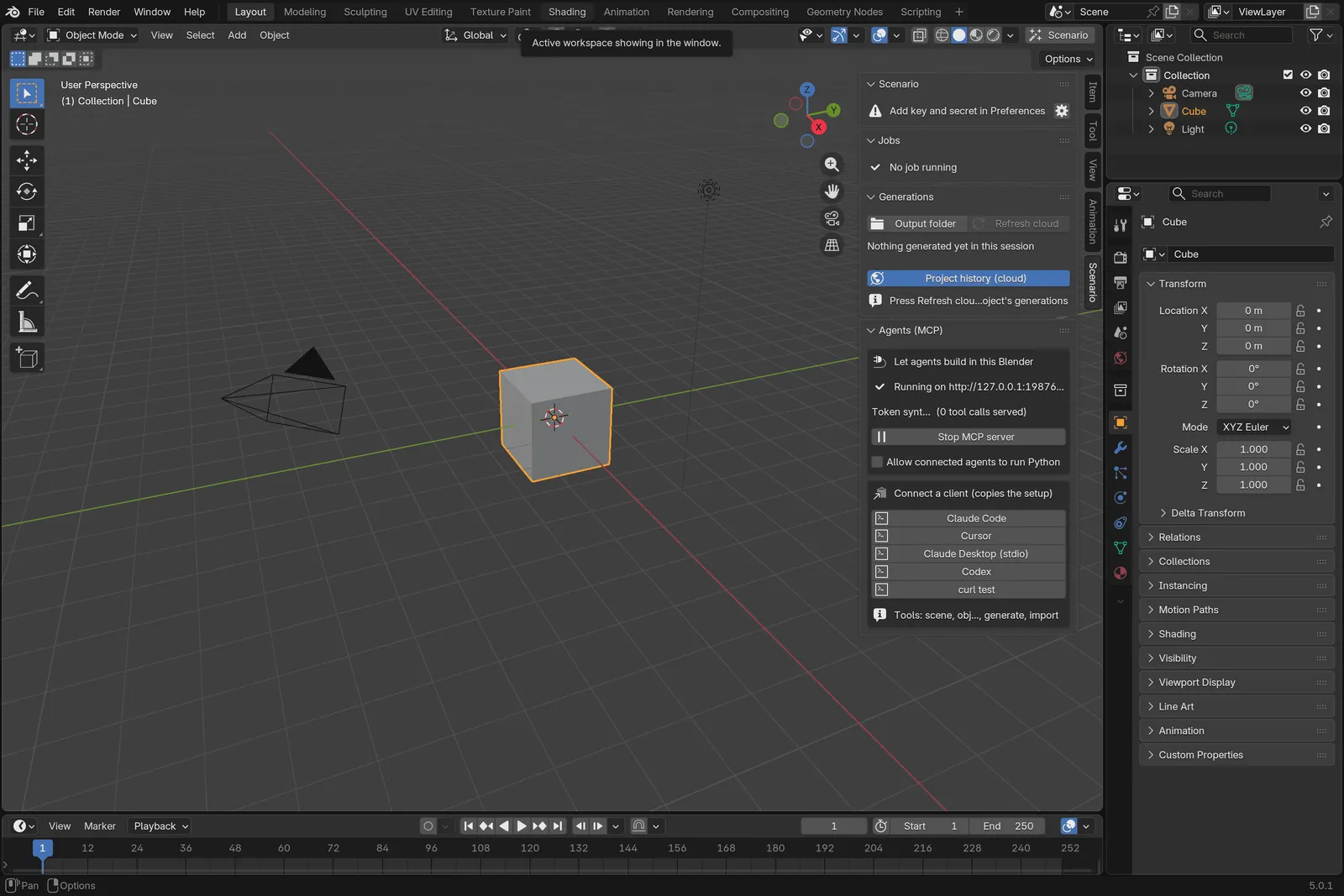
Agents in Blender
A small local MCP server lets Claude Code, Cursor or Claude Desktop read your scene, run tools in Blender and generate with Scenario.
Render your scene
Render Image turns your view into a finished still, and Render Video turns a playblast of your animation into a finished clip.
What you need
Blender 5.0 or later and a Scenario account with API access.
Questions
What does a generation cost?
The Generate button shows the price in Creative Units (CU) before you spend anything.
Where do results go?
Images as datablocks and textures, meshes at the 3D cursor or next to their original, materials as texture sets for a mesh material slot, and video and audio in your Output Folder, ready for the Sequencer.
Is it stable?
The extension is experimental. The plugin's site lists the known limitations; check them before you rely on a feature.
What do I need?
Blender 5.0 or later, a Scenario account with API access, and an internet connection.
Get Scenario for Blender
Get the pluginMore plugins
Photoshop, Maya, Blender, Unity, Godot and ChatGPT are trademarks of their respective owners.