
Available now
Scenario is now inside Unity
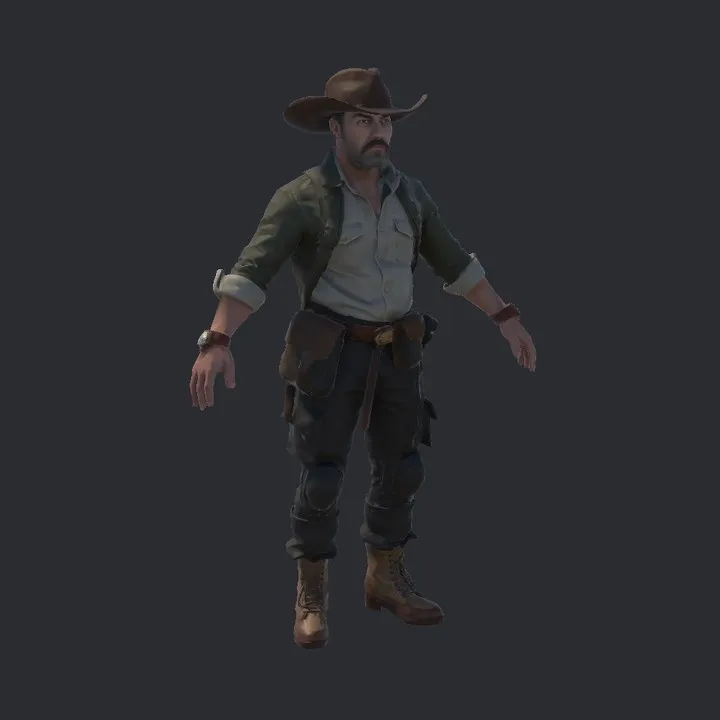
A window in the Unity Editor that runs Scenario's models on your project. Each result lands as a working Unity asset: a prefab, a material on your mesh, a character that moves in Play mode, the scene's sky.

- Images
- Video
- 3D models
- Character animation
- Audio
- PBR materials
- Skyboxes
- AI agents (MCP)
How it works
Install
In the Package Manager, choose Install package from git URL and paste the URL from the plugin's site, or install the tarball. Open Window › Scenario.
Sign in
Sign in with Scenario opens your browser. Approve, go back to Unity, and pick a team and a project. An API key works too.
Select and generate
Select something in the scene or the project: the window offers the steps that fit it, shows the price, and lands the result as a Unity asset.
What it does
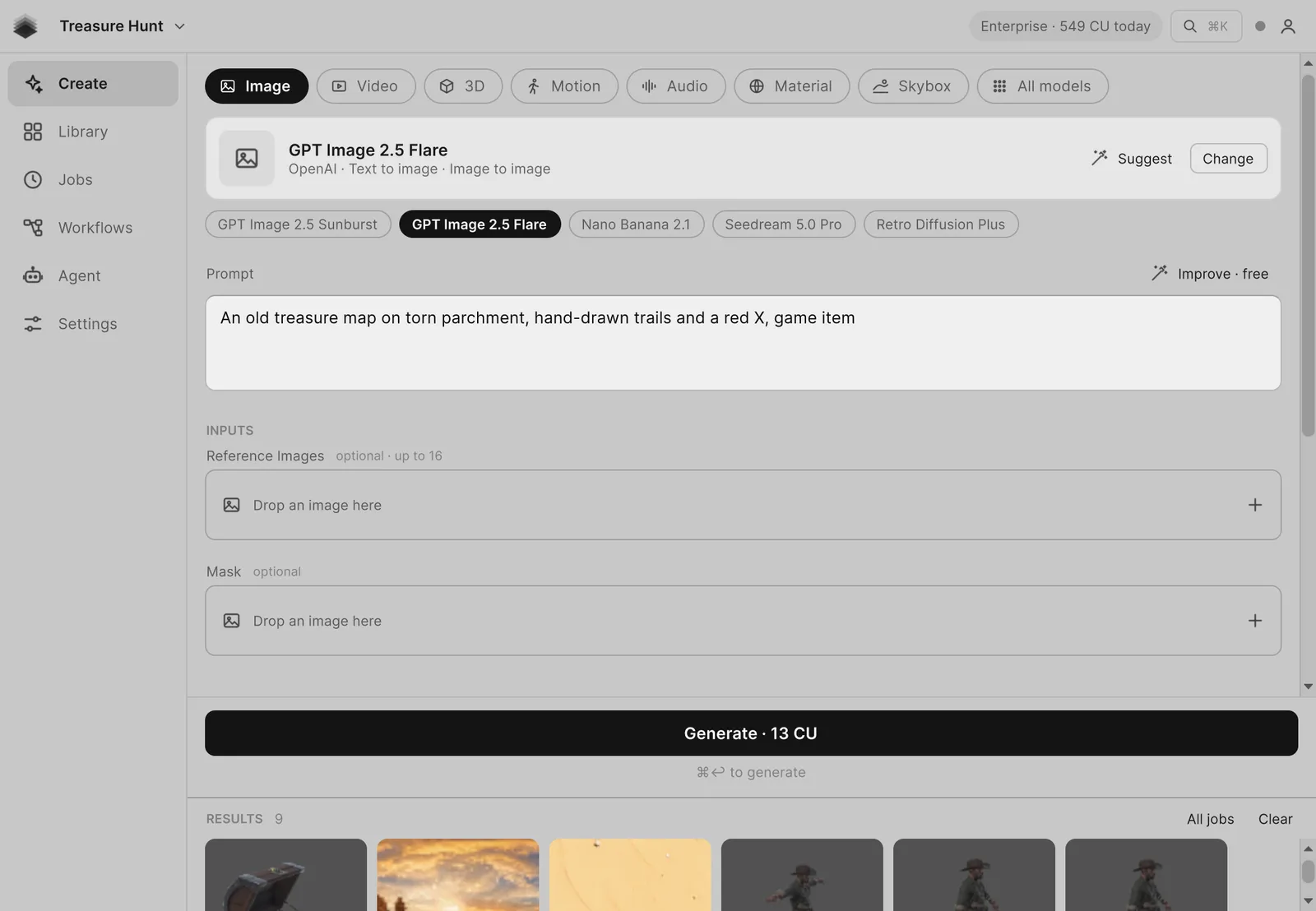
One window for every model
Images, video, 3D models, character animation, audio, PBR materials and skyboxes, with the price of the exact request on the Generate button.
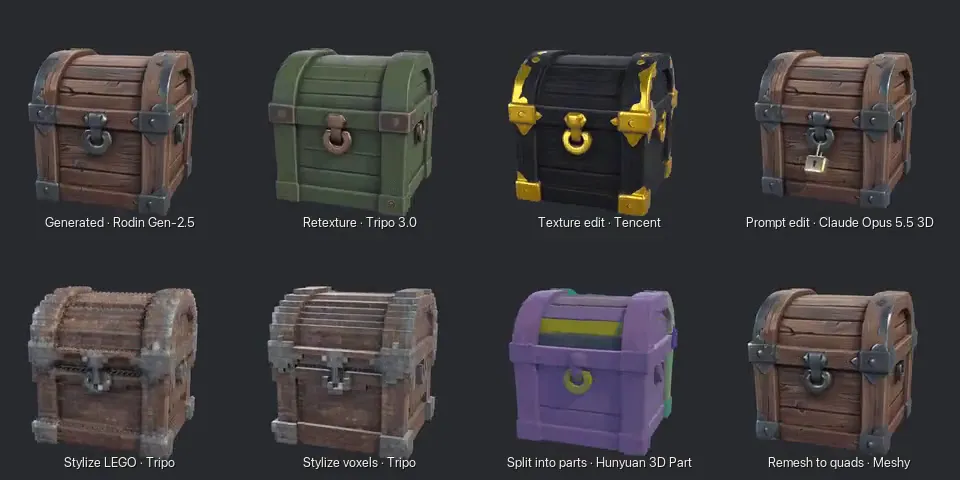
Seven ways to change a model
Retexture it, edit its texture or its shape by prompt, stylize it as LEGO or voxels, split it into parts or remesh it. Each result lands as a new version beside the original.
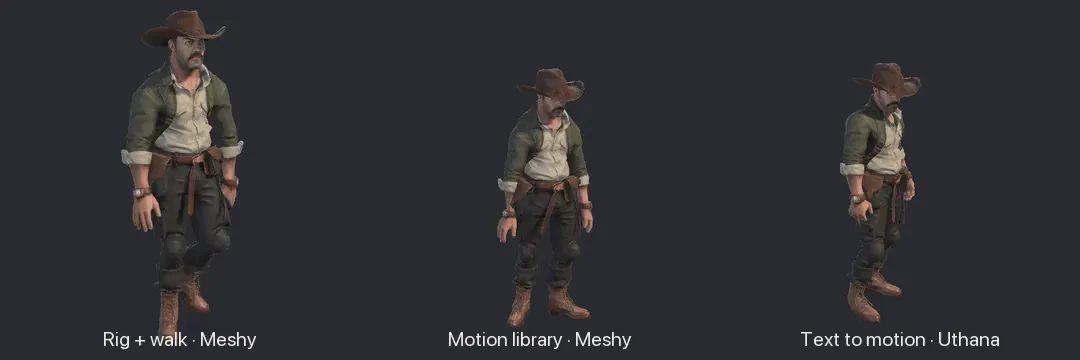
Characters that move
Rig a character, then animate it from Meshy's motion library or from a prompt. It walks in Play mode.
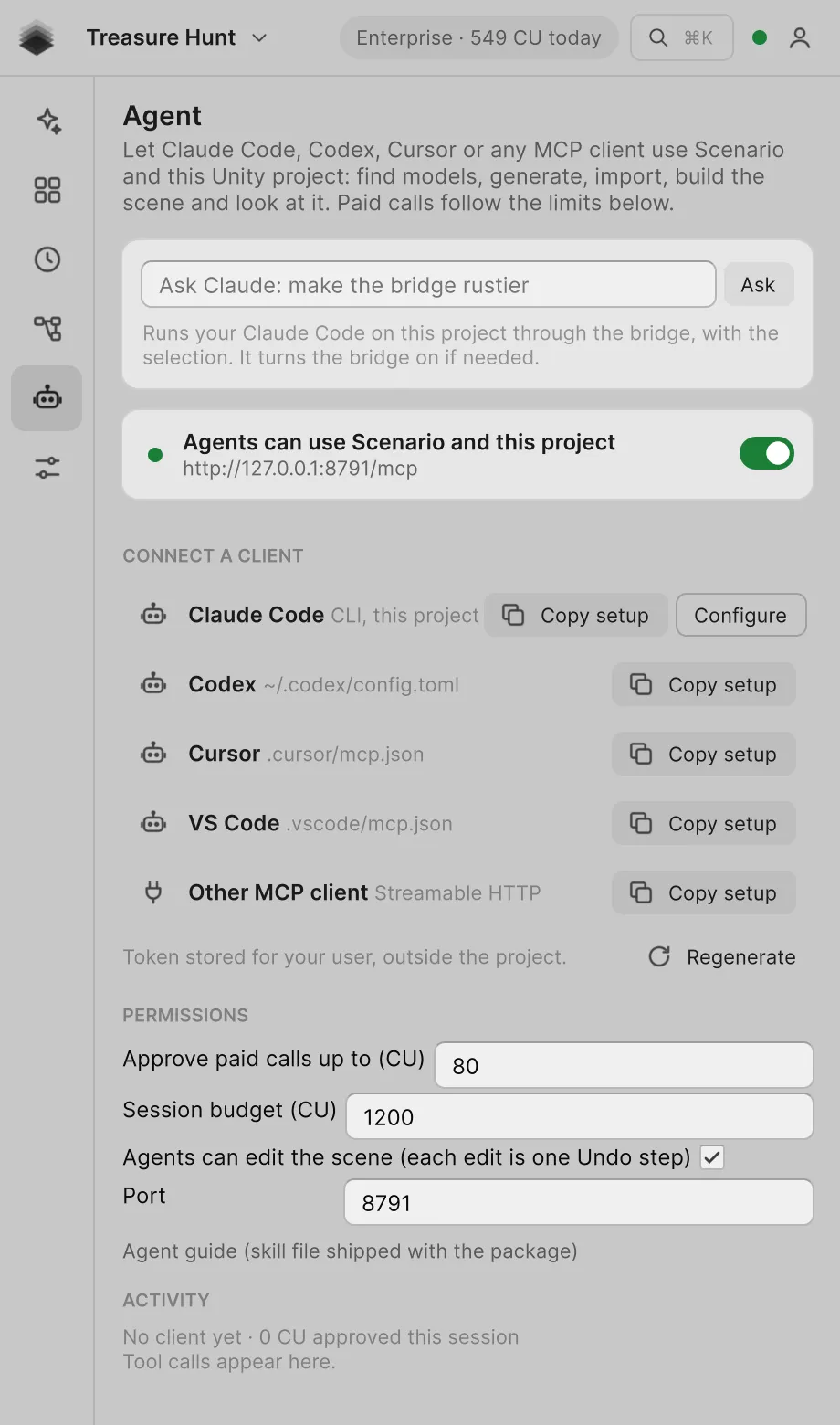
Hand it to an agent
Turn on agent access and Claude Code, Codex, Cursor, VS Code or any MCP client can use the same models, prices and import rules as you, on this machine only.
What you need
Unity 6.0 or later and a Scenario account.
Questions
What does a request cost?
The Generate button shows the price of the exact request, for example 120 CU, before anything is spent. Above your confirmation limit, 1,000 CU by default, Unity asks before sending.
Does anything ship in my game?
No. The package works in the editor only: nothing from it ships in a player build.
Which render pipelines are supported?
Unity 6.0 or later with the Built-in render pipeline, URP or HDRP.
I use the earlier Scenario plugin. What changes?
This package replaces the earlier Scenario plugin for Unity (com.scenarioinc.scenario, 0.11.0 and before), which is no longer maintained. Remove it in the Package Manager, then install this one.
Get Scenario for Unity
Get the pluginMore plugins



Photoshop, Maya, Blender, Unity, Godot and ChatGPT are trademarks of their respective owners.