
Available now
Scenario is now inside Photoshop
A panel that runs Scenario's image, edit, upscale, layer and video models on the document, layer or selection you are working on, and lands the results as layers.





- Create images
- Edit inside a selection
- Character sheets
- Split into layers
- Reframe and upscale
- Animate
- AI agents (MCP)
How it works
Install
Download the .ccx package from the plugin's site and install it with Creative Cloud's plugin installer. Open the panel from Plugins › Scenario.
Sign in
Click Sign in with Scenario and approve in your browser, or paste a project API key. Pick the project that pays for the runs.
Select and run
Click a layer or draw a selection: the panel offers the actions that fit it, with the price on the button. Results land as layers.
The launch film 4 min
What it does
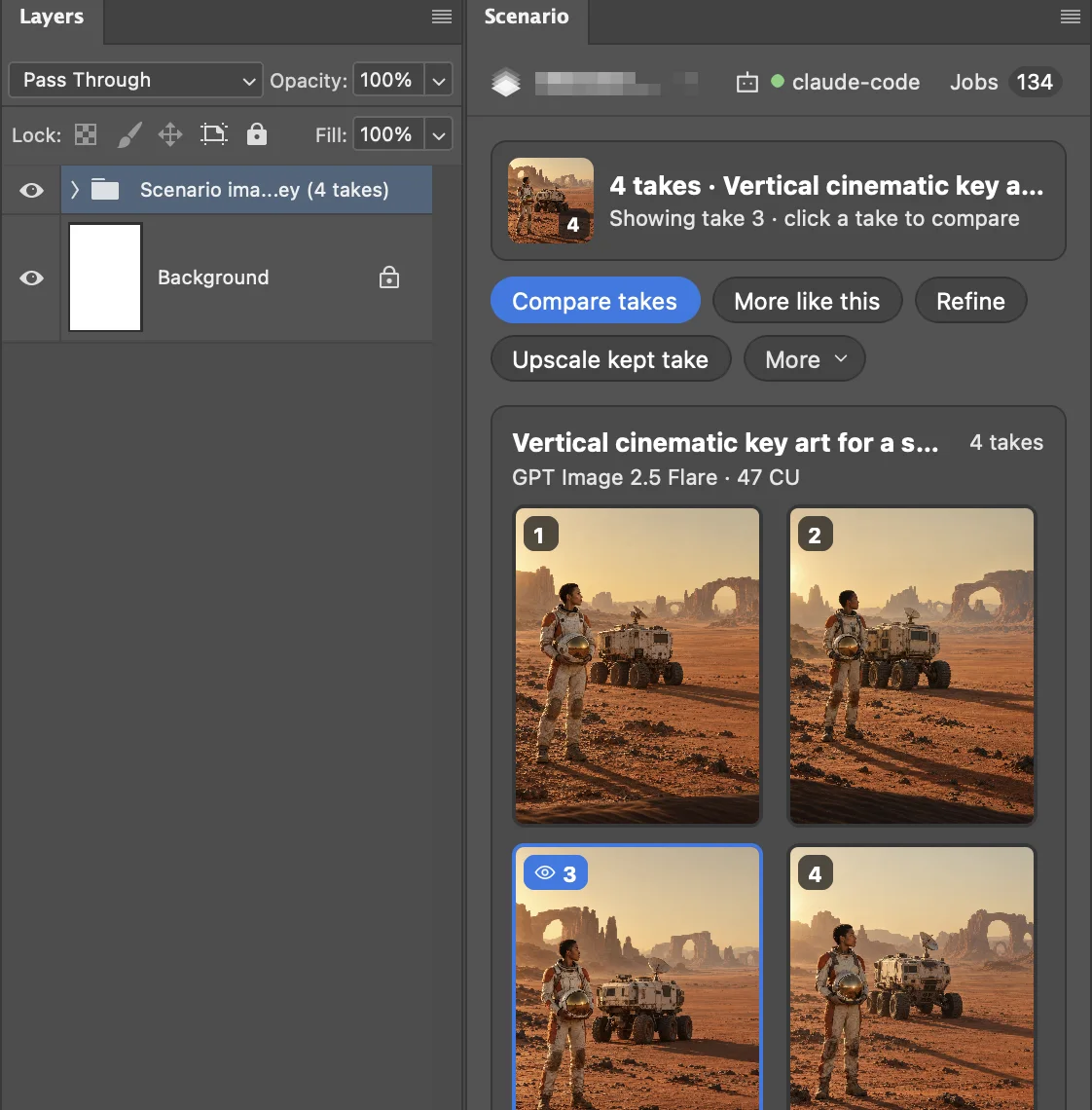
Takes you can compare
Create image makes several takes in one run. They land as a group of layers, and you keep the one you want.

Edit inside a selection
Draw a selection and describe what goes inside. Replace inside lands a layer masked to the selection.

A character sheet from one figure
Cut out the subject, then Make versions draws the same character from the front, the side and the back.
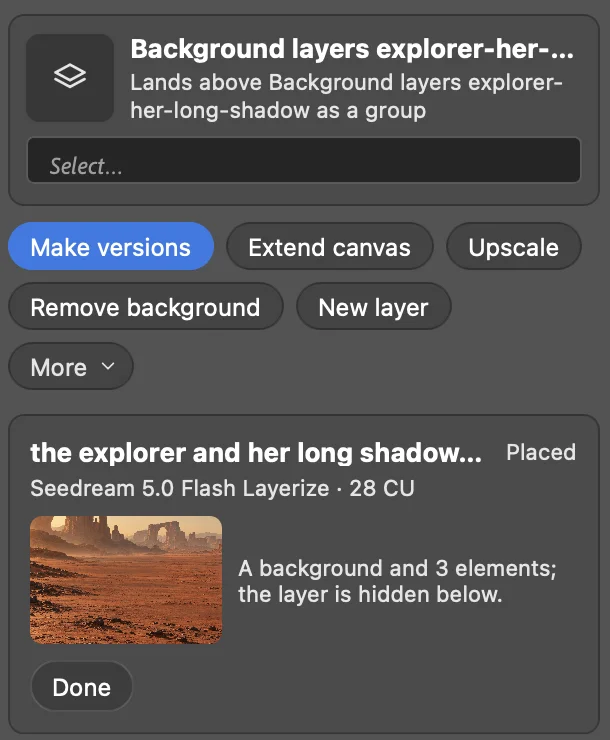
Split into layers
A flat picture becomes a clean background and one layer per element, ready to recolor, regrade or relight.

Animate the key art
Animate makes a short clip from the picture and your prompt, 5 seconds by default, and opens it as a video document.
What you need
Photoshop 2026 (27.x) and a Scenario plan with API access (Starter or above).
Questions
What does a run cost?
Runs use Creative Units (CU), Scenario's credits. Each action button shows its price before you click, and checking the price is free.
Where do results go?
Into your document: a layer above the source, a layer masked to the selection, a group of takes, or a background and a layer per element. Every run is one History state.
Can an AI agent use it?
Yes. The plugin includes a local Scenario MCP server, so Claude Code, Codex, Cursor or Claude Desktop can work in your documents, with your approval in the panel.
Is it on the Adobe Marketplace?
Not yet. Download the .ccx package from the plugin's site and install it with Creative Cloud's plugin installer.
Get Scenario for Photoshop
Get the pluginMore plugins


Photoshop, Maya, Blender, Unity, Godot and ChatGPT are trademarks of their respective owners.